
Precision Drawing in Telegram Media Editor: Adaptive Zoom Scaling, Custom Palette Eyedropper & Vector Annotation
Create pixel-perfect sketches, callout diagrams, and artistic markups on any photo or video. Master Telegram's intelligent brush physics that dynamically shrink line thickness when zooming in, alongside gradient eyedroppers, neon glow pens, and privacy blur tools.
draw
Official demonstration: Pinching to zoom in on a photo while the brush automatically scales down for microscopic detail.
Dynamic Inverse Scaling
Brush width adapts automatically: pinch-zoom 4x deeper and your stroke shrinks 4x finer relative to the image canvas.
Eyedropper & Color Lift
Drag from the color spectrum or sample exact hex colors directly from pixels inside your photo for seamless harmony.
Multi-Brush Toolkit
Switch instantly between high-precision ballpoint, marker highlighter, neon laser glow, and Gaussian blur privacy censors.
brush
ENGINEERING DEEP DIVE
The Geometry of Adaptive Stroke Thickness: Canvas Matrix Coordinates
Standard photo drawing utilities suffer from fixed-viewport stroke rasterization: drawing a 4px line on a 1x canvas and then zooming in 4x produces a chunky 16px blur on the underlying image. Telegram solves this by decoupling the drawing gesture coordinate space from the display viewport matrix:
calculate
Inverse Zoom Calculation: As the pinch gesture scales the view by factor S, the brush diameter D is modulated as
D_canvas = D_base / S, keeping stroke detail constant relative to the underlying photo resolution.
polyline
Bézier Smoothing & Velocity Damping: Raw touch input points are interpolated in real time using cubic Bézier splines with touch velocity dampening, eliminating jagged micro-jitters from handheld finger strokes.
layers
Non-Destructive Vector Layering: Drawings, arrows, and text are stored as discrete vector overlay nodes until final JPEG/MP4 export, allowing unlimited undo and transformation before sending.
palette
Interactive Canvas Studio: Dynamic Brush Scaling & Neon Glow Playground
Draw on the pad below, then adjust the Zoom slider to see how stroke thickness shrinks automatically for hairline precision.
SIMULATED PINCH ZOOM
1.0x (Normal)
EFFECTIVE CANVAS STROKE WIDTH
8.0 px
Mastering the Media Editor Drawing Workflow
Quick guide to accessing precision brush controls before sending any photo or video.
1
Open Media Editor
Select any picture or video from your device gallery. Instead of hitting send immediately, tap the Brush / Pencil icon at the bottom of the preview screen to launch the overlay editor.
2
Adjust Brush & Zoom In
Drag the dot above the color picker slider up or down to set your base stroke size. Then use two fingers to pinch-zoom into any face or object. Notice how your brush tip automatically decreases in pixel size for microscopic detail.
3
Sample Eyedropper & Apply
Drag the eyedropper icon onto any part of your media to lift exact background tones. Draw your arrows or highlight text, then tap Done to save non-destructive vector changes before sending.
Media Editor Brush Toolkit Comparison
| Brush Type | Stroke Style | Special Property | Best Use Case |
|---|---|---|---|
| Pen (Fine Tip) | Solid, sharp edge | Inverse zoom dynamic scaling | Handwritten notes, precise callout arrows |
| Marker (Highlighter) | Semi-transparent (50% opacity) | Color multiply blending | Highlighting document text & receipts |
| Neon Laser | Luminous glowing outer aura | Multi-pass additive glow shader | Eye-catching emphasis, creative doodles |
| Blur / Pixelate | Gaussian blur or mosaic filter | Area-based privacy concealment | Masking license plates, faces, passwords |
Pro Tip: Perfect Geometric Shapes with Hold-to-Snap
When drawing arrows, circles, stars, or rectangles in the Telegram media editor, keep your finger or stylus pressed on the screen for half a second after finishing the stroke. Telegram's intelligent shape-recognition algorithm will instantly snap your freehand line into a mathematically perfect vector polygon!
photo_library
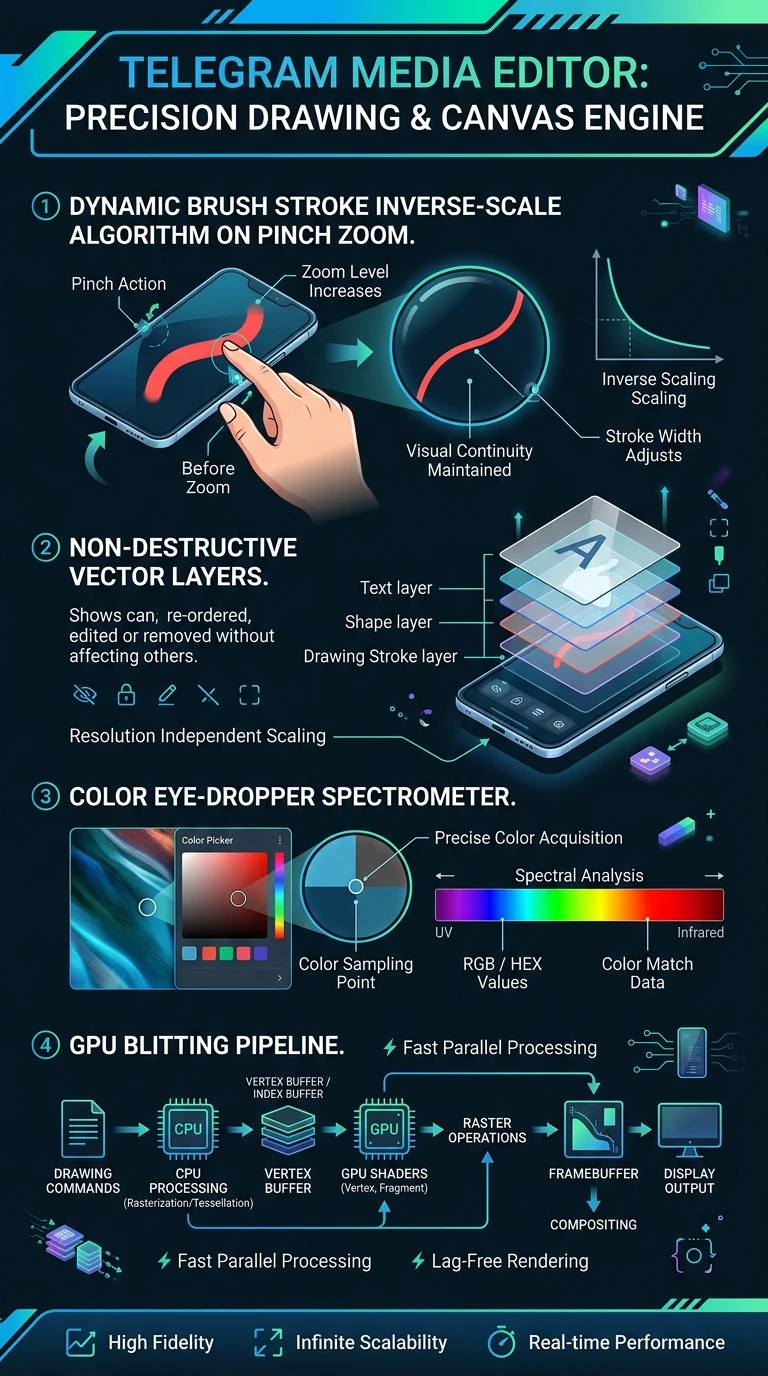
Executive Summary Infographic
Telegram Precision Drawing & Media Editor Architecture
Click the vertical infographic below to inspect high-resolution vector layers and brush physics.
auto_stories
More in "Tips & Video Shorts" Learning Track


