
Flexible Forwarding in Telegram: Anonymous Forward Previews, Caption Stripping & Dynamic Recipient Switching
Take complete control over forwarded content before it reaches your contacts. Discover how Telegram's interactive Forward Preview sheet enables you to conceal sender identities, strip media captions, deselect specific messages, and re-route destinations seamlessly.
forward
Official demonstration: Tapping the forward header to toggle sender names and remove photo captions in the preview sheet.
Hide Sender Identity
Strip original author names and account profile links with 1 tap to protect privacy when re-sharing sensitive information.
Strip Media Captions
Remove existing text descriptions from images, GIFs, and videos to forward pure visual media without unwanted commentary.
Recipient Re-Routing
Tapped the wrong group? Switch destination chats directly inside the preview sheet without losing your selection or retyping.
security
PRIVACY ARCHITECTURE
How Telegram Decouples Message Signatures & Forward Headers
In conventional messengers, forwarded messages are permanently bound to the original sender's database user ID, creating an indelible chain of metadata that exposes private contacts. Telegram redesigned this with a client-side forwarding modifier protocol:
fingerprint
Cryptographic Author Stripping: When "Hide Sender Name" is enabled, the client sends an RPC request omitting
fwd_from header metadata, rendering the message on the recipient's end as an original posting from you.
link_off
Global Account Privacy Shield: Under Settings > Privacy > Forwarded Messages, you can globally forbid non-contacts from hyperlinking back to your account when someone forwards your statements.
checklist
Selective Message Pruning: If you select 10 messages from a conversation, the preview sheet lets you tap individual items to deselect them, ensuring only relevant excerpts reach the final chat.
preview
Interactive Forward Preview Studio: Identity & Caption Stripping Simulator
Toggle the forwarding modifiers below to observe how the outgoing message preview updates in real time.
1. Forwarding Privacy Controls
Show Sender Name
Links to original creator's account
Show Media Captions
Includes original commentary
FORWARD PREVIEW
Sending to: Alice Smith
image
Here is the latest infrastructure roadmap for decentralization and privacy features.
How to Access the Forward Preview Sheet
Master the gesture that reveals Telegram's forward customization options.
1
Select & Pick Recipient
Long-press any message in a chat and tap Forward. Select any contact, channel, or group from your conversation list.
2
Tap the Forward Bar
Before hitting send, notice the Forward Message banner resting directly above the text input. Tap this banner to expand the full preview customization sheet.
3
Toggle Privacy & Confirm
Tap Hide Sender Name or Hide Captions. You can also tap individual messages to deselect them, or tap Change Recipient if needed. Hit send when satisfied!
Forwarding Privacy Matrix
| Configuration | Original Author Shown | Profile Link Clickable | Original Media Caption Kept | Privacy Level |
|---|---|---|---|---|
| Default Forward | Yes | Yes (Subject to Author's Privacy Settings) | Yes | Standard Attribution |
| Hide Sender Name | No (Appears as Direct Post) | No Link Generated | Yes | High Privacy (Anonymous) |
| Hide Caption | Yes | Yes | No (Stripped Clean) | Media Focus |
| Hide Both (Ghost Forward) | No | No | No | Maximum Opacity (Zero Meta Leak) |
Pro Privacy Tip: Global Forward Link Shield
Want to protect yourself from being linked when others forward your messages? Head to Settings > Privacy and Security > Forwarded Messages and select Nobody under "Who can add a link to my account when forwarding my messages?" Even if someone forwards your words with your name visible, clicking your name will NOT open your profile.
photo_library
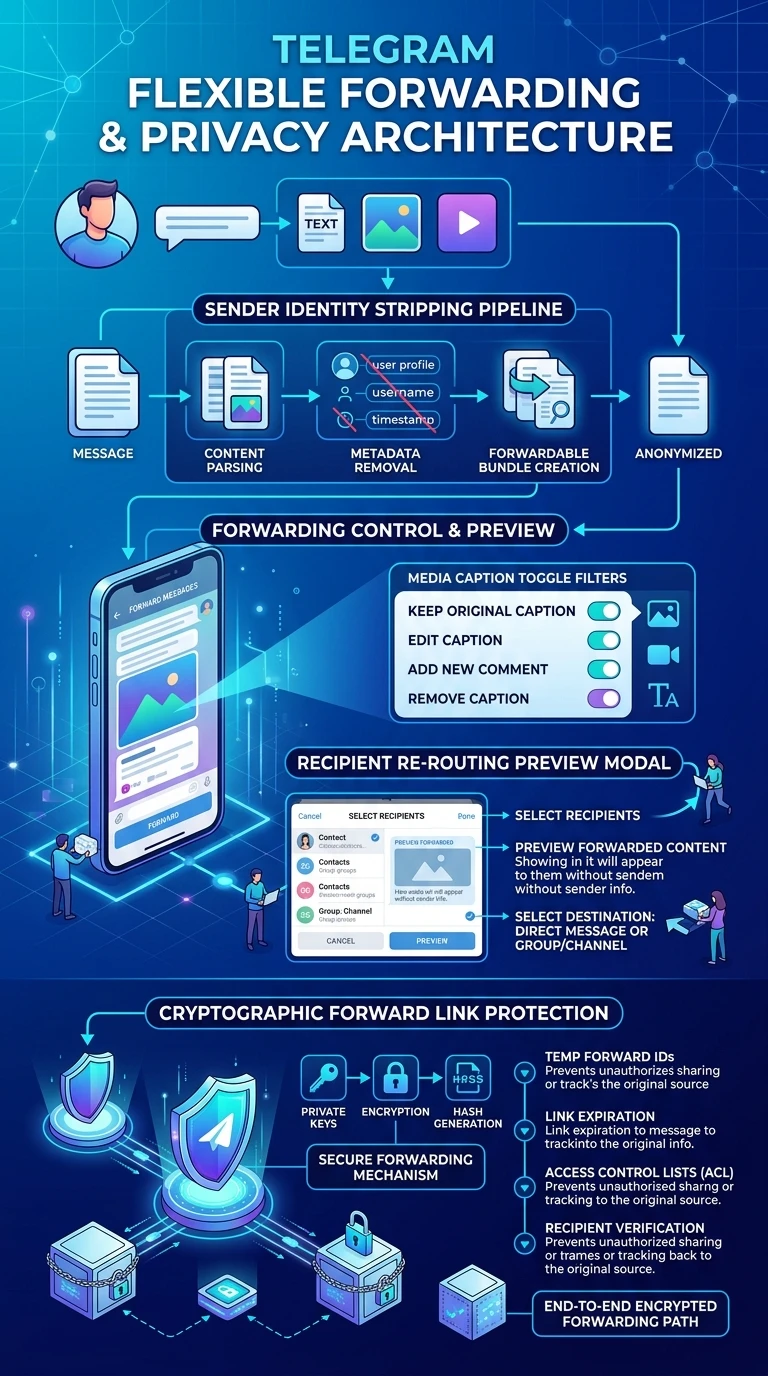
Executive Summary Infographic
Telegram Flexible Forwarding Architecture & Privacy Shield
Click the vertical infographic below to inspect privacy header stripping and RPC modification schemas.
auto_stories
More in "Tips & Video Shorts" Learning Track


