
How to Create Public Groups & Channels in Telegram: Global Usernames, Discovery Links & Community Governance Guide
Scale your brand from a closed circle to a worldwide community. Learn how to transform standard private chats into searchable public spaces with custom t.me/username links, global search indexation, role-based admin controls, and linked discussion comment feeds.
public
Official demonstration: Switching group or channel type from Private to Public and claiming a permanent custom username link.
Permanent Public Links
Claim a memorable global address (t.me/yourname) that anyone on the web or in-app can find and join with a single click.
Global Search Indexation
Public communities are automatically indexed in Telegram's global directory, driving organic discovery across millions of active users.
Granular Admin RBAC
Protect massive supergroups with granular permissions: restrict media sharing, toggle slow mode timers, and appoint specialized moderators.
hub
NETWORK ARCHITECTURE
Public Supergroups vs Broadcast Channels: Structural Mechanics
While both share the public t.me/username addressing namespace, Telegram's backend routes groups and channels through fundamentally distinct messaging pipelines:
forum
Public Supergroup (Many-to-Many): Supports up to 200,000 members with decentralized discussions. Equipped with Anti-Spam algorithms, Slow Mode (10s to 1 hour rate-limiting), and full message history visibility for newcomers.
campaign
Public Channel (One-to-Many): Unlimited subscriber capacity designed for broadcast journalism and brand publishing. Posts carry the channel's identity rather than personal author handles.
chat
Linked Discussion Bridge: Link a public group to your public channel to automatically generate dedicated, synchronized comment threads under every announcement post.
tune
Interactive Lab: Community Type & Public Link Configuration Studio
Switch between Public Group and Public Channel architectures, test username link availability, and configure governance controls.
t.me/
check_circle Username is available
Public Web Preview
https://t.me/tech_innovators
Architecture Capabilities
Audience Capacity:
200,000 Members
Communication Flow:
Many-to-Many Discussion
Anti-Spam Slow Mode:
Supported (10s - 1h)
Discussion Comments:
Integrated Chat Stream
How to Make a Group or Channel Public
Follow these four straightforward steps on any mobile or desktop client.
1
Open Edit Settings
Open your group or channel profile. Tap the Pencil icon (Edit) in the top header to enter administrative settings.
2
Select Channel/Group Type
Tap Channel Type or Group Type. Switch the setting from Private to Public.
3
Claim Unique Username
Type your desired public handle (e.g.
mycommunity). Telegram will instantly verify global availability with green confirmation text.
4
Save & Distribute
Tap the checkmark to save. Your group or channel is now searchable globally and accessible via
https://t.me/yourhandle!
Public Communities vs Private Groups Comparison
| Attribute | Public Group / Channel | Private Group / Channel |
|---|---|---|
| Access Model | Open to everyone (No admin invite required) | Invite link or direct admin addition only |
| Search Visibility | Indexed in Telegram Global Search | Completely hidden from search results |
| Link Format | Custom vanity URL (t.me/username) |
Random cryptographic hash link |
| Admin Link Control | Single permanent public handle | Revocable temporary links with expiry caps |
Pro Creator Tip: Securing Verified Badges
If your brand or organization is already verified on other major platforms (such as X/Twitter, Instagram, YouTube, or Facebook), you can message the official @VerifyBot on Telegram to receive a blue verified badge on your public channel or supergroup, establishing instant authenticity for global subscribers!
photo_library
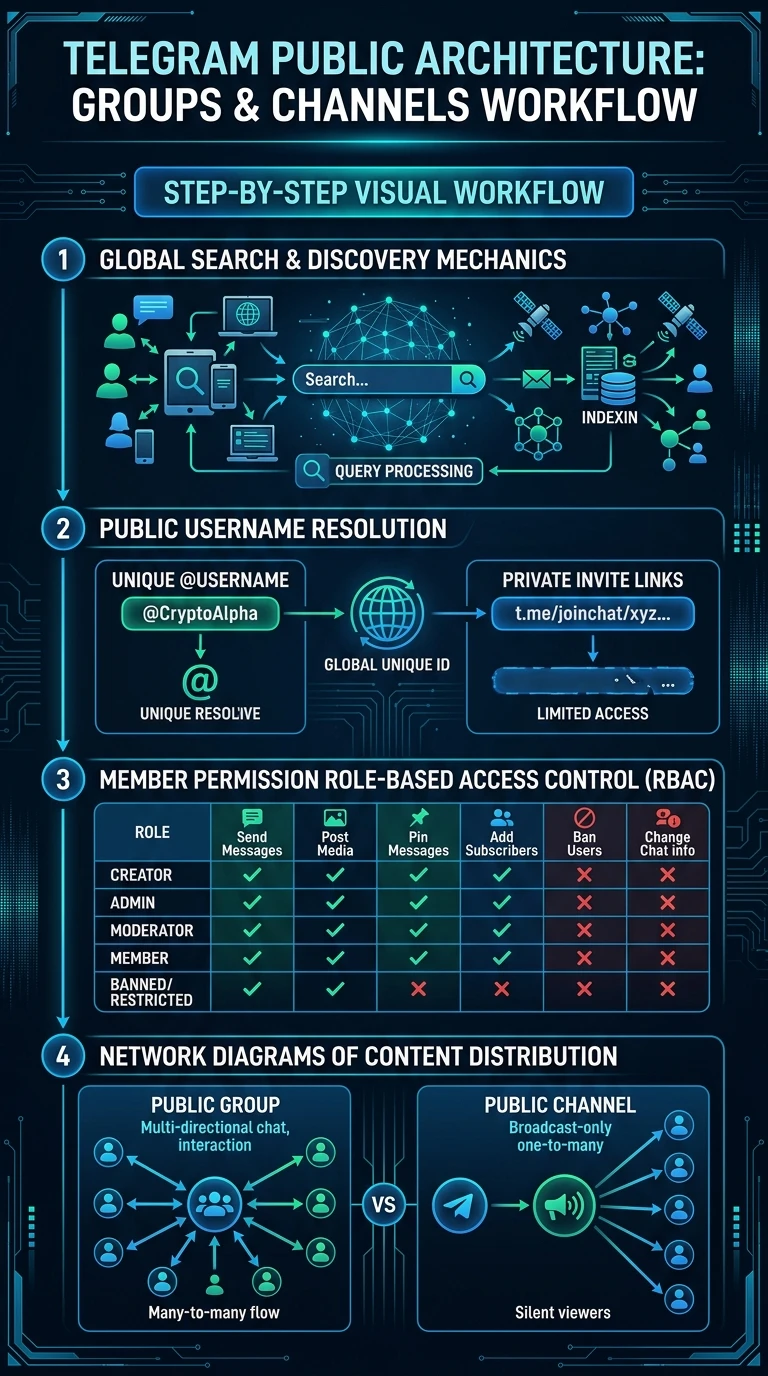
Executive Summary Infographic
Telegram Public Groups & Channels Architecture
Click the vertical infographic below to inspect username resolution, RBAC matrices, and global discovery pipelines.
auto_stories
More in "Tips & Video Shorts" Learning Track


