
How to Post Anonymously in Telegram Public Groups & Comments: Broadcast as a Channel Identity Guide
Speak on behalf of your brand without exposing personal account credentials. Discover how channel owners and admins can switch their posting identity to a public channel profile, participate in group discussions, and comment on channel feeds with complete personal privacy.
shield_person
Official demonstration: Tapping your profile avatar next to the message input box, selecting a channel persona, and posting anonymously.
1-Tap Identity Switcher
Tap your profile picture beside the message bar to bring up the identity selector and choose between your personal profile or managed channels.
Anti-Doxxing Protection
Your personal username, phone number, bio, and online status are totally concealed. Members only see the channel name and public avatar.
Universal Discussion Reach
Post seamlessly across public supergroups, linked discussion threads, and external channel comment sections as an official brand persona.
verified_user
ADMIN RIGHTS & PRIVILEGES
Channel Persona vs Anonymous Group Admin: Key Differences
Telegram provides two related but distinct methods for maintaining anonymity during group administration:
campaign
Post as Channel (Channel Persona): Any user who owns or manages a channel can post messages that bear that channel's title and avatar. Tapping the message opens the channel rather than a user profile.
admin_panel_settings
Anonymous Group Admin Setting: Configured inside Group Settings > Administrators > "Remain Anonymous". The admin's posts display the Group Name itself, completely hiding all admin identities from member lists.
link
Organic Subscriber Funnel: Every insightful comment you publish in related public supergroups acts as an organic billboard directing curious readers to subscribe to your channel.
tune
Interactive Lab: Channel Persona Switcher & Comment Broadcaster
Switch between your Personal Profile and Brand Channel personas, then send mock comments to observe identity masking.
SELECT SENDING IDENTITY (Message Bar Avatar):
Community Moderator @Elena
What are everyone's thoughts on the new Telegram 8.4 update features?
TG
insights
MARKETING & BRANDING TACTICS
How Creators Use Anonymous Channel Posting to Drive Organic Growth
Publishing comments under your channel profile is one of Telegram's highest-converting zero-cost audience acquisition channels:
trending_up
Instant Profile Previews: In Telegram, tapping a channel's name on a comment instantly launches a rich channel preview sheet with the latest 3 broadcast posts and a "Subscribe" button.
comment
High-Signal Industry Contributions: Leave expert commentary under major tech, finance, or news channel posts. High-quality remarks naturally receive upvotes and thousands of profile visits.
block
Anti-Spam Thresholds: Group administrators can toggle permissions allowing or forbidding channel personas if a specific discussion community prefers personal member identities only.
auto_awesome
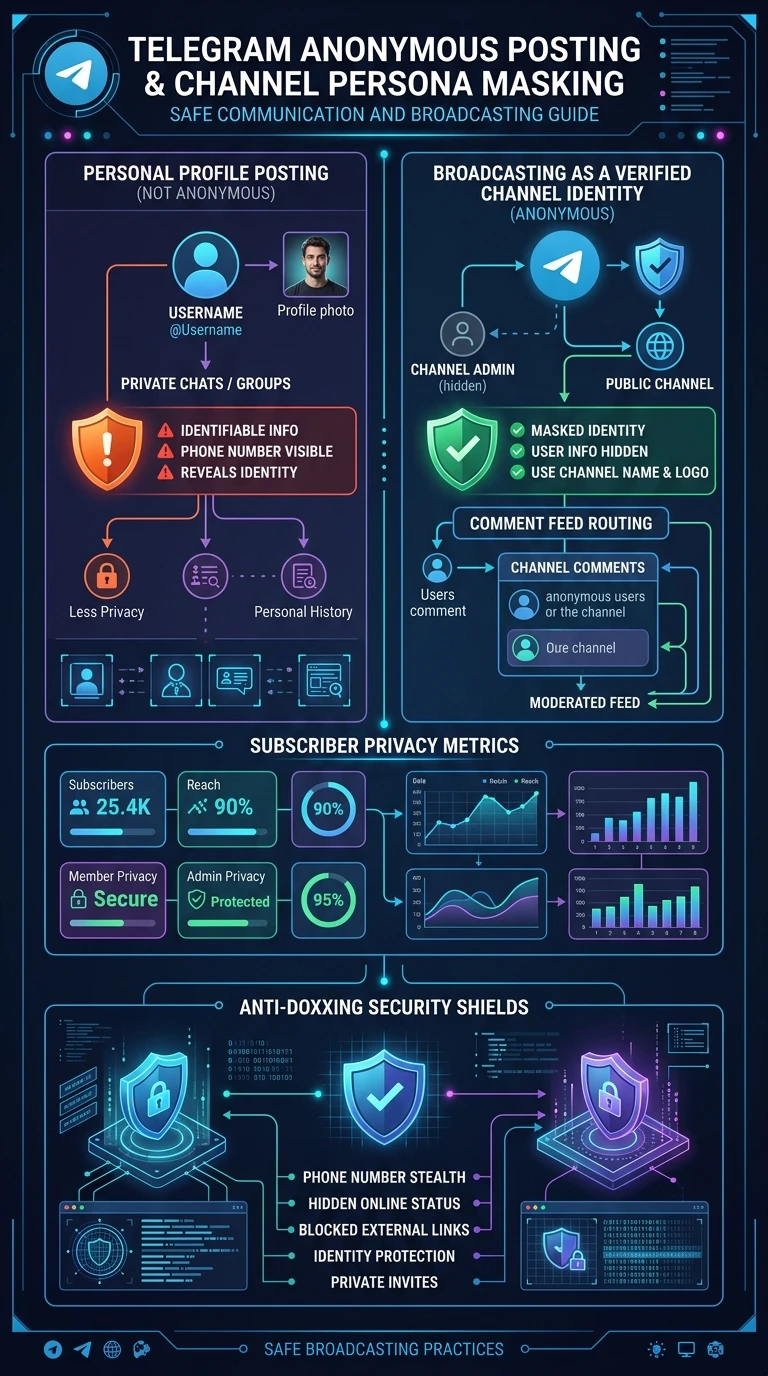
EXECUTIVE VISUAL SUMMARY
Anonymous Channel Posting & Persona Masking Reference
A complete vertical 9:16 blueprint contrasting personal profile exposure versus verified channel identity broadcasting, comment routing pipelines, and anti-doxxing security shields.
auto_stories
More in "Tips & Video Shorts" Learning Track


