LIVE PORTAL Telegram v11.8 API Synchronized Free Animated Stickers
shield_person ADMIN LOGGED IN + Write Guide
admin_panel_settings ADMIN CONTROLS Guide #10606 • tips
How to Stream with OBS & Live Software in Telegram: RTMP Server Ingest, Stream Keys & Multi-Camera Broadcasts
play_circle Official Video Tip #325
Telegram Tips & Video Shorts Series

How to Stream with OBS & Live Software in Telegram: RTMP Server Ingest, Stream Keys & Multi-Camera Broadcasts

Turn your Telegram channels and supergroups into professional television broadcast studios. Learn how to connect OBS Studio, XSplit, and Streamlabs to Telegram using RTMP ingest URLs and stream keys for studio-grade live production.

live_tv Official demonstration: Starting a live stream with third-party software, copying the Server URL and Stream Key, and broadcasting directly to Telegram subscribers.
settings_input_antenna
Universal RTMP Ingest
Connect OBS Studio, vMix, Wirecast, or hardware encoders directly to Telegram via industry-standard RTMP streaming protocols.
key
Encrypted Stream Keys
Each channel generates unique, revocable stream keys ensuring only authorized production teams can publish to your feed.
hub
Distributed Global CDN
Telegram's edge network automatically transcodes and distributes live streams to millions of viewers with near-zero latency.
tune STUDIO CONFIGURATION

Recommended OBS Studio Encoder Settings for Telegram

To achieve seamless streaming without frame drops across diverse mobile connections, configure your software encoder with Telegram's optimal ingest profile:

videocam
Video Resolution & Framerate: 1080p (1920x1080) or 720p (1280x720) at 30 or 60 fps. Keyframe Interval must be set strictly to 2.0 seconds.
speed
Video Bitrate (CBR): Use Constant Bitrate (CBR) between 2,500 kbps and 6,000 kbps depending on production resolution and network upload headroom.
graphic_eq
Audio Encoder: AAC, 44.1 kHz or 48 kHz stereo with audio bitrate set between 128 kbps and 192 kbps for pristine vocal clarity.
checklist 3-Step Professional Ingest Workflow
1
Generate Ingest Credentials in Telegram
Open your Telegram Channel or Group profile > tap Live Stream (or Video Chat) > select Stream With... > copy your unique Server URL and Stream Key.
2
Configure Stream Destination in OBS Studio
Open OBS Settings > navigate to Stream > set Service to Custom... > paste the Telegram Server URL into Server and your Stream Key into Stream Key.
3
Go Live & Manage Community Interaction
Click Start Streaming in OBS > return to Telegram and click Start Live Stream. Your multi-source broadcast goes live immediately to all channel followers.
science INTERACTIVE STUDIO SIMULATOR

OBS Studio & RTMP Bitrate Calculator Lab

Calculate the optimal bitrate, buffer size, and expected mobile bandwidth usage for your Telegram live broadcasts.

Recommended Video Bitrate: 4,500 kbps (CBR)
Recommended Keyframe Interval: 2.0 seconds (Strict)
Data Consumption per Hour: ~2.05 GB / hour
Stream Ingest Status: OPTIMAL PROFILE
Ready to simulate ingest
auto_awesome EXECUTIVE VISUAL SUMMARY

Telegram RTMP Live Streaming Architecture

A vertical 9:16 technical specification blueprint illustrating the complete OBS Studio encoder setup, RTMP server URL / stream key authentication, and Telegram distributed edge CDN broadcasting network.
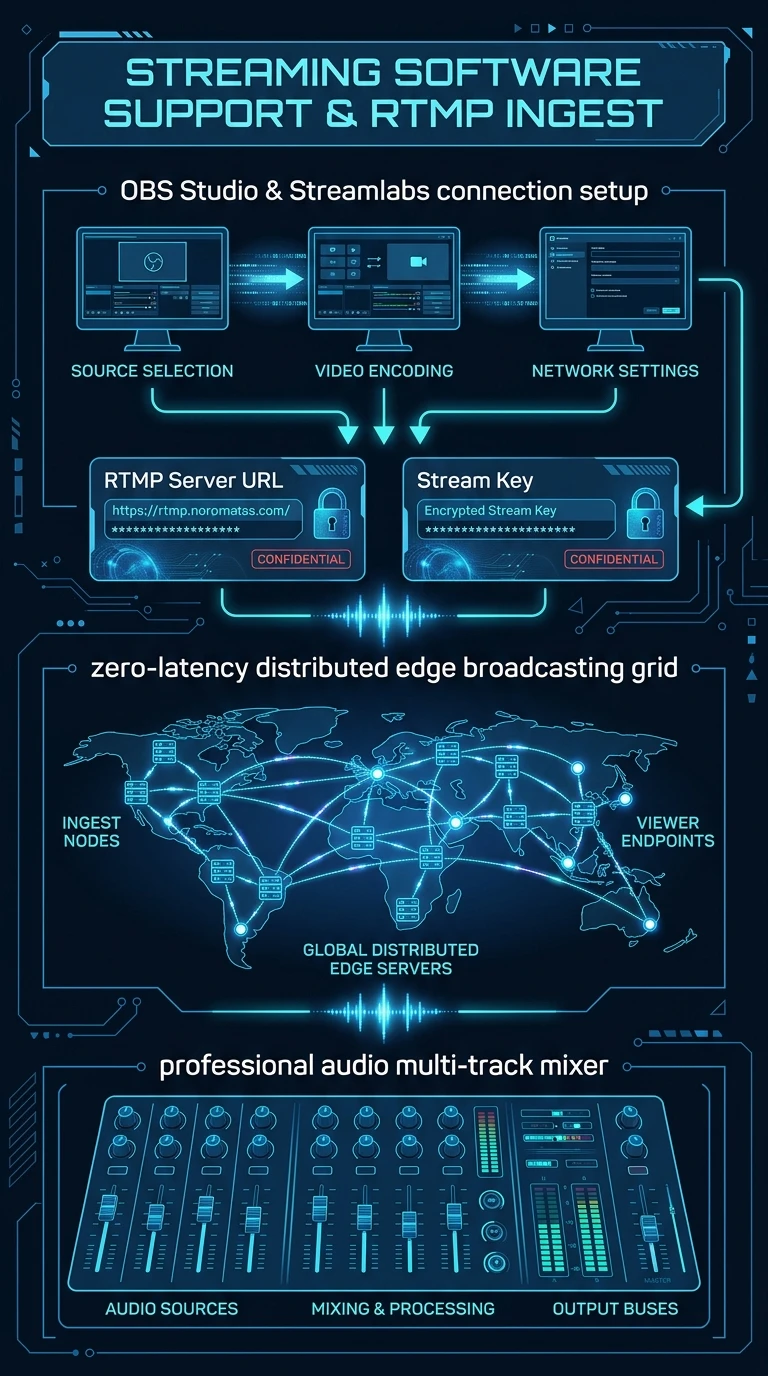

Telegram Streaming Software Support Infographic
zoom_in Click to Expand (9:16 Hi-Res)
admin_panel_settings ADMIN Guide #10606 Actions
Enlarged Preview
Click anywhere outside or press ESC to close viewer
smart_display Telegram Video Short
1080p HD
Official Source: @TelegramTips Post #44 Press ESC or click outside to close