How to Quote Specific Parts of Messages in Telegram: Precision Text Selection, Collapsible Blockquotes & Cross-Chat Replies
Bring surgical clarity to fast-paced group chats and technical discussions. Learn how to highlight exact sentences within messages, format quotes with collapsible blockquotes, and route quote replies across different conversations with instant navigational source links.
How Telegram Implements Sub-Message Quotes & Cross-Chat Pointers
Prior to this upgrade, replies pointed only to an entire message ID. Telegram revolutionized chat citations by embedding granular entity offsets into MTProto:
messageReplyHeader includes quote_text (UTF-8 string), quote_offset (character index), and quote_entities (formatting spans like bold/code).reply_to_peer_id. Recipients can tap the quote banner to jump directly to the original conversation thread.collapsed:flags.0?true, allowing client UI frameworks to render a graceful 'Expand' accordion toggle.Test Precision Text Selection & Quote Composer
Click any sentence in the sample message below to highlight it, tap 'Quote', and watch the reply composer dock the snippet with cross-chat routing.
Telegram Quote Citation & Cross-Chat Routing Protocol
Architecture diagram showing sub-message text selection, MTProto quote entity offset calculation, collapsible blockquote formatting, and cross-chat reply links.
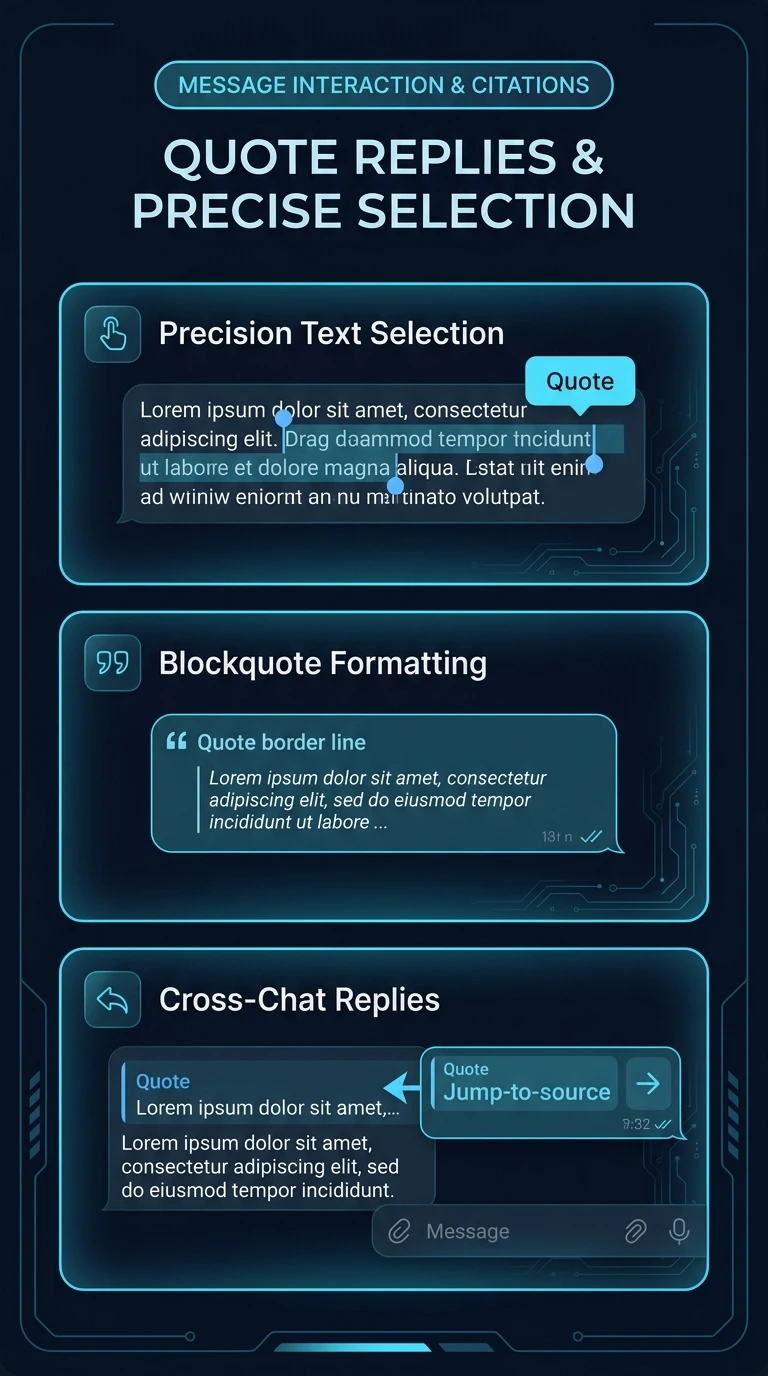
How to Quote Specific Words or Sentences
Frequently Asked Questions
**> your quote** at the beginning of a line formats it as a blockquote. Adding two arrows **>> collapsible quote** makes the quote collapsible.