How to Fast Forward and Rewind Telegram Stories: Hold-to-Pause Gestures, Micro-Scrubbing & Precision Seeking
Never miss a split-second detail in friends' and channels' stories. Discover how to effortlessly pause video stories with a simple touch, slide horizontally to scrub forward or backward through video frames, and inspect key moments without skipping segments.
fast_forward
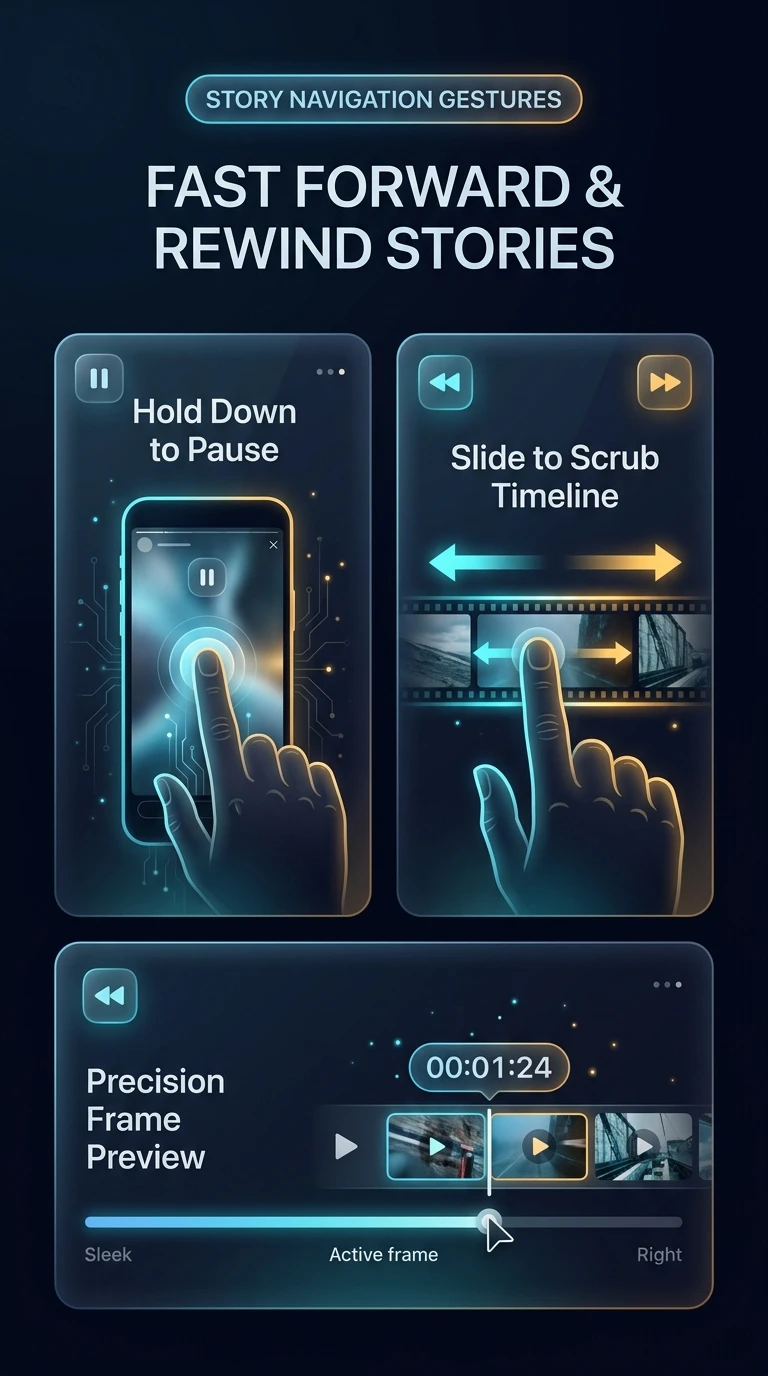
Official demonstration: Long-pressing to pause story playback, then sliding your thumb left or right to scrub through video frames fluidly.
Hold Down to Pause
A single finger hold-down halts story timer progression instantly while keeping the video frame locked for detailed inspection.
Fluid Horizontal Scrub
Slide left to rewind missed moments or slide right to skip ahead without tapping through multiple separate story segments.
Zero-Buffering Playback
Client-side keyframe indexing ensures 0-ms latency frame scrubbing without triggering buffering spinners.
speed
VIDEO BUFFERING & KEYFRAME ENGINE
How Telegram Achieves Latency-Free Story Video Scrubbing
Unlike traditional video platforms that buffer forward streams in bulky HTTP chunks, Telegram's story player is engineered for fluid multi-directional seeking:
movie
Fragmented MOOV Atom Pre-Parsing: When downloading a story video, Telegram requests the MP4 header index first. This provides an exact index of intra-frames (I-frames) and timestamps before full download completes.
hardware
Hardware Decoder Step-Frames: Sliding your finger issues low-level seek calls directly to hardware video decoders (MediaCodec on Android, VideoToolbox on iOS), rendering individual frames at 60 FPS without decoding unneeded intermediate P-frames.
timer
Non-Destructive Story Timer: The global story auto-advance countdown timer pauses cleanly during scrubbing and resumes from the exact release timestamp, preventing unintentional segment transitions.
tune
STORY SCRUBBER SIMULATOR
Test Hold-to-Pause & Scrubbing Gestures
Press the button below to pause the simulated story, then drag the timeline slider to experience bidirectional frame scrubbing.
← Slide Left (Rewind)
Slide Right (Fast-Forward) →
✓ Ready: Hold to pause or drag the slider to scrub video frames.
account_tree
One-Page Executive Infographic
Telegram Story Playback Gesture Engine & Video Scrubbing Pipeline
Visual breakdown of touch gesture event dispatching, hardware-accelerated step-frame decoding, and non-destructive countdown timer synchronization.
zoom_in
Click to inspect full-resolution infographic
checklist
GESTURE GUIDE
How to Scrub and Rewind Telegram Stories
1
Open Any Video Story
Tap a user or channel story from your chat feed story tray. Let the video begin playing normally.
2
Hold Down Anywhere on the Screen
Place your thumb or finger on the display and keep it held down. The story pauses smoothly and UI headers fade back to avoid obstruction.
3
Slide Left or Right to Seek
Without lifting your finger, drag horizontally. Drag left to rewind to earlier seconds, or drag right to fast-forward. Lift your finger to resume normal playback.
help
FREQUENTLY ASKED QUESTIONS
Frequently Asked Questions
Does fast-forwarding register multiple view counts?
No. Telegram logs exactly one view per user session regardless of how many times you scrub or loop the story video.
Can I scrub on Desktop and macOS apps?
Yes! On Telegram Desktop, click and hold the video display and drag your mouse cursor left or right, or use the seek bar docked at the top.
Does scrubbing work on photo stories?
Holding down on a photo story pauses its display timer so you can inspect text, stickers, or links indefinitely. Scrubbing left/right on photo stories navigates to previous or next stories in sequence.
auto_stories
More in "tips" Learning Track