How to Add Video Messages to Telegram Stories: Circular Reaction Overlays, Timeline Positioning & Dual-Audio Balance
Give your stories a dynamic personal touch with real-time video reactions. Discover how to record Telegram's iconic round video notes directly inside the story editor, scale and reposition the circular inset freely, and synchronize speech over background video tracks.
slow_motion_video
Official demonstration: Holding the camera icon in the story editor to record a round video reaction, dragging it across the screen, and adjusting timeline positioning.
Iconic Round Video Notes
Record spontaneous facial expressions and commentary using Telegram's signature circular video format.
Pinch-to-Resize & Move
Position the circular inset anywhere on the screen, resizing it from a compact reaction PIP to an expanded focal point.
Timeline Synchronization
Drag your reaction along the bottom timeline to decide exactly when your commentary begins and balance dual audio tracks.
layers
COMPOSITING & SHADER ENGINE
How Telegram's GPU Media Pipeline Composites Dual Video Tracks
Compositing two high-resolution video streams concurrently requires optimized hardware shader passes:
aspect_ratio
Circular Alpha Masking: The round video note is rasterized using a hardware fragment shader circle mask, rendering 60 FPS video without jagged pixel aliasing along the circular border.
tune
Audio Ducking Pipeline: When the video note reaction track plays, the engine automatically attenuates the background story audio track by -6dB to ensure vocal clarity.
replay
Repost Story Commentary: Creators can repost channel stories or friends' posts and superimpose their own live video note reaction over the original visual seamlessly.
tune
STORY VIDEO REACTION STUDIO
Test Circular Video Note Scaling & Placement
Click the controls below to resize and reposition the circular reaction note over the simulated story video.
[ Primary Story Video: Concert Stadium Stage ]
Reaction
Note 🎥
Note 🎥
✓ Ready: Circular reaction note staged with synchronous audio ducking.
account_tree
One-Page Executive Infographic
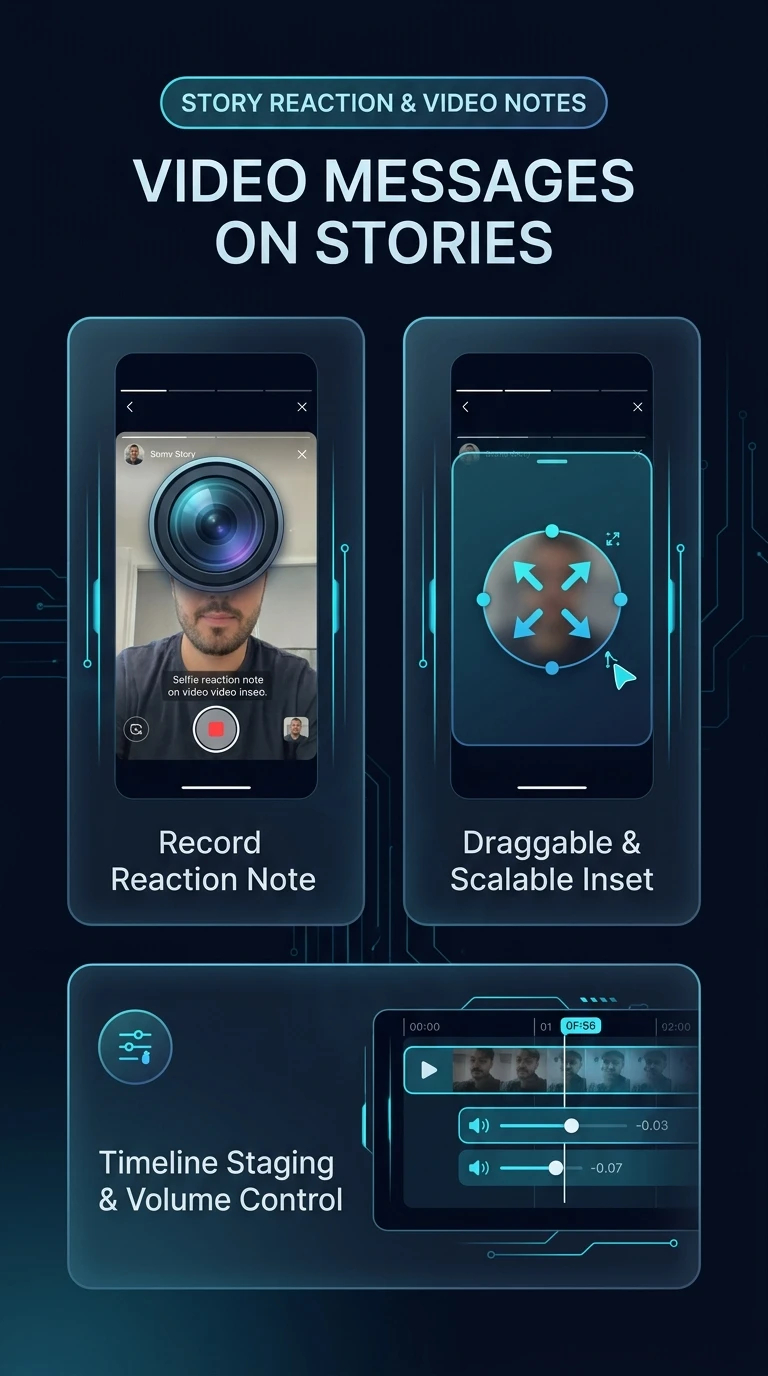
Telegram Story Video Message Reaction & Layer Compositing Architecture
Visual schematic illustrating circular video note recording, pinch-to-resize viewport staging, timeline positioning, and dual-track audio ducking.
zoom_in
Click to inspect full-resolution infographic
checklist
CREATION GUIDE
How to Add a Video Message Reaction to Stories
1
Load or Repost a Story Visual
Capture a photo/video or tap Repost to Story on any public channel post to load the media into the story editor canvas.
2
Hold the Camera Icon to Record Video Note
In the story editor toolbar, press and hold the camera icon. Record your circular video message. Release when your reaction is complete.
3
Resize, Position & Adjust Volume
Pinch to resize the circular video note and drag it to your desired position. Long-press its track at the bottom of the screen to adjust its independent volume level.
help
FREQUENTLY ASKED QUESTIONS
Frequently Asked Questions
Can I add multiple video notes to a single story?
Currently, Telegram supports one high-definition circular video note overlay per story frame to ensure optimal decoding performance on older devices.
Can I flip to the rear camera while recording the video message?
Yes! While holding the camera icon to record the video note, double-tap the screen to switch between front and rear cameras in flight.
What is the maximum duration of a story video note?
The video note can record up to 60 seconds or match the exact duration of your underlying story video clip.
auto_stories
More in "tips" Learning Track