How to Send Multi-User Telegram Premium Gifts: Bulk Gifting Up to 10 Users, Activation Vouchers & Peer Transfers
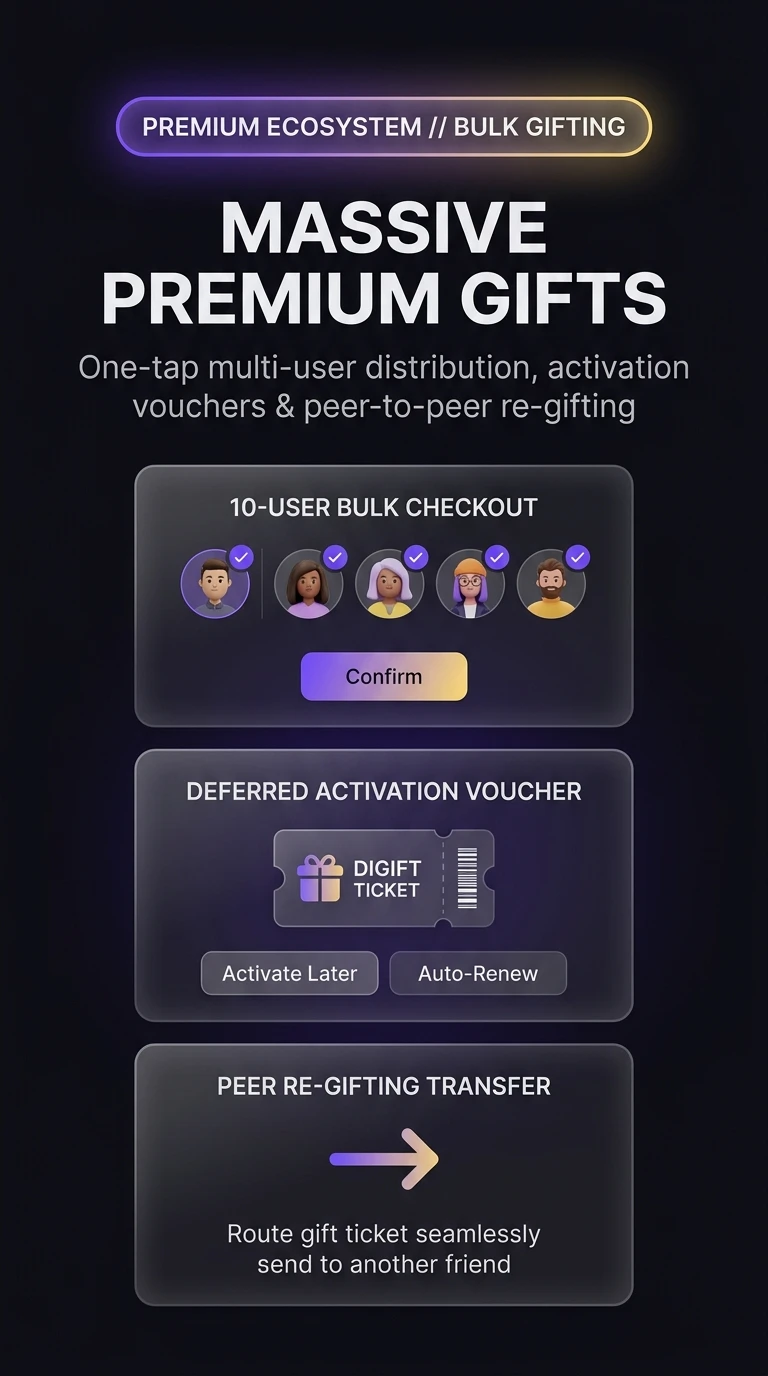
Reward team members, community VIPs, and loyal friends in a single streamlined transaction. Discover how Telegram's 'Gift Premium' settings hub enables bulk distribution for up to 10 contacts at once, provides deferred activation vouchers for existing subscribers, and allows flexible peer-to-peer re-gifting.
How Telegram Manages Bulk Subscriptions and Duplicate Handling
Under MTProto, bulk gifting streamlines multiple individual micro-transactions into a single atomic payment order:
payments.sendPaymentForm payload.t.me/giftcode/...) delivered instantly via a celebratory service message.Test Multi-Contact Selection & Voucher Management
Toggle contacts below to calculate total subscription costs and test how existing Premium memberships are handled.
Activate upon renewal or Forward voucher to a friend.
Open Settings > Gift Premium
In the Telegram app on iOS, Android, or Desktop, navigate to Settings and tap Gift Premium.
Multi-Select Up to 10 Recipients
Tap the checkboxes next to the contacts you wish to reward. You can select any combination of 1 to 10 users in a single batch.
Choose Subscription Duration & Confirm
Select the 3-month, 6-month, or 12-month tier and tap Gift to X Users to complete the single-tap checkout through Apple Pay, Google Pay, or direct card payment.
Bulk gifting is an exceptional mechanism for rewarding community moderators, contest winners, and top contributors. If the recipient already pays for Premium through an app store, they can forward the gift code link directly to a family member or community ambassador.
Telegram Massive Premium Gifts Architecture
Visual breakdown of multi-user checkout batching, deferred activation vouchers, and peer-to-peer re-gifting transfers.