How to Record View-Once Voice and Video Messages on Telegram: Hands-Free Lock, Ephemeral Timers & Anti-Save Shield
Transmit confidential spoken memos and telescope video notes with absolute single-playback enforcement. Explore Telegram's view-once recording controls, swipe-up hands-free locks, cryptographic client-side ephemeral flags, and automated post-playback shredding.
How Telegram Enforces View-Once Rules on Voice and Video
Under MTProto, view-once voice and round video notes are transmitted with strict hardware and cryptographic constraints:
ttl_seconds: 0 accompanied by the view_once attribute, instructing client applications to shred the decrypted media buffer immediately upon playback completion.WindowManager.LayoutParams.FLAG_SECURE, while on iOS, it registers with the system screen-recording notification API to immediately black out video frames.Test Hands-Free Lock & View-Once Dispatch
Simulate swiping up to lock the recording, toggling the view-once timer, and sending an ephemeral voice note.
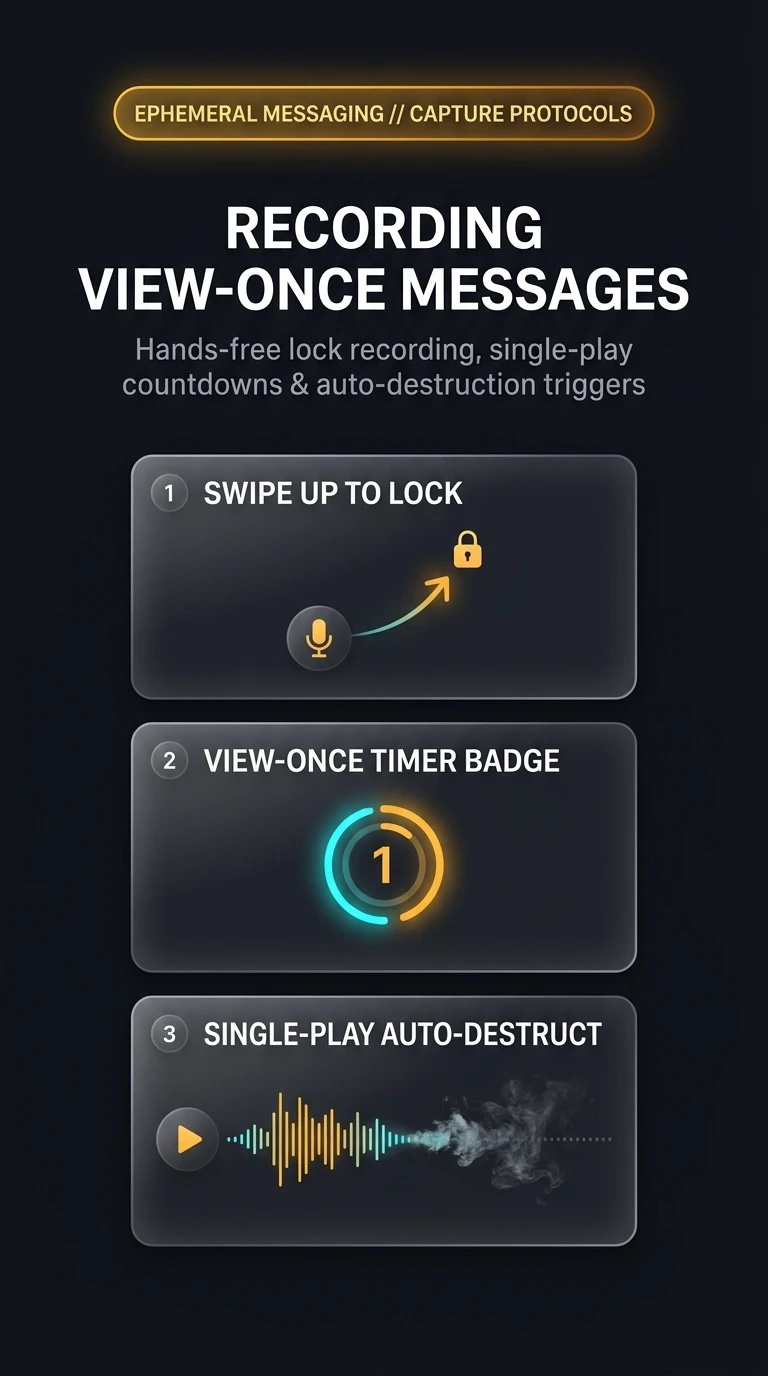
Swipe Up to Lock Recording
In any 1-on-1 chat, press and hold the microphone (for voice) or camera (for round video) icon, then immediately slide your finger upward toward the padlock icon to lock hands-free recording.
Tap the Circular (1) Play-Once Icon
Above the send button, tap the circular (1) timer icon. The icon illuminates to confirm view-once protection is engaged.
Send the Ephemeral Note
Tap the blue send arrow. The recipient can play the note exactly once, after which it dissolves into smoke and permanently unlinks.
Standard disappearing messages (with 1-hour or 1-day timers) can be replayed and paused multiple times during their lifespan. View-Once messages strictly enforce a single continuous listening or viewing session, making them the ultimate vehicle for passwords, financial details, or intimate thoughts.
Telegram View-Once Audio & Video Architecture
Visual breakdown of swipe-up hands-free locks, view-once cryptographic flags, and single-play destruction triggers.