How to Check Read Time in Telegram Private Chats: Exact Timestamps, Privacy Thresholds & 7-Day Auto-Purge
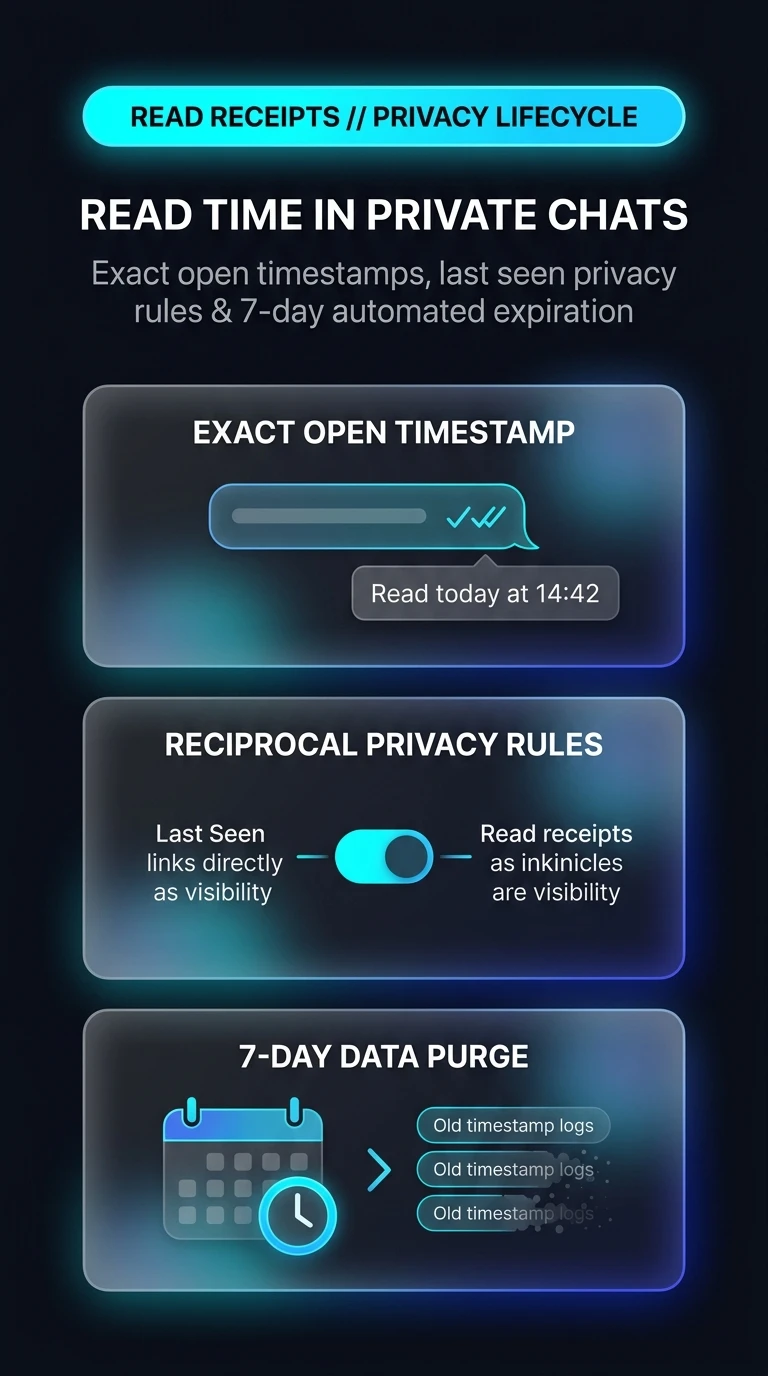
Gain minute-by-minute clarity on your private correspondence. Discover how Telegram displays exact read receipt timestamps in 1-on-1 chats, how read receipts inherit your Last Seen privacy preferences, and why timestamps automatically delete after 7 days to preserve long-term privacy.
How Telegram Manages Ephemeral Read Timestamps
Unlike legacy SMS receipts, Telegram treats read timestamps as transient metadata with strict cryptographic lifecycle boundaries:
read_date integer. When the recipient viewport renders the message, this timestamp updates atomically.privacyValueDisallowUsers on both accounts before rendering the timestamp. If either user hides their status, the exact timestamp field is suppressed.read_date with a generic confirmation bit, permanently stripping time metadata from the archive.Test Read Receipt Popovers & 7-Day Expiry
Tap the outgoing message bubble to inspect the read receipt popover, and drag the timeline slider to test the 7-day auto-purge.
Open Any 1-on-1 Chat
In any private conversation with another Telegram user, locate a message you sent with double checkmarks (done_all).
Tap the Message Bubble
Tap the message once (or right-click on Desktop). The contextual popover appears showing the exact date and minute the recipient opened the chat.
Verify Last Seen Settings
If you cannot see read times, ensure your own Last Seen status is set to 'My Contacts' or 'Everybody' under Settings > Privacy and Security.
Telegram intentionally avoids permanent read logging. After 7 days, read timestamps vanish automatically, ensuring you never have to worry about past communication habits being scrutinized months later.
Telegram Read Time & 7-Day Auto-Purge Architecture
Visual breakdown of exact open timestamp popovers, reciprocal Last Seen privacy linking, and 168-hour automated metadata shredding.