How to Restrict Private Message Permissions in Telegram: Inbound Chat Filters, Spam Shields & Premium Whitelists
Take absolute command over your direct message inbox. Discover how Telegram Premium users can restrict new private chats to 'My Contacts and Premium Users', shutting down unsolicited spam, crypto promotions, and scraper bots while preserving seamless bidirectional contact.
How Telegram Enforces Inbound Message Permissions Server-Side
Under MTProto, message permissions are evaluated at edge proxy servers before dialogs can be created:
messages.sendMessage to a new peer, the server queries the recipient's privacy rule list. If the sender is neither a mutual contact nor Premium, the RPC terminates with a PRIVACY_PREMIUM_NORMAL_USER error.Test Inbound Senders Against Your Permission Rules
Toggle your inbox permission mode and test whether different types of incoming senders can reach your private messages.
Open Privacy and Security Settings
Navigate to Settings > Privacy and Security on iOS, Android, or Desktop.
Select 'Messages'
Under the security menu, tap Messages to configure incoming direct chat permissions.
Switch to 'My Contacts and Premium Users'
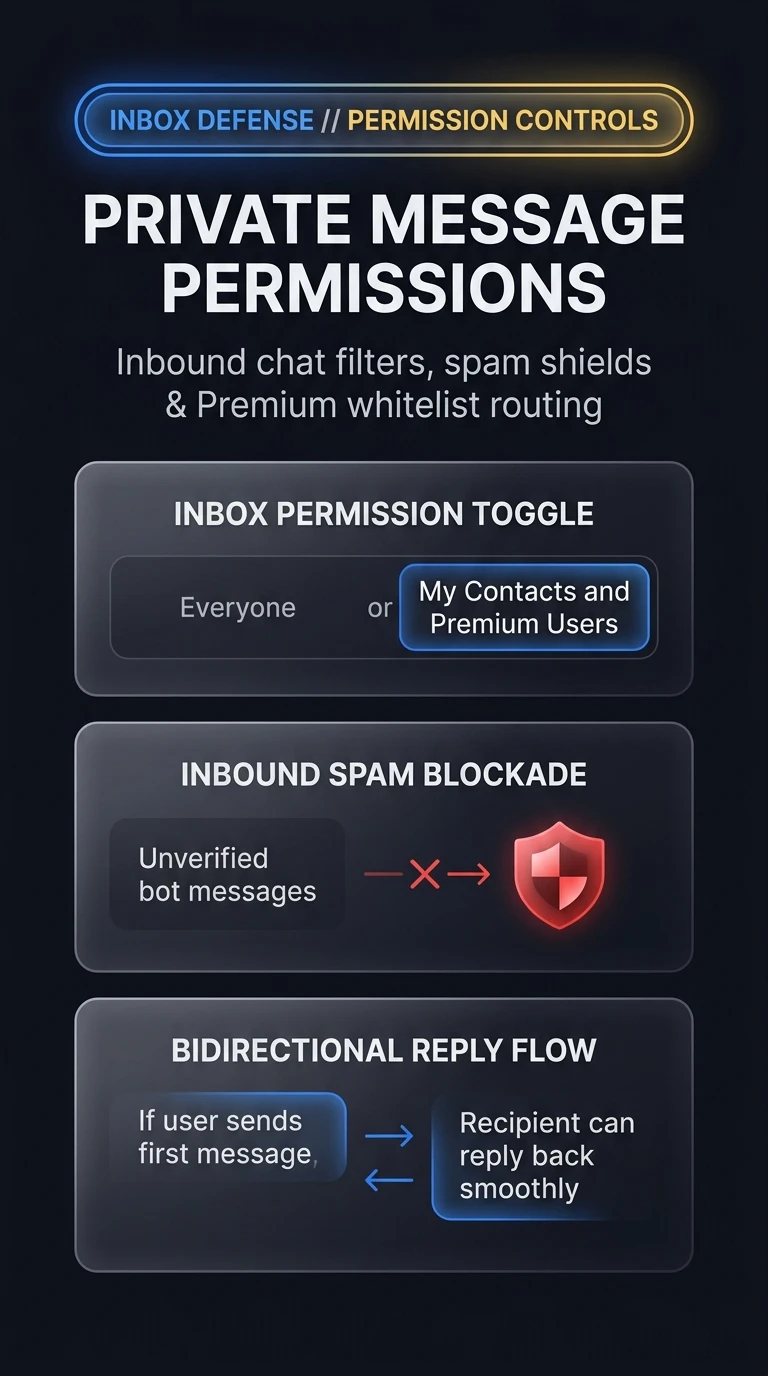
Select My Contacts and Premium Users. Unsolicited messages from free unknown accounts are instantly blocked at the server level.
Channel and group administrators are primary targets for automated crypto DM phishing bots. Activating this permission filter ensures only contacts and verified Premium members can initiate contact, reducing DM noise to absolute zero.
Telegram Private Message Permissions Architecture
Visual breakdown of inbound chat filters, server-side anti-spam gatekeeping, and bidirectional reply authorization.