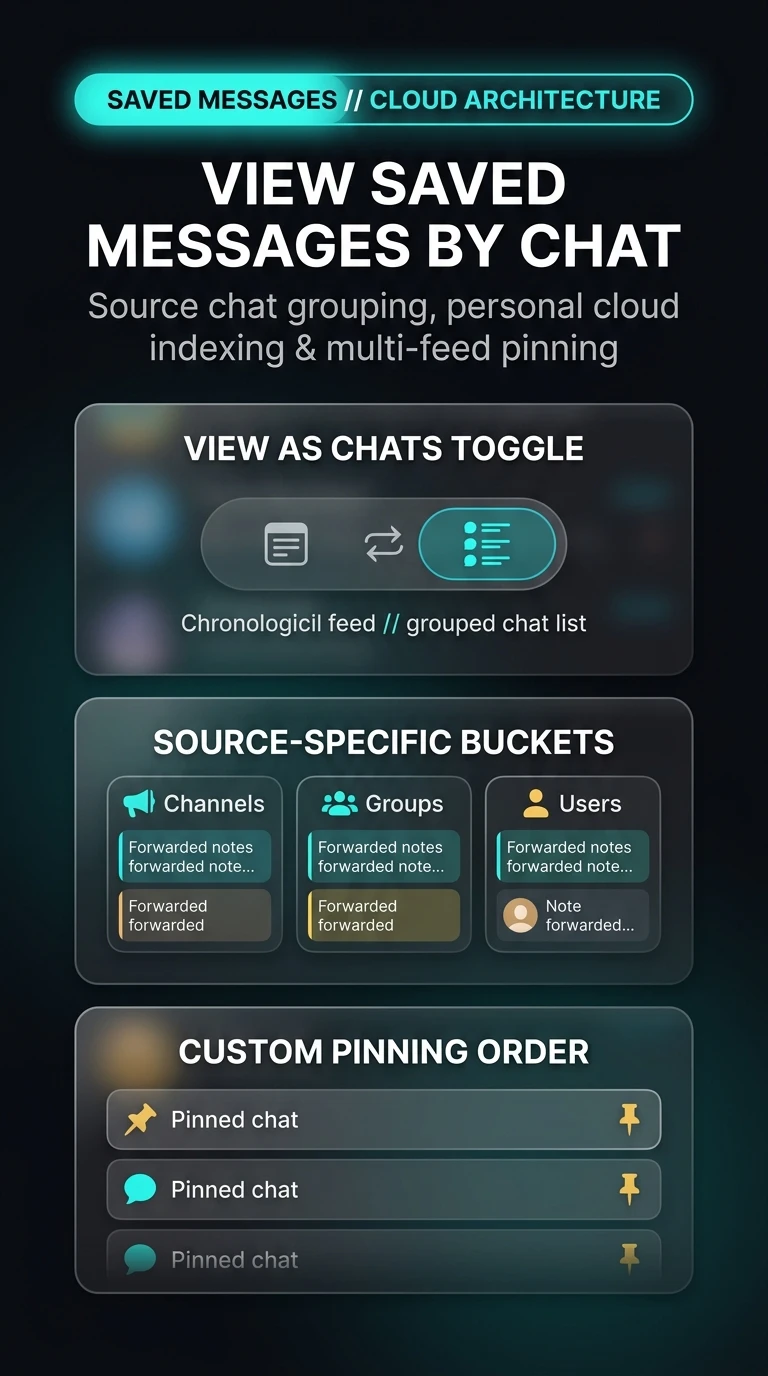
How to View Telegram Saved Messages by Chat: Source Grouping, Personal Cloud Indexing & Multi-Chat Pinning
Transform your personal cloud storage into a structured knowledge base. Explore the 'View as Chats' layout in Saved Messages to automatically group forwarded articles, media, and code snippets by source channel, group, or user—complete with independent chat pinning and persistent view preferences.
How Telegram Indexes Forwarded Items Without Data Duplication
Under MTProto, 'View as Chats' operates as an indexing overlay rather than duplicating stored files:
messages.getSavedDialogs to aggregate messages based on their fwd_from.from_id header without creating duplicate files on disk.Test 'View as Chats' Grouping & Pinning
Toggle between chronological stream and grouped chat folders, and test pinning your favorite source channels.
Open Saved Messages
In your main chat list, open your Saved Messages personal cloud feed.
Tap the Layout Toggle Icon
At the top of the chat, tap the layout switch button (or tap the three-dots menu and select View as Chats).
Pin Your High-Value Sources
Swipe right (or right-click) on any source chat folder and tap Pin to lock it permanently to the top of your personal archive.
By combining 'View as Chats' with custom pinned sources, Saved Messages evolves into a powerful personal database. Forward articles from programming channels, market updates from finance groups, and personal notes into dedicated folders without needing external note-taking applications.
Telegram View Saved Messages by Chat Architecture
Visual breakdown of source chat aggregation, savedDialog indexing, and multi-feed personal cloud pinning.