How to Customize Telegram Group Appearance: Cover Palettes, Custom Logos, Emoji Status & Wallpapers
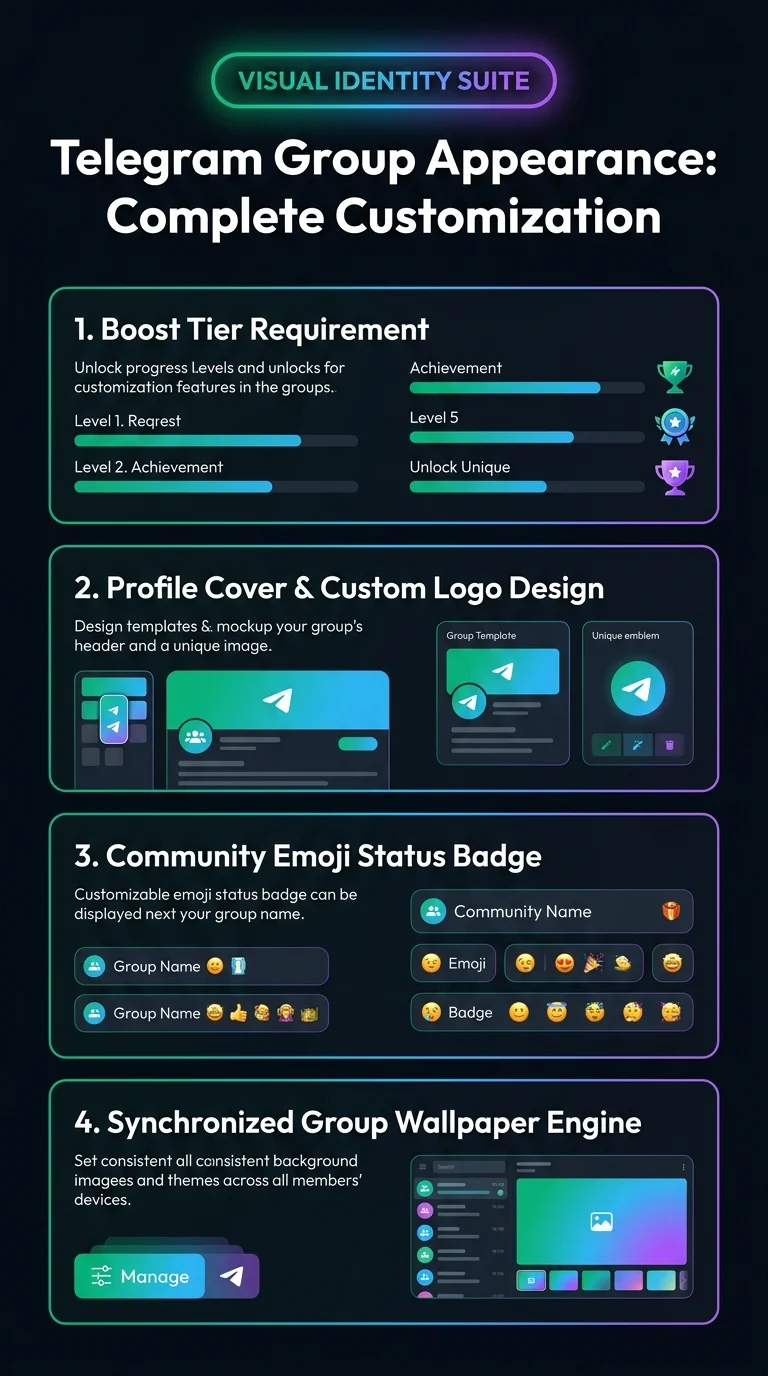
Infuse your community with an unmistakable visual brand. Explore how boosted groups unlock aesthetic customization, enabling administrators to configure gradient profile covers, custom header logos, animated community emoji statuses, and synchronized chat wallpapers for all members.
admin_panel_settings How to Access Group Appearance Settings
Only administrators with the "Change Group Info" permission can alter appearance parameters. Follow these simple steps:
design_services Interactive Studio: Group Appearance Live Customizer
Test dynamic color gradients and emoji status badges in real-time to preview how your group appears to members:
terminal MTProto Schema: Updating Peer Color & Background
Group appearance alterations invoke channels.updateColor to set the accent color palette and custom background emoji:
verified Frequently Asked Questions: Group Appearance
Can members override the group's synchronized wallpaper on their own phone?
Yes. Individual members can always override the group wallpaper in their local Chat Settings if they prefer their own background theme.
Do custom emoji statuses expire?
Administrators can configure the emoji status to remain permanent until manually changed, or set an automatic expiration duration (e.g. 1 hour, 1 day, 1 week) for temporary announcements or event celebrations.