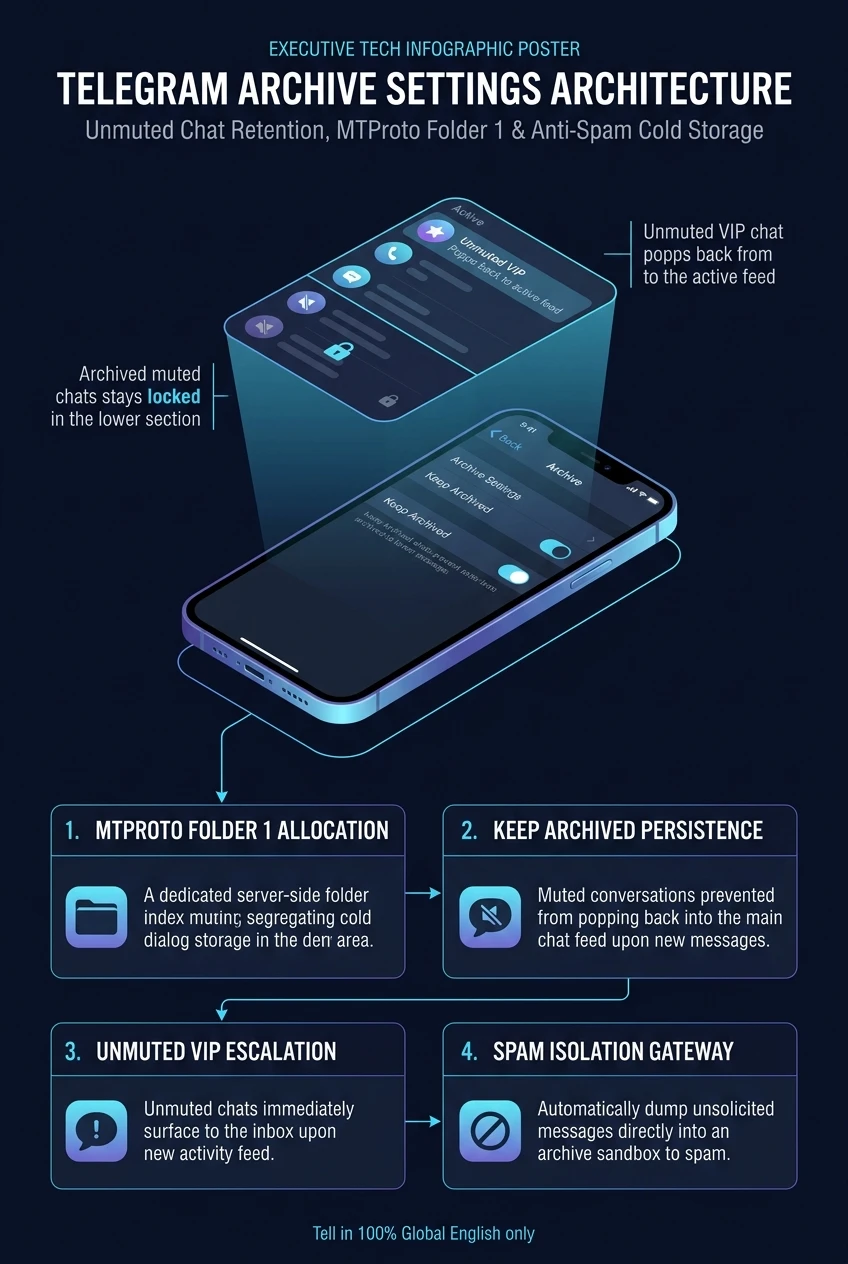
Telegram Archive Settings Architecture: Unmuted Chat Retention, Folder Tab Routing, Anti-Spam Gateways & MTProto Folder 1 Logic
By default, sending a chat to your Telegram Archive is only permanent if the chat is muted. If an unmuted dialog receives a new message, it automatically breaks out of the archive and re-emerges in your primary chat list. In Archive Settings, Telegram provides power users with deep architectural controls to lock unmuted conversations permanently inside the vault, manage custom folder tab inheritance, and automatically quarantine unsolicited messages from unknown senders.
Watch: Mastering Telegram Archive Settings & Unmuted Retention
Official demonstration from Telegram Tips (#187) showing how to access Archive Settings, lock unmuted chats permanently, and configure chat folder routing.
account_tree 1. MTProto Folder ID Architecture: Root (0) vs Archive (1)
In the Telegram MTProto protocol specification, chats do not belong to separate database tables when archived. Instead, every dialog possesses an integer property: folder_id.
When you swipe left on a chat and tap "Archive", the client invokes folders.editPeerFolders, which updates folder_id: 1 across Telegram’s cloud datacenter.
The Ephemeral Unarchive Mechanism
Under legacy default settings, Telegram assumes that if a chat is unmuted, any new activity is critical to the user. When an incoming message arrives, the server checks:
For power users who maintain cold client lists or passive monitoring channels, this default behavior creates constant frustration as archived chats pop back unexpectedly. Activating Always Stay in Archive instructs the cloud engine to bypass this check, ensuring folder_id remains firmly locked at 1.
Configure the retention parameters and sender category below. Then click Trigger Incoming Message to watch the dialog route through Telegram's state machine.
folder_special 2. Chat Folder Routing & Coexistence Logic
When users construct custom tabs (e.g., #Work, #Crypto, #Personal), a subtle architectural question arises: does archiving a chat purge it from your specific folder tabs?
Folder Tab Inclusion Rules
In Telegram's folder filter architecture, folders are defined as boolean predicates:
If exclude_archived is false (the default in most folder setups), archiving a chat removes it strictly from the generic All Chats primary feed, but keeps it conveniently visible within its dedicated folder tab. This enables an pristine workflow: your home feed stays completely clear of clutter, yet your departmental folder retains full conversational history.
security 3. Auto-Quarantine: Unknown Users & Anti-Spam Gateways
In modern messaging ecosystems, spam and crypto phishing bots frequently harvest usernames from public groups. Telegram incorporates an automated quarantine gatekeeper located in Archive Settings (and Privacy Settings):
| Inbound Message State | Quarantine Filter OFF | Quarantine Filter ON (Archive & Mute) |
|---|---|---|
| Sender in Address Book | Delivered to Main Chat List with standard audio alerts. | Delivered to Main Chat List with standard audio alerts. |
| Unknown User / Non-Contact | Pops into Main Chat List, displays push banner, rings alert tone. | Zero push, zero sound. Auto-routed to Archive folder with muted state. |
| Malicious Link Attack | Immediate notification distraction; high click vulnerability. | Contained safely in quarantine drawer until manually inspected. |
checklist 4. Step-by-Step Operator Blueprint
How to configure permanent archive retention across platforms:
Universal Path (iOS & Android)
- Pull down on your chat list to reveal the Archived Chats drawer.
- Open Archived Chats.
- Tap the ⋮ Three-Dots Menu (Android) or Edit (iOS) in the top right corner.
- Select Archive Settings.
- Toggle Always Stay in Archive to ON.
- (Optional) Turn ON Archive and Mute Non-Contacts for complete spam immunity.
macOS & Telegram Desktop
Right-click the Archived Chats tab in the sidebar and choose Archive Settings. You can choose whether the archive folder remains pinned to the top of your sidebar or tucked away into the secondary navigation drawer.
Telegram Archive Settings Architecture at a Glance
A comprehensive visual flowchart summarizing archive retention state machines, custom folder routing, unknown user anti-spam quarantine, and the 4-step setup.