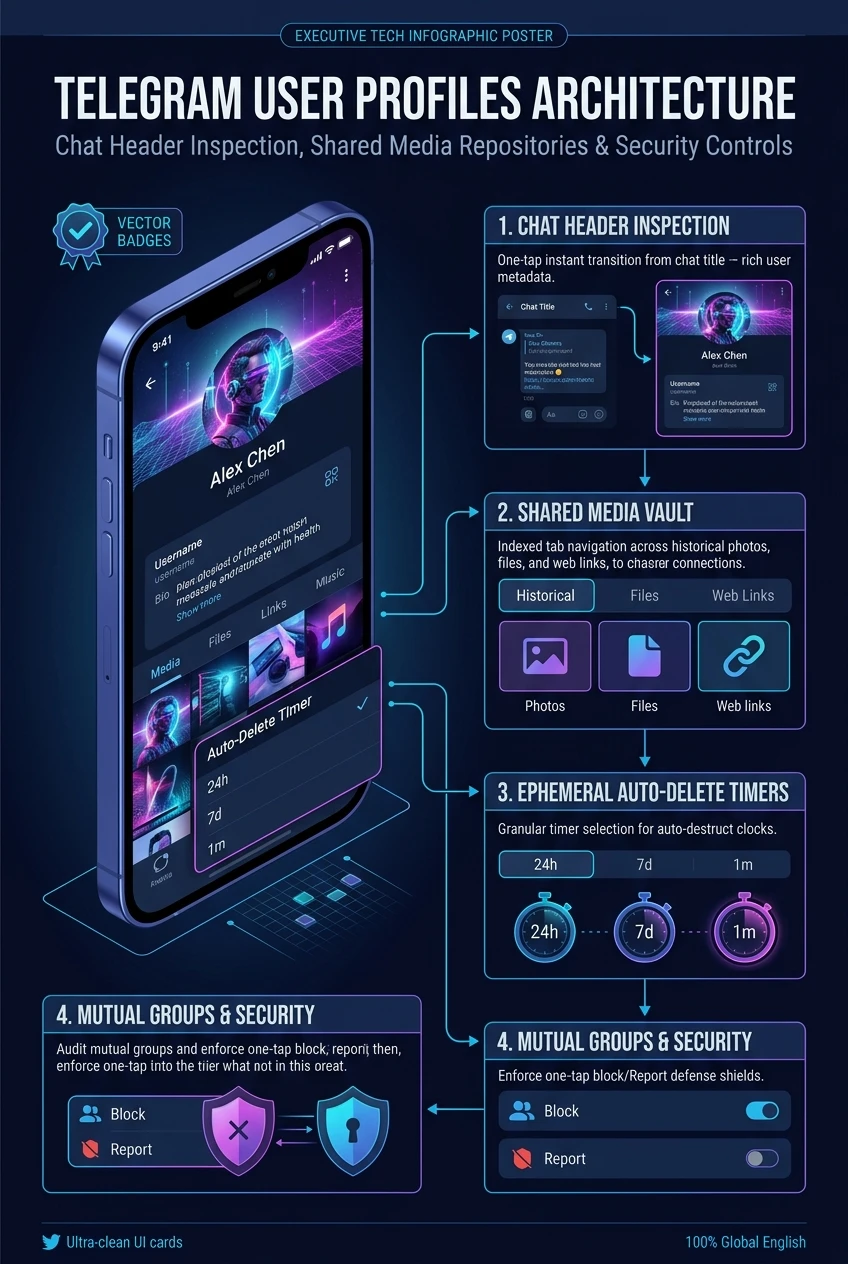
Telegram User Profiles Architecture: Chat Header Inspection, Shared Media Repositories, Auto-Delete Timers & Security Verification
A messaging conversation is only as effective as the context surrounding your peer. In Telegram, tapping any chat title or contact header transforms the simple conversation stream into an enterprise-grade User Profile Control Center. Beyond displaying high-resolution profile videos, saved stories, and digital gift collections, the profile interface acts as a multi-modal shared media database, auto-delete lifecycle controller, call gateway, and cryptographic verification terminal.
Watch: Exploring User Profiles, Shared Media & Quick Controls
Official demonstration from Telegram Tips (#195) showing how tapping the chat header opens profile pictures, saved stories, shared media repositories, notification controls, auto-delete timers, and theme customizations.
terminal 1. Header Tap Handshake & Full User Telemetry
When a user taps the chat title bar, the client executes an asynchronous MTProto query to construct the complete profile view without locking the UI:
By isolating ephemeral presence data (like typing state and last-seen timestamps) from heavy media lists, Telegram ensures sub-100ms profile transitions even over spotty cellular connections.
Interact with the mock profile window below. Switch between Shared Media Tabs, adjust the Auto-Delete Lifecycle Timer, and inspect the real-time MTProto telemetry payload.
folder_open 2. Multi-Modal Shared Media Indexing Architecture
In many chat applications, scrolling back six months to locate a PDF contract or family photograph is painfully slow. Telegram constructs a dedicated relational index on both device and cloud:
| Repository Category | Underlying Filter Mechanism | Client Database Indexing |
|---|---|---|
| Media (Photos & Videos) | InputMessagesFilterPhotos & InputMessagesFilterVideo |
Generates lightweight 160px WebP thumbnails; lazy-loads 800px full view. |
| Documents & Files | InputMessagesFilterDocument |
Extracts MIME type, filename string, and byte size for instant client search. |
| Audio Files & Podcasts | InputMessagesFilterMusic |
Parses ID3 metadata (Artist, Title, Duration) for background player integration. |
| Shared Links | InputMessagesFilterUrl |
Scrapes OpenGraph rich cards (Favicon, Title, Description preview). |
| Voice & Video Notes | InputMessagesFilterRoundVoice |
Tracks waveform visualization bars and listening progression timestamps. |
lock_reset 3. Auto-Delete Lifecycles & Security Verification
User profiles act as the central authority for privacy governance:
- Auto-Delete Timers: Enabling Auto-Delete in a user’s profile injects a
ttl_periodattribute into all subsequent messages. Once opened by the receiver, a local countdown trigger schedules irreversible server-side message purging. - Bilateral Chat Themes: Selecting a chat theme synchronizes background wallpaper patterns and bubble gradients across both participant devices simultaneously.
- Secret Chat Initiation: You can start an ephemeral E2EE chat directly from the profile options menu (
...), generating fresh Diffie-Hellman keys that bypass cloud storage entirely. - Gift Collections & Stories: Profiles showcase digital gifts and active stories, enabling rich social identity verification without leaving the conversation view.
checklist 4. Step-by-Step Operator Blueprint
Mastering user profile navigation and quick settings:
1. Accessing Shared Media Repositories
- Tap the top header name or avatar in any 1-on-1 or group dialog.
- Scroll down to the Shared Media bar.
- Swipe between Media, Files, Audio, and Links to instantly retrieve historical attachments.
- Tap the calendar icon in the top corner to scrub through media by specific month and year.
2. Setting Custom Chat Themes & Auto-Delete
From the profile screen, tap the three dots icon (⋮ or ⋯) in the top corner. Select Change Colors to pick a synchronized theme, or tap Auto-Delete to set an automatic message expiration interval (1 day, 1 week, or 1 month).
Telegram User Profiles Architecture at a Glance
A comprehensive visual flowchart summarizing chat header inspection, shared media repository partitioning, auto-delete lifecycle timers, and security badges.