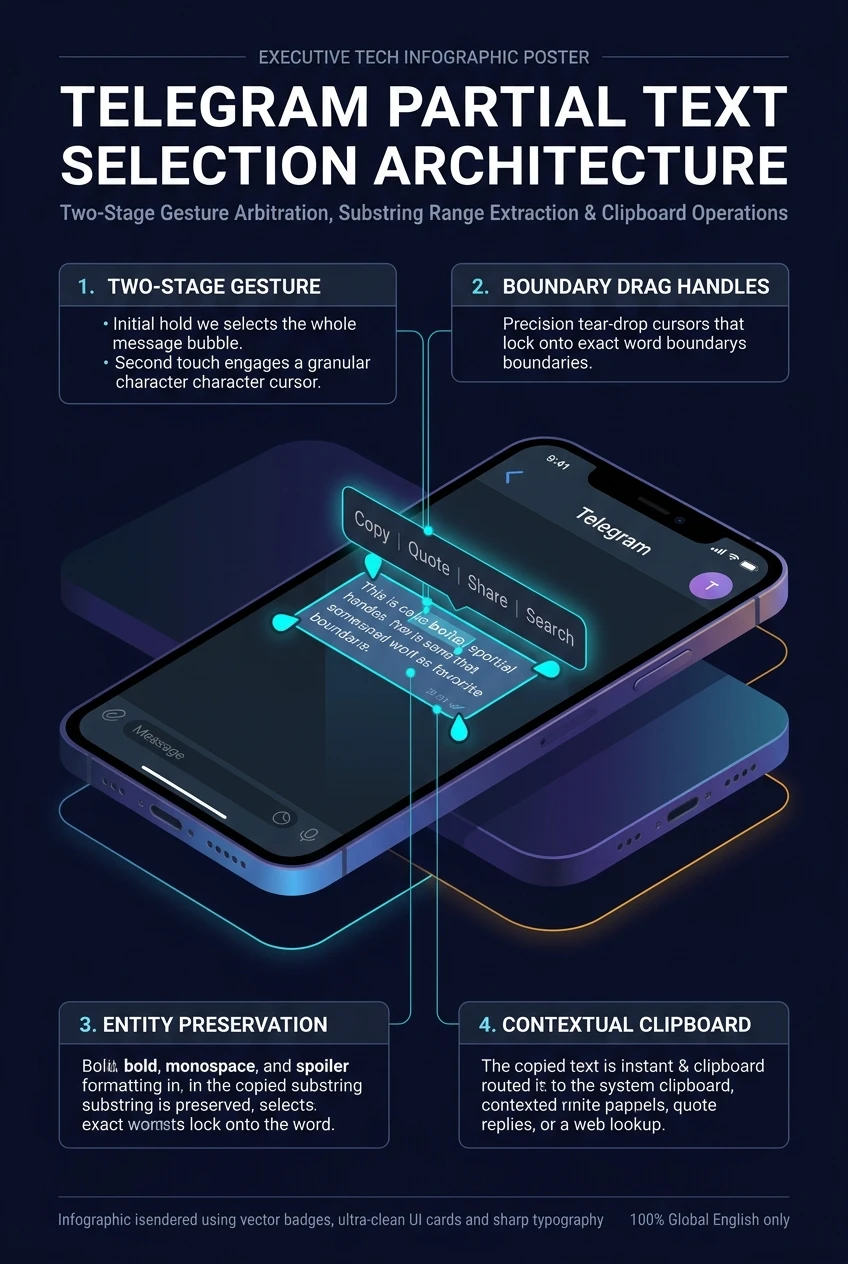
Telegram Partial Text Selection Architecture: Two-Stage Gesture Arbitration, Substring Range Extraction & Entity-Preserving Clipboard Operations
In conventional chat clients, tapping and holding a long message forces an all-or-nothing action: you must copy the entire 500-word paragraph just to extract a single tracking code, email address, or API secret. Telegram eliminates this operational friction through its Partial Text Selection Engine. Using intelligent two-stage touch arbitration, users isolate precise substrings and drop cursor handles within message bubbles, allowing direct copying, instant translation, quote replies, or contextual dictionary lookups with full markdown entity preservation.
Watch: Selecting Specific Text Ranges Inside Telegram Messages
Official demonstration from Telegram Tips (#200) showing how any part of a message can be selected specifically and copied on Android and iOS devices.
touch_app 1. Two-Stage Gesture Arbitration Pipeline
Touch gesture handling in chat list views is notoriously complex because the same user gesture (a long press) can mean multiple distinct intents. Telegram resolves this through stateful gesture arbitration:
On iOS, where native TextKit handles text loupes and magnifying glasses, holding directly over body text drops native blue selection pins immediately, while long-pressing the bubble background triggers message reactions.
Adjust the start and end sliders below or click quick presets to observe how Telegram extracts precise substrings from long messages without copying surrounding noise.
fact_check 2. Rich Formatting & Entity Boundary Preservation
Unlike naive clipboard implementations that strip styling or copy broken HTML tags, Telegram’s selection pipeline calculates entity intersections:
| Formatted Entity | Selection Scenario | Preservation Behavior |
|---|---|---|
Monospace Code (`code`) |
Selecting characters inside a code block. | Copies strictly the selected characters as clean monospace text into system pasteboard. |
| Spoiler Tags (Hidden Text) | Selecting text concealed beneath animated dust particles. | Unmasks selected characters upon selection and retains spoiler tags if pasted into drafts. |
| Hyperlinks & Mentions | Selecting part of a linked URL or username. | Copies the human-readable text while attaching the underlying URI in rich-text mime streams. |
| Bold / Italic / Underline | Partial highlight spanning bold text boundaries. | Wraps partial selection in matching markdown syntax (**bold**) when pasted into Markdown editors. |
shield 3. Security Governance & Restricted Content Handling
In channels and groups with content protection enabled (noforwards: true), Telegram enforces cryptographic and OS-level restrictions:
- Clipboard Disabling: In restricted channels, long-pressing text disables the Copy action item. The system pasteboard is never populated.
- Screenshot Masking: Android WindowManager flags (
FLAG_SECURE) render the screen black during selection attempts. - Quote Forwarding Block: The Quote button is grayed out for restricted posts to prevent re-routing confidential text into external groups.
- Desktop Hotkeys: On Windows/Mac Telegram Desktop, Ctrl+C / Cmd+C key combinations are intercepted and discarded when viewing protected chat histories.
checklist 4. Step-by-Step Operator Blueprint
How to execute partial selection on Android, iOS, and Desktop:
1. Executing Partial Selection on Android
- Long press the message to select the entire bubble.
- Press and hold again directly on the specific word you want to copy.
- Drag the selection pins to adjust the exact beginning and end bounds, then tap Copy in the floating menu.
2. Executing Partial Selection on iOS & Desktop
On iOS, simply press and hold directly over the text string (avoiding empty bubble margins) to drop native cursor pins immediately. On Telegram Desktop, click and drag with your mouse across any sentence or code block, then press Ctrl+C (Windows) or Cmd+C (Mac).
Telegram Partial Text Selection Architecture at a Glance
A comprehensive visual flowchart summarizing two-stage gesture arbitration, substring range highlighting, and entity-preserving clipboard operations.