Mastering Telegram Secret Chats: MTProto 2.0 E2EE & Ephemeral Purge
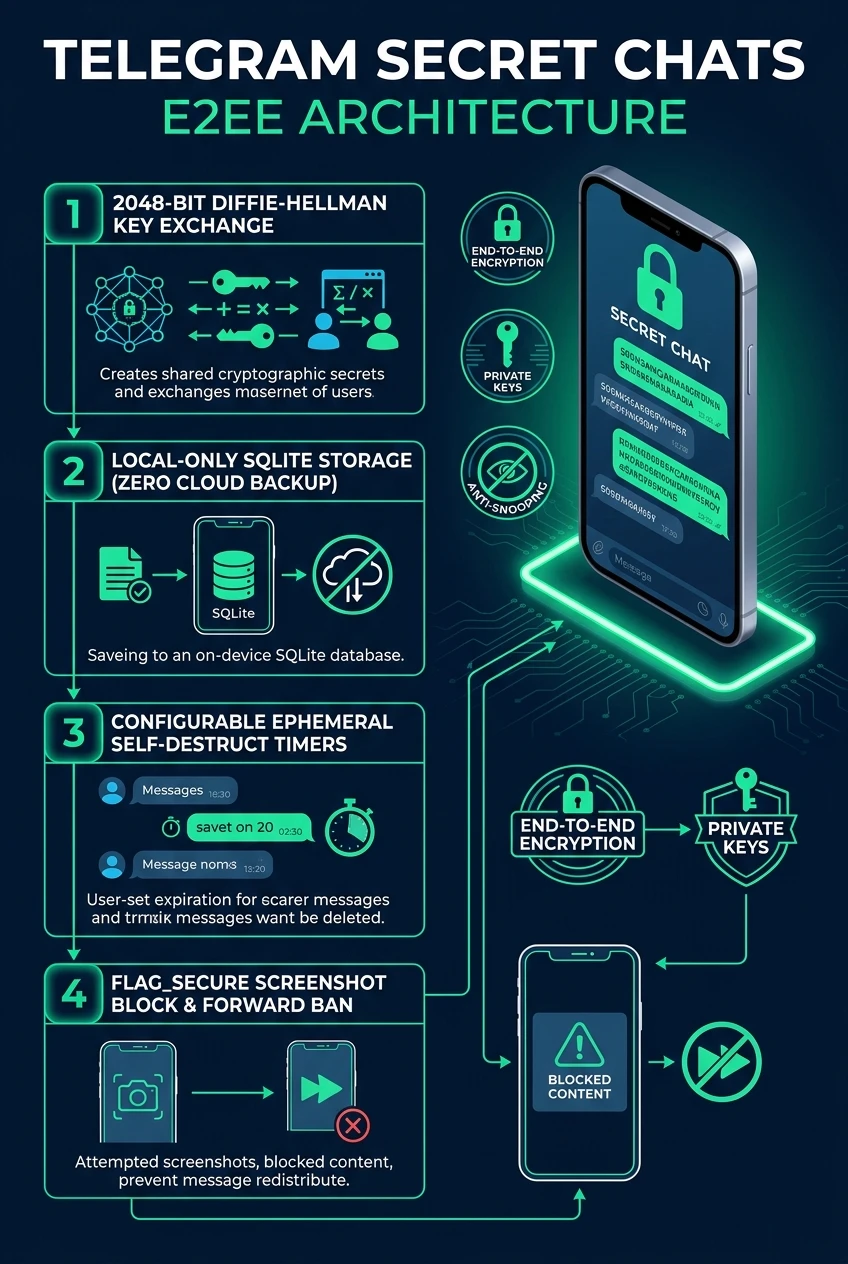
When maximum privacy is paramount, Telegram Secret Chats deliver true peer-to-peer end-to-end encryption using 2048-bit Diffie-Hellman key exchanges. Zero data is ever stored on Telegram cloud servers: messages live solely on the two participating devices, with forensic-grade self-destruct timers and native screenshot prevention.
alpha-whiskey-7174-crypt
security 1. How Telegram MTProto 2.0 End-to-End Encryption Operates
While Telegram Cloud Chats use client-server-client encryption (allowing multi-device sync, gigabyte cloud archives, and instant search), Secret Chats are engineered for absolute operational security:
2048-Bit Diffie-Hellman Key Exchange
Both endpoints negotiate a temporary symmetric 256-bit AES key combined with SHA-256 hashing. Telegram servers relay only blinded public components: the shared secret key never leaves either smartphone.
Session-Bound Ephemeral Storage
Secret Chats are tied exclusively to the specific physical hardware and session. They do not appear on your desktop client or secondary phone. Logging out immediately overwrites and deletes the cryptographic keys.
Precision Self-Destruct Engine
Timers from 1 second to 1 week initiate the exact millisecond the recipient views the message (indicated by two checkmarks). Upon timer expiration, local storage rows are scrubbed using zero-fill overwrites.
OS-Level Screenshot Prevention
On Android, Telegram activates the WindowManager.LayoutParams.FLAG_SECURE flag, causing screen recorders and screenshot shortcuts to produce a pitch-black canvas. On iOS, screenshot actions trigger immediate in-chat alerts.
compare 2. Cloud Chats vs Secret Chats: Structural Comparison
Detailed comparison between Telegram's standard Cloud Chats and specialized Secret Chats:
| Dimension | Standard Cloud Chats | Secret Chats (E2EE) |
|---|---|---|
| Encryption Protocol | MTProto 2.0 (Client-Server) | MTProto 2.0 (End-to-End, Diffie-Hellman) |
| Server Access | Encrypted across distributed data centers | Zero knowledge (Pass-through only) |
| Multi-Device Sync | Yes (Unlimited phones, tablets, PCs) | No (Strictly bound to 2 devices) |
| Message Forwarding | Permitted by default | Permanently disabled |
| Screenshot Protection | Normal screen capture permitted | FLAG_SECURE (Android) / Alert (iOS) |
| Visual Fingerprint Key | Not required | 4-Emoji visual verification matrix |
Tap the top header inside any Secret Chat to view the Encryption Key. Telegram renders a 4-emoji fingerprint generated from the SHA-256 hash of your shared key. If the 4 emojis on your phone match the 4 emojis on your friend's phone, an active Man-in-the-Middle (MitM) attack is mathematically impossible!
Telegram Secret Chats Security Architecture at a Glance
A comprehensive visual flowchart summarizing Diffie-Hellman key exchange, zero-cloud storage, self-destruct timers, and FLAG_SECURE window protection.