Plan Moderation Hours Before Your Group Opens

A new group is usually run by one or two people, awake for part of the day, in one part of the world. The group itself is open all the time. The hours when nobody who can remove a message is awake are not quiet hours; they are simply unwatched ones.
Spam does not arrive more often while you sleep. It stays longer. A link dropped at noon is gone in two minutes. The same link dropped at three in the morning sits at the top of the chat until someone wakes up, and every member who opens the group sees it first. Planning coverage before launch is about shortening that window: deciding who is watching when, and what the group does by itself when nobody is.
What you will be able to do after this step
- check_circle Draw your group's day and find the hours nobody is watching.
- check_circle Choose how to cover them: people, settings, or both.
- check_circle Set up a morning routine that catches what the night left behind.
schedule Drawing the day
Before any setting, do this on paper. It takes five minutes and it is the whole plan in miniature.
- Draw a line for twenty-four hours Use your own time zone. Mark roughly when you are awake and can actually check the group, not just when you are awake.
- Add everyone else who could moderate A co-admin, a friend who offered to help. Mark their checkable hours in the same time zone.
- Shade the gaps What is left is your unwatched time. For a single admin it is usually eight hours or more, every night.
- Mark when members are likely to be active If the group is for people in another region, their evening may be your night. That is where the gaps hurt most.
table_chart Ways to cover the gaps
No small group covers every hour with people. The question is which mix fits yours.
| Approach | Covers | Costs | Where it fails |
|---|---|---|---|
| One admin, awake hours only | Your own day | Nothing extra | Every night is unwatched; fine only for a tiny group of people you know |
| Two admins in different regions | Most of the day between you | Trust in a second person, and admin rights for them | Holidays and weekends, when both are away at once |
| Stricter settings when nobody is on | The unwatched hours, automatically | Some friction for real members at night | Anything the settings cannot recognise, such as a polite-looking scam |
| A moderation bot | Common spam patterns, at any hour | Admin rights for a program someone else runs | Removals nobody explains, and mistakes nobody reviews |
Most new groups do well with the third row as the base, a second admin if one is available, and a bot only once there is a pattern the settings cannot handle.
Four settings that guard the unwatched hours
Each one closes a different way in. Pick the one you are considering.
Newcomers wait until someone lets them in
With join requests on, people who follow your link ask to join instead of joining. At night the requests simply wait, and nobody who has not been approved can post.
The cost is on the person waiting: from outside, a queue nobody is reading looks the same as being refused. Say in the group description when requests are usually reviewed.
The strongest night guard, if someone reads the queue every morning.
Members cannot post links or media they could abuse
In the group's permissions you can stop members from sending links, and restrict some media types, while still letting them talk. Most night-time spam is a link; without the ability to post one, most of it has nothing to do.
This costs the least real conversation of the four, which is why it is the one to start with. Admins keep full rights.
Close the path spam uses, not the conversation.
Each member can post only once per interval
Slow mode stops one account from flooding the chat with twenty messages in a row. It does little against twenty accounts posting one message each, and admins are exempt, so you will not feel it yourself.
A short interval is barely noticed by normal conversation. Save long intervals for a group that is already under attack.
A limit on floods, not a spam filter.
An automatic filter removes what looks like spam
For larger groups Telegram offers an aggressive anti-spam option, and bots can do similar work. They catch common patterns at any hour, but they do not know your topic, and members whose message vanishes are not told why.
Use it as the third layer, after join approval and link limits, and read what it removed. A filter nobody checks will eventually remove the wrong thing.
Useful at scale, only if someone reviews its removals.
wb_sunny The morning routine
Whatever you choose, the unwatched hours end with someone looking. A five-minute routine turns a night of unknowns into a known list.
- Scroll back to where you stopped. Remove anything that should not be there, and restrict or ban the accounts that posted it.
- Read Recent Actions. The admin log shows who joined, who left, what was deleted and by whom, including by a bot or filter. It is the only place you will see what automation did overnight.
- Clear the join queue. Approve or decline everyone waiting, so nobody spends a second night outside.
- Answer what you missed. A real question left unanswered overnight is the other cost of the gap.
quiz Check your plan
You run a group alone and sleep from midnight to eight. What is the most useful first step?
Link limits close the most common spam path at almost no cost to conversation, and the morning log catches the rest. A one-hour slow mode makes the group useless for its own members, and handing out admin rights to cover hours creates a bigger risk than the spam.
Join requests are on, and nobody has opened the queue for four days. What do the people waiting see?
A request that is never answered gives no signal at all. Many people give up and look for another group. An unread queue is worse than an open door, so turn requests on only if someone owns the queue.
Your co-admin lives six hours ahead of you. What still needs planning?
Two time zones cover most weekdays, but holidays, travel and weekends often take both of you away at once. Decide in advance whether the stricter night settings stay on for those days. Ownership matters too, but that was Step 007.
task_alt
touch_app Try it now — fifteen minutes
- Draw the day Twenty-four hours, your checkable hours, anyone else's, and the gaps.
- Turn off links for members In the group's permissions. Check that you, as admin, can still post them.
- Decide on join requests Only if someone will read the queue every day. If yes, say in the description when requests are reviewed.
- Put the morning routine in your calendar Five minutes, at the time you usually first pick up your phone.
What the admin log records, why anonymous admins still appear there under their real accounts, what it never records, and why the entries you read most are the ones a bot made.
help Questions
My group has twenty members, all friends. Do I need any of this?
Probably not yet. A private group whose members all know each other rarely attracts spam. The moment you share a public link, or the group grows past people you know, draw the day again.
Can I switch settings on at night and off in the morning automatically?
Not from the group settings themselves. Some bots can change permissions on a schedule, but that means giving a bot admin rights. For most groups it is simpler to keep a light setting, such as no member links, on all the time.
How do I find someone to cover my night hours?
Wait until the group has regulars you have seen behave well for a while, ideally in another region. Give them only the rights they need to delete messages and restrict members, not the right to add other admins. Step 007 explains why.
Should the group description mention when admins are around?
Yes, if it helps members. "Admins usually reply within a day" sets a fair expectation. Avoid listing exact hours nobody is watching; that is also useful to someone planning spam.
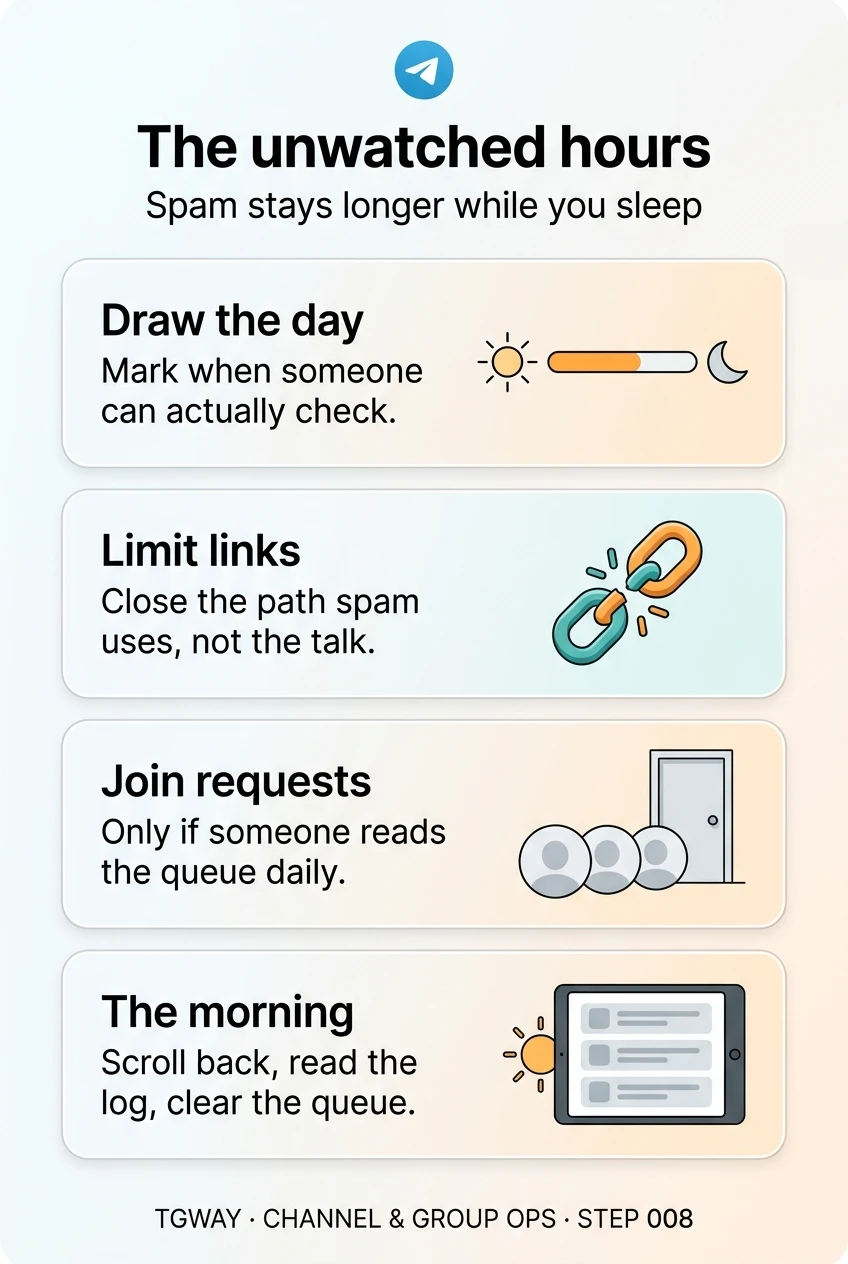
The unwatched hours
Drawing your group's day, closing the link path spam uses, when join requests help and when they hurt, and the five-minute morning routine. Tap to open it at full resolution.