Telegram Mini App Permissions, One by One

Step 003 covered what a mini app learns the moment you open it. Everything beyond that has to be asked for, and Telegram asks on the app's behalf with its own native pop-up: may this bot message you, may it see your phone number, your location, your clipboard. Those pop-ups all look alike, which makes them easy to wave through.
They are not alike. Some requests describe you, some let the app speak for you, and some reach into your device. A few can be taken back with a switch; a few, once given, are gone. This step goes through them in those groups, so the next pop-up gets a real answer instead of a reflex.
What you will be able to do after this step
- check_circle Say what each common permission request actually hands over.
- check_circle Tell the requests you can take back from the ones you cannot.
- check_circle Match a request to what the app visibly does, and decline the ones that do not fit.
rule The one test that covers every request
Before tapping Allow, ask: does this app visibly need this to do the thing I opened it for? A delivery app asking for your location, a game asking to use motion, a document tool offering a file download: each request matches something on screen. A quiz asking for your phone number, or a simple game wanting to read your clipboard, does not.
The mismatch is the signal. You do not need to know how the app is built to notice that a request has nothing to do with what you can see. And declining is almost always safe: a well-made app keeps working without the permission, or explains why it needs it.
What each pop-up hands over
Grouped by what they give away, not by how they look. Pick a group.
Your phone number, and messages from the bot
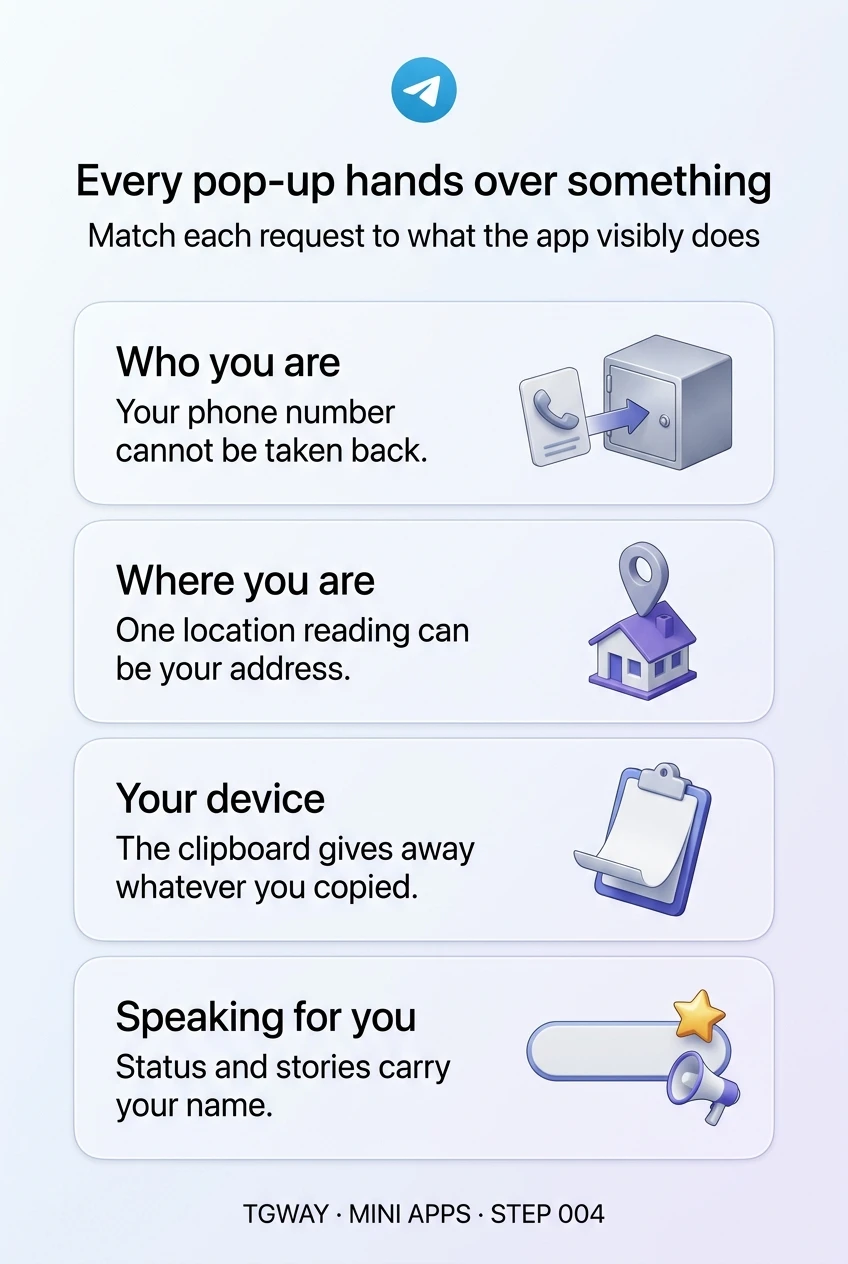
Phone number. The pop-up asks you to share the number on your account with the app's operator. This is the most sensitive request on the list, because it cannot be undone: once shared, the number sits on someone else's server, and no switch in Telegram brings it back. It also ties your Telegram identity to everything else that number is used for. Share it with a shop that has to call about a delivery; decline it for a game, a quiz or anything that simply wants to "verify" you.
Write access. This lets the bot behind the app send you messages first. It is normal for order updates and booking reminders, and it can be undone at any time by stopping or blocking the bot. The cost is attention rather than privacy, so allow it where you actually want updates.
Your number is permanent once given. Messages from the bot are easy to stop later.
Your location and your movement
Location. The first request is for access; once granted, the app can read where you are when it asks. One reading taken at home is your address. The reassuring wording people look for, only while the app is open, protects against tracking, not against that single reading. Use it for a delivery, a ride or a map; for anything else, type the place yourself, which gives the app the spot you chose rather than the spot you are in. Telegram keeps a settings page for bots' location access, so this one can be switched off again.
Motion. Some apps use the phone's motion and orientation sensors, for tilting a game or aiming a camera view. These describe how the phone is held rather than where you are, which makes them one of the lower-risk requests. The test still applies: an app with nothing moving on screen has no use for them.
A location request should match a map or a delivery you can see. Otherwise, type the place.
Files, clipboard, camera and biometrics
File download. Telegram shows the file name before it saves anything. Once saved, the file is an ordinary file on your device, outside Telegram's protection, so treat it like an attachment from someone you do not know.
Clipboard. An app opened from the attachment menu can ask to read your clipboard, and only in response to something you tap. Whatever you last copied goes with it: a password, a card number, a wallet recovery phrase. Allow it only in the moment you meant to paste something into that app.
QR scanner. The app can open a scanner and read the code you point it at. Scanning a menu or a ticket is harmless; scanning a Telegram login code that someone else showed you is how accounts are taken over, whichever app does the scanning. Step 014 of Privacy & Security covers that trap.
Biometrics. An app can ask to use your fingerprint or face to confirm it is you. Your fingerprint or face stays with your phone; the app only learns that the check passed. The question is whether you want a fingerprint to unlock whatever the app is protecting, such as a payment.
The clipboard is the quiet one: it hands over whatever you last copied.
Your status, your stories, your home screen
Emoji status. The app can offer to set the custom emoji next to your name, or ask for permission to manage it for you. That emoji is shown to everyone who sees your name, and the app does not know who is looking. A one-time status you choose is harmless; letting an app change it whenever it likes is lending it a small billboard with your name on it.
Share to story. The app can open Telegram's story editor with a picture already prepared. Nothing is posted until you post it, and you can edit or discard it. The only question is whether you would have shared it without the button.
Home screen icon. The app can prompt you to add a shortcut to your home screen. It installs nothing; it is a quicker door to the same app, already signed in as you. Removing the icon later takes nothing back.
These requests do not reveal much, but they put your name on what the app does.
undo What you can take back, and what you cannot
Permissions fall into two kinds, and the difference matters more than any individual setting.
Ongoing permissions can be withdrawn. Location access for bots has its own settings in Telegram, messages from a bot stop when you stop or block it, an emoji status can be changed back, and a home screen icon can be deleted. Withdrawing them stops what happens next.
Handed-over information cannot. Your phone number, a location reading already taken, a copied password the app read from your clipboard, a file you saved: those are already somewhere else, and no switch in Telegram reaches them. That is why the moment of the pop-up is the only real control you have over them, and why they deserve the most hesitation.
quiz Check your instincts
A tap-to-earn game asks for your phone number "to secure your rewards". What should you do?
The pop-up is Telegram's, but the request is the app's; Telegram is only asking on its behalf. A game has no reason to know your number, and once shared it cannot be revoked. Declining costs you nothing a legitimate game depends on.
You just copied your wallet recovery phrase to save it. A mini app you open next asks to read your clipboard. What is at stake?
The clipboard holds the last thing you copied, wherever it came from. A recovery phrase is the whole wallet, and the Wallet track explains why no legitimate app ever needs it. Decline, and clear your clipboard by copying something harmless.
A food delivery app asks for your location. Which answer protects you most while still getting your order?
Here the request matches the job, so allowing it is reasonable. Typing the address gives the same result and hands over only the place you chose. Either way, you can switch bots' location access off again in Telegram's settings afterwards.
task_alt
touch_app Try it now — five minutes
- List the mini apps you use Think of the bots and mini apps you opened in the last month. For each, what does it visibly do?
- Check which ones have your number If you remember sharing your phone number with an app that did not need it, you cannot take it back, but you can stop using the app and expect messages or calls from that operator.
- Stop the bots you no longer want messages from Open the chat with the bot and stop or block it. Its messages end there.
- Decide your default for three requests Phone number, clipboard and location: write down when you would say yes. Deciding once, calmly, is easier than deciding in front of a pop-up.
A closer look at one request at a time, starting with location, and the tips on motion sensors, home screen icons, emoji status and file downloads that follow it.
help Questions
If the pop-up comes from Telegram, does that mean Telegram checked the app?
No. Telegram draws the pop-up so the request looks the same in every app and so the app cannot fake your answer. It does not mean anyone reviewed why this particular app wants what it is asking for. That judgement is yours.
Will a mini app stop working if I decline?
A well-made one keeps working and asks again only when you use the feature that needs the permission. An app that refuses to do anything until you share your phone number is telling you what it is really for.
Can a mini app read my chats or contacts?
There is no permission request for either. A mini app has no route to your chats, your contacts list or your messages. The phone number request covers only your own number. If a page claims it needs your chats, it is either confused or trying to get you to paste something.
Can a mini app turn on my camera or track me in the background?
The camera appears through Telegram's QR scanner, which you open and point yourself. Location is read when the app asks, while you are using it. Neither request gives the app a way to watch you after you close it, but a single reading can still be enough to reveal where you live or work.
Where do I turn permissions off again?
It depends on the permission. Bots' location access has its own settings in Telegram, messages stop when you stop or block the bot, and your emoji status and home screen icon are changed like any other. What was already handed over, such as your number, cannot be withdrawn.
Every pop-up hands over something
The four kinds of mini app permission request, what each one hands over, and which you can take back. Tap to open it at full resolution.