What a Telegram Mini App Learns About You

The moment a mini app opens, it already says hello by name. That is not guesswork: Telegram hands the app a small packet about you as it opens, so you never have to sign up. It is the feature that makes mini apps pleasant, and it is worth knowing exactly what is in that packet.
There are three kinds of information here. Some the app receives automatically, some it has to ask you for, and some it cannot get at all. On top of that, the app is still a web page, so it also learns what any website learns when you visit it. This step lays out all of it.
What you will be able to do after this step
- check_circle List what a mini app knows about you before you tap anything.
- check_circle Recognise the prompts that hand over more, and decide on each one.
- check_circle Know what stays out of reach whatever the app does.
inventory_2 Automatic, ask first, or never
| Information | How the app gets it | What it lets the operator do |
|---|---|---|
| Your Telegram ID, name, username and language | Automatically, as it opens | Recognise you every time, without an account |
| Whether you have Premium, and usually your profile photo | Automatically | Tailor what it shows you |
| Where you opened it from | Automatically, in general terms | Know whether you came from a private chat, a group or a link |
| Your IP address and device details | Automatically, like any website | Estimate your country and see what phone or computer you use |
| Your phone number | Only if you tap to share it | Contact you outside Telegram, link you to other records |
| Permission to message you | Only if you allow it | Send you messages from its bot later |
| Your location, and some device features | Only through a separate prompt | Show nearby results, use sensors for a game |
| Your chats, contacts and other apps' data | Never | Nothing; there is no route to them |
The line to remember is the fourth row, because it surprises people. Telegram does not pass your IP address; your own phone reveals it by loading the page from the operator's server, exactly as it does when you open any website. That is how a mini app can tell roughly which country you are in without asking.
A website and a mini app, on first visit
The same page, opened two ways. The difference is not what it can take; it is what it knows before you say anything.
public Opened as a website
widgets Opened as a mini app
A mini app is a website that already knows which Telegram user you are. Convenient with apps you trust; worth a second thought with ones you do not, because you cannot visit them anonymously.
front_hand The prompts that hand over more
Everything beyond the automatic packet arrives as a prompt that Telegram draws, not the app. The app can decide when to ask; only you decide the answer. Three are worth slowing down for.
Sharing your phone number. This is the most valuable thing an app can ask for, because a number follows you outside Telegram. A shop that needs to call about a delivery has a reason. A game or a rewards app does not.
Allowing the bot to message you. It sounds minor, and it means the operator can write to you in your chat list whenever it likes. Fine for order updates from a shop you use; a spam channel for anything else.
Location and device access. Each one comes with its own prompt, and each answer is separate. A map needs location; a quiz does not. Step 004 covers these permissions one by one.
Two more prompts are about doors rather than data: adding the app to your attachment menu, and placing an icon on your home screen. Neither hands over information, but each makes the app one tap away from then on, which Step 002 treats as a choice worth reviewing later.
Declining is always allowed. A well-built app keeps working without the extra permission, or tells you plainly what will not work. An app that refuses to continue until you share your number is telling you what it wanted all along.
lock What stays out of reach
No mini app can read your messages, see your other chats, look through your contacts or reach other apps on your phone. Those are not settings you have to remember to switch off; the route simply does not exist.
That makes the remaining risk about what you type in. The page cannot read your chats, but it can ask you to paste something from them. It cannot see your password, but it can show a box asking for it. Everything you enter into an app goes to its operator, just as it would on any website.
touch_app Try it now — five minutes
- Open an app you use and read how it greets you Your name, your photo, your language. That is the automatic packet, and you did not type any of it.
- Remember which apps have your number If you ever tapped to share your contact, that app's operator has it. Think about whether you still use it.
- Check which bots can message you Look through your chat list for bots you have not opened in months. Stop or block any that you no longer want writing to you.
- Decline one prompt on purpose Next time an app asks for something it does not obviously need, say no and see whether it still works. Most do.
Why a builder should verify the identity packet on the server instead of trusting the page, and what that means for you: the identity is real, but everything else the page shows is the operator's.
help Questions
Can a mini app see my phone number without asking?
No. Your number is not part of the automatic packet. An app only receives it if you tap to share your contact when it asks.
Can I use a mini app anonymously?
Not from your own account: it receives your Telegram identity as it opens. If that matters for a particular app, do not open it. Your privacy settings still decide some details, such as whether your profile photo is visible to it.
Does closing the app delete what it learned?
No. What the operator received is on its servers and follows its own policy. Closing ends your visit; it does not recall information already sent. Many apps link to a privacy policy from their bot's profile.
Is it safe to scan a QR code inside a mini app?
When an app uses Telegram's scanner, it receives only the text of the code you scanned, not your camera. The code itself can still point anywhere, so treat the result like any link.
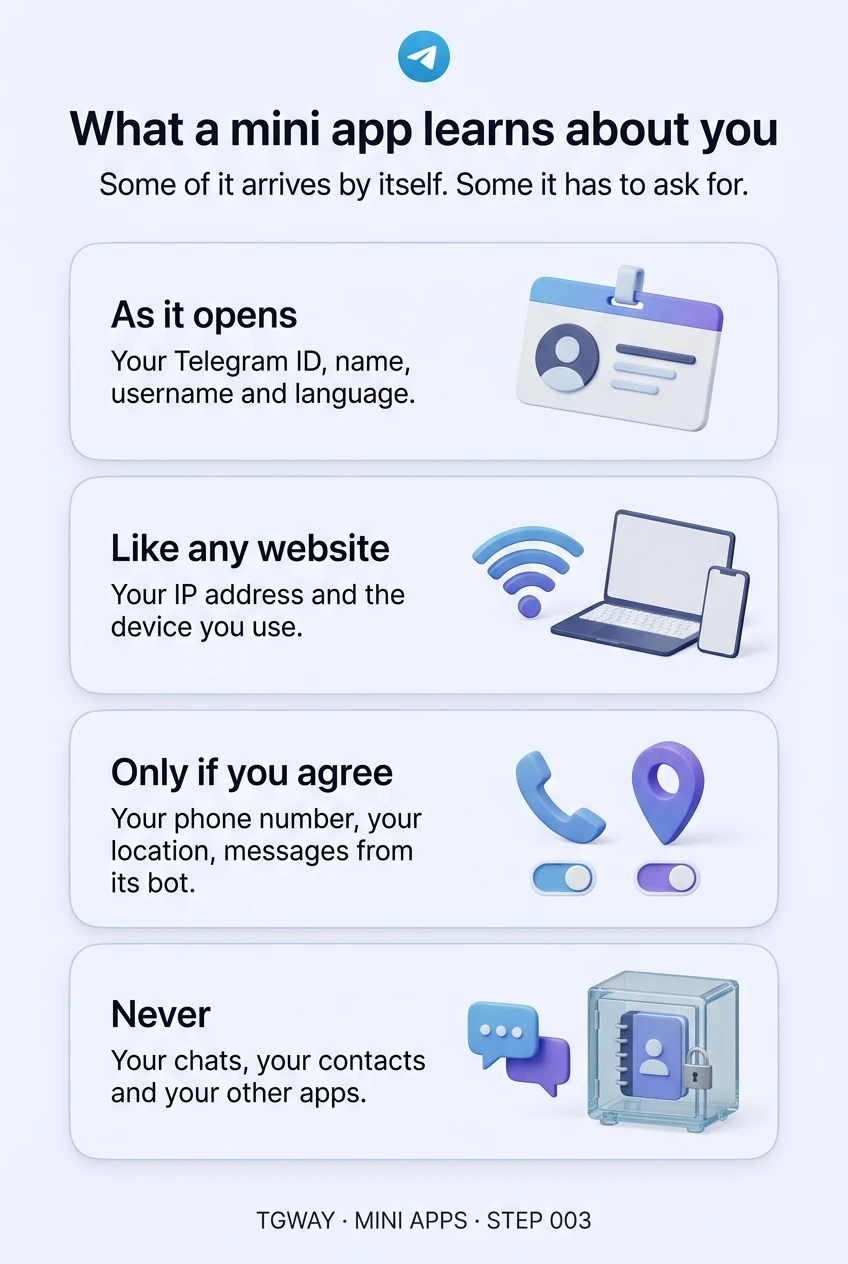
What a mini app learns about you
The four kinds of information on one page: what arrives by itself, what any website learns, what needs your agreement, and what never leaves. Tap to open it at full resolution.