Three Questions Before You Start a Telegram Group

Creating a group or a channel on Telegram takes about thirty seconds. That is the problem. The button is so easy that most rooms are opened before anyone has decided what they are for, and the result is familiar to anyone who has been on the app for a while: a burst of welcomes, a week of enthusiasm, then a pinned message from months ago and silence.
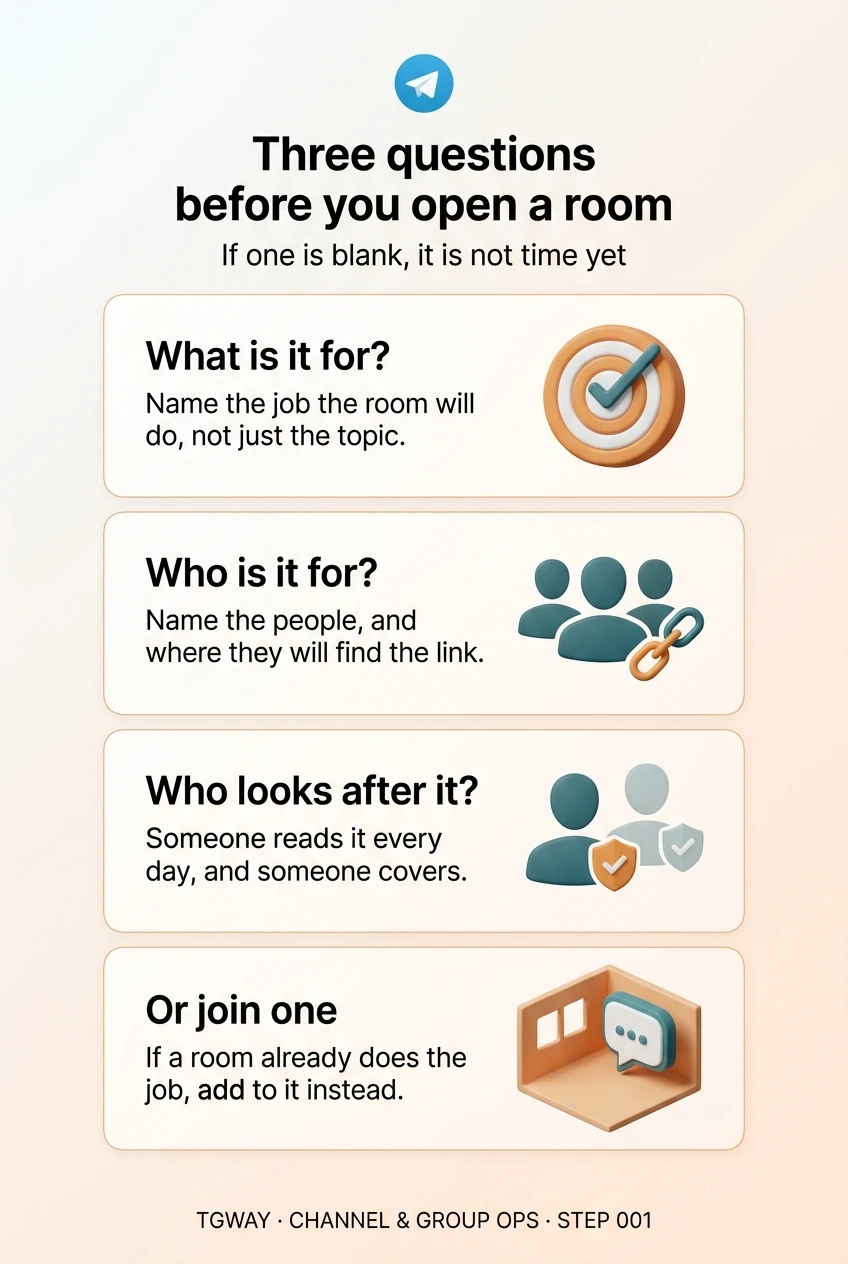
Rooms rarely fail because of a setting. They fail because one of three questions was never answered. What is this room for, who is it for, and who is going to look after it? If you cannot answer all three in a sentence each, it is not time to press the button yet. This first step of the track is about those sentences.
What you will be able to do after this step
- check_circle Write the three sentences that every room needs before it opens.
- check_circle Recognise what a missing answer looks like a few weeks after launch.
- check_circle Know when the right answer is to join a room instead of opening one.
flag Question one: what is this room for?
Not the topic, the job. "A group about cycling" is a topic. "Where the Saturday ride is organised and anyone can post a route" is a job, and it tells every future member what to post and what to leave elsewhere.
The test is whether the answer names something that will happen in the room. Planning a ride, answering questions about a product, sharing each week's homework, announcing an outage. If the honest answer is "people who like the same thing will chat", the room has no reason to be opened today rather than never, and members will sense it.
A good purpose is also a filter. It lets you say, kindly and without argument, that a post belongs somewhere else. Step 005 turns this sentence into the room's description.
person_search Question two: who is it for?
Name the people, not a demographic. "Parents of the class of our school year" or "customers who bought the tool and need help with it" can be counted and reached. "Anyone interested in design" cannot, and a room for everyone ends up belonging to whoever posts most.
This answer decides more technical choices than any feature list does. If your members already know each other, a private room with an invite link fits. If you want strangers to find it, it has to be public, and public rooms attract spam from the first day. If most of them only need to read, a channel may serve them better than a group. Step 002 matches these answers to a structure.
Also write down how they will find it. A room nobody can reach is not quiet, it is invisible.
shield_person Question three: who looks after it?
Every room needs someone who reads it every day, someone who can act when the first person is asleep or away, and an owner account that will not disappear. Rooms made by one person tend to vanish with that person: they change jobs, lose interest or lose their phone, and the room they built has no one left with the keys.
For a small group of friends, "me, and one other person as a second admin" is a complete answer. For anything public, it should include when the room will be unattended, because that is exactly when spam arrives. Steps 007 and 008 cover the keys and the moderation hours in detail.
hourglass_bottom What a missing answer looks like later
Blank answers do not show on launch day. They show a few weeks in, as symptoms that are easy to mistake for bad luck.
| Question | Answered before launch | Left blank — a few weeks later |
|---|---|---|
| What is it for? | Members know what to post and newcomers can tell whether they belong | Off-topic posts nobody can object to, then a slow drift into silence |
| Who is it for? | Privacy, link and structure choices follow on their own | A public room full of strangers, or a private one nobody can find |
| Who looks after it? | Questions get answers and spam is gone within hours | Unanswered questions, spam that stays up overnight, and no one able to fix settings |
The third row is the most expensive. A room with a purpose and an audience but nobody looking after it still fills up, and then it teaches its members that nobody is listening.
Which question is missing?
Each of these people is about to open a room. Tap the answer they have not given.
"I will make a public group for everyone who loves photography. I will moderate it myself, every evening."
There is a topic and an operator, but no job. "Weekly photo critique" or "local photo walks" would give members something to do and a reason to stay.
"The group is where our team posts each day's delivery schedule. I created it on my own account and I am the only admin."
Purpose and audience are clear. But one person holds every key, so a lost phone or a new job ends the room. A second admin fixes most of it; Step 007 covers the rest.
"A place to answer questions about our app, with two of us replying during working hours."
Customers or beta testers? Linked from inside the app or from a website? The answer decides whether the room is public, and a public support room needs a plan for the hours nobody is replying.
task_alt
alt_route When the answer is not to open a room
Sometimes writing the three sentences shows that the room already exists. If a group already does the job for the same people, joining it and contributing is usually better for everyone than splitting the conversation in two. Step 004 is about checking the neighbourhood before you build.
Sometimes the purpose is real but tiny. Three friends coordinating one trip do not need a structure, a description and a moderation plan; an ordinary small group they delete afterwards is the right tool. The three questions are for rooms you expect to last.
And sometimes the honest answer to the third question is "nobody yet". That is worth knowing before members arrive, not after. Find the second person first.
edit_note Try it now — ten minutes, no app needed
- Write the job in one sentence Start with a verb: "where we plan…", "where customers ask…", "where the class receives…". If you cannot find the verb, stop here.
- Name the people and the door Who they are, roughly how many in the first months, and where they will first see the link. This sentence decides public or private.
- Write two names for the keys The person who reads it daily and the person who covers when they cannot. If both are you, that is the gap to close before launch.
- Keep the three sentences Save them in your Saved Messages. The first becomes the description, the second shapes the settings, the third becomes your admin list.
What changes when a group grows, which settings trigger the change, and why a room's history setting matters for new members. Step 71 does the same for channels.
help Questions
Can I just create the room and figure out the purpose later?
You can, but the first members decide what the room is for if you do not, and it is hard to change a culture once it has formed. Writing one sentence before inviting anyone costs nothing and saves you from having to steer a room that already has momentum in another direction.
Should I start with a group or a channel?
That depends on the second question: do you want to hear back from the people in it? A channel is for publishing to readers; a group is for conversation. Many rooms need both, a channel with a linked discussion group. Step 002 goes through the options.
How many admins does a small group need?
Two is the minimum for anything you expect to last: one to run it and one to cover. They do not need the same permissions. The second person mainly needs to be able to remove spam and to take over if the owner account is lost.
What if the room does not take off?
Say so and close it cleanly, or make it read-only with a final message pointing people to where the conversation moved. An abandoned room with an old pinned message does more harm to your reputation than a room that ended on purpose.
Three questions before you open a room
The three sentences every room needs, and the fourth option people forget: joining a room that already does the job. Tap to open it at full resolution.