Telegram Group or Channel? Pick by the Job

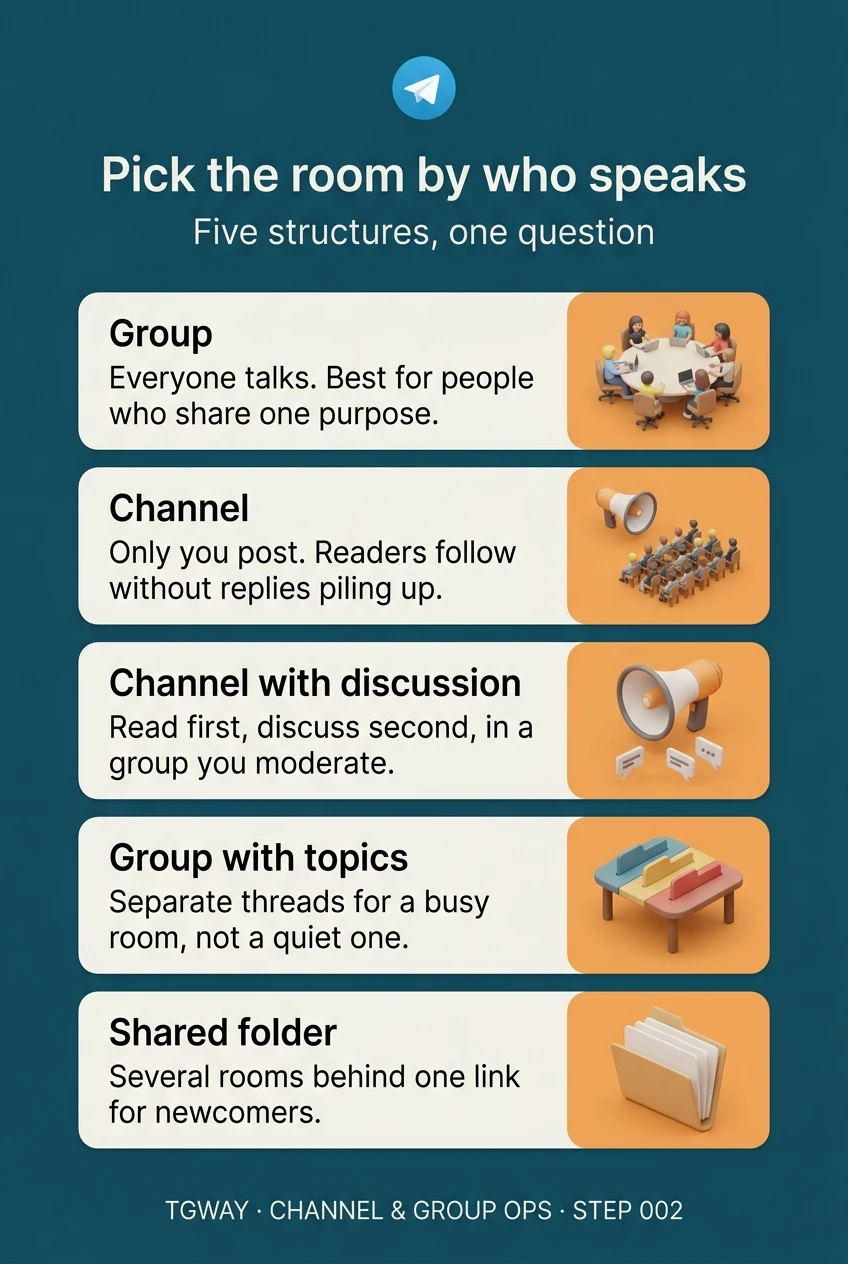
Telegram gives you several ways to gather people: a group, a channel, a channel with a discussion group attached, a group split into topics, and a shared folder that bundles several rooms behind one link. Most comparisons list their features side by side, and most people still pick the wrong one, because features are not what goes wrong.
What goes wrong is the shape of the conversation. Decide who needs to talk and who only needs to read, and the structure mostly chooses itself. This step lays out the five structures in terms of who speaks in each, then works through the five jobs people most often open rooms for.
What you will be able to do after this step
- check_circle Describe each structure by who can speak in it, not by its feature list.
- check_circle Match a club, a class, a fan base, a customer base or a news feed to the structure that fits it.
- check_circle Know which choices are easy to change later and which are not.
account_tree Five structures, described by who speaks
| Structure | Who speaks | Good at | Where it breaks |
|---|---|---|---|
| Group | Everyone, unless you restrict it | Conversation among people who share one purpose | When one noisy thread drowns every other one |
| Channel | Only admins; readers can react | Publishing to an audience of any size without replies piling up | When readers have questions and nowhere to ask them |
| Channel with a discussion group | Admins post; anyone in the linked group comments | An audience that should read first and discuss second | When nobody moderates the comments, which are a second community |
| Group with topics | Everyone, inside separate threads | A busy group whose conversations keep interrupting each other | When it is opened early with empty topics nobody uses |
| Shared folder of rooms | Whatever each room allows | Giving newcomers several related rooms behind one link | When the rooms inside it are not actually maintained |
Two of these are usually confused. A channel with a discussion group is not a channel with comments switched on; the comments live in a real group with its own members, rules and admin list, so linking one means starting a second community. And a group with topics is not a way to organise a quiet room; topics only help when there is enough conversation for it to collide.
Start from the job, not the feature
Pick the one closest to what you are building. Each ends with the structure to start with and the mistake that job tends to make.
People who know each other, talking as equals
A plain group. Everyone should be able to post, and the room works because members recognise each other. Keep it private with an invite link unless you genuinely want strangers; a public neighbourhood group is found by people who do not live there.
The usual mistake is splitting too early: a "chat" group, an "events" group and a "buy and sell" group for forty people, each too quiet to live. Wait until the conversations really collide, then consider topics.
Start with one private group. Add topics only when threads start interrupting each other.
One teacher, many students, two kinds of message
A class has announcements that must not get buried and questions that should be answered where others can see them. Putting both in one open group buries the announcements under questions.
A channel for announcements with a linked discussion group for questions separates the two cleanly. For a small class, a single group can be enough if each announcement is pinned and students ask their questions as replies to it, so the answer stays attached to the thing it is about. Either way, protect students' phone numbers, which Step 014 covers.
Announcements where only you post, questions where everyone can see the answer. Two streams, not one.
A large audience that mostly reads
A channel. The audience wants your posts in their feed without hundreds of replies attached, and a channel scales without the room turning into noise. If you want to hear back, link a discussion group so comments appear under posts.
Only link it if someone will moderate it. Comments are the part of a creator's presence that attracts spam and impersonators first, and an unmoderated comment section speaks for you.
A channel first; a discussion group only when you can staff it.
People who bought something and may need help
This job splits in two. Updates and release notes belong in a channel. Individual support problems usually do not belong in a public group at all, because customers post order details and account information in front of each other.
A public group works for a product with a real community of users who help each other. For one-to-one help, a support account or a bot is usually better. The Telegram for Business track goes deeper into both.
A channel for updates, and a private route for anything involving an order or an account.
Information that flows one way
A channel, with nothing attached at the start. Readers subscribe to be told things; they did not ask to join a discussion. Reactions give you a light signal of what landed without opening a comment section.
If you publish several separate feeds, for different regions or subjects, a shared folder lets a new reader add all of them with one link instead of hunting for each.
A plain channel. Add a folder link once there is more than one feed to offer.
swap_horiz What is easy to change later
Some of these choices can be adjusted in a minute; a few are hard to take back. Knowing which is which lets you start small without painting yourself into a corner.
Easy: linking or unlinking a discussion group, switching topics on, restricting who can post in a group, adding rooms to a shared folder. You can grow into any of these.
Harder: turning a group into a channel or the reverse. They are different kinds of room, so moving means creating the new one and asking people to follow you, and some will not. Choosing a public address is also sticky: once people have shared it, changing it breaks every link to it.
So when in doubt, start with the simplest structure that fits the job, and add structure when a real problem appears, never in anticipation of one.
edit_note Try it now — five minutes
- Take your sentence from Step 001 The one that says what the room is for. Underline who needs to speak and who only needs to read.
- Find the row in the table If only you speak, it is a channel. If everyone speaks, it is a group. If both, it is a channel with a discussion group, or a group where posting is restricted.
- Check it against the job Read the tab above that matches your job and look for its usual mistake in your plan.
- Write down what would make you add structure "Topics when two conversations keep colliding", "comments when someone can moderate". That becomes a rule, not a guess.
How comments work, why they are a separate group, and how its admin list differs from the channel's. Steps 56, 57 and 41 cover groups, topics and shared folders.
help Questions
Can I run a group where only admins post?
Yes. In the group's permissions you can stop members from sending messages, which turns it into something close to a channel. It is useful for a small class or an event, but for a large audience a real channel scales better and does not show a member list.
Do channel subscribers see each other?
No. Channel subscribers are not shown to one another. Group members are. That difference alone decides the structure for some audiences, such as people who would not want to be seen joining.
When should I switch on topics?
When a group is busy enough that two or more conversations keep interrupting each other, and members complain they cannot follow. Opening a new group with empty topics tends to make it look abandoned. Step 075 covers topics in practice.
What is a shared folder for, compared with a group?
A folder is not a room. It is a link that adds several existing chats to a newcomer's chat list at once, and they can untick any they do not want. It suits an organisation with several rooms that should be discovered together.
Pick the room by who speaks
The five structures on one page, each described by who gets to talk in it. Tap to open it at full resolution.