publicTelegram Web in any browser
How to Log In to Telegram Web (Step-by-Step)
Telegram Web runs in the browser you already have. There is no installer and nothing to download — you open one address and sign in, either by scanning a code with your phone or by typing your number. This page shows every screen in order, with a real screenshot of each one and the single thing to click.
- linkNothing to download
- scheduleAbout a minute
- devicesAny computer, any browser
- checklist8 screens
Phase 01 · screens 1 and 2Open the page
-
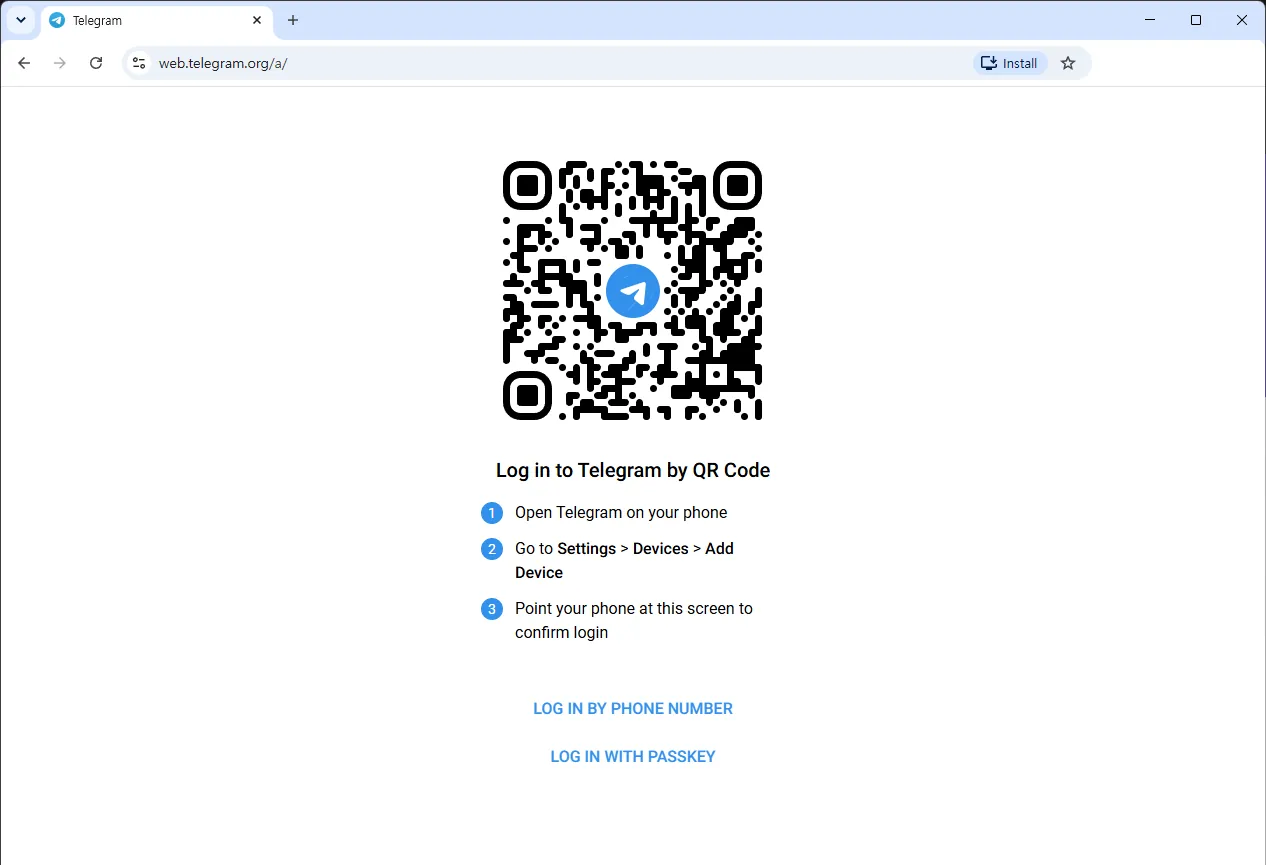
Type the address into your browser
The address changed to web.telegram.org/a/ on its own. That is normal — see screen 3. touch_appGo to web.telegram.org in Chrome, Edge, Firefox or Safari.
That is the whole setup. There is no file to save and no wizard to run, which is why this works on a locked-down work laptop. It is the same account as on your phone — you are connecting a browser to it, not making a second one.
verified_userOnly this address. Telegram Web lives at web.telegram.org and nowhere else. Look-alike addresses are the standard way accounts get stolen, because signing in is the whole point of the page. Type it or use a bookmark rather than a link someone sent you. -
Ignore the Install button, or use it for a shortcut
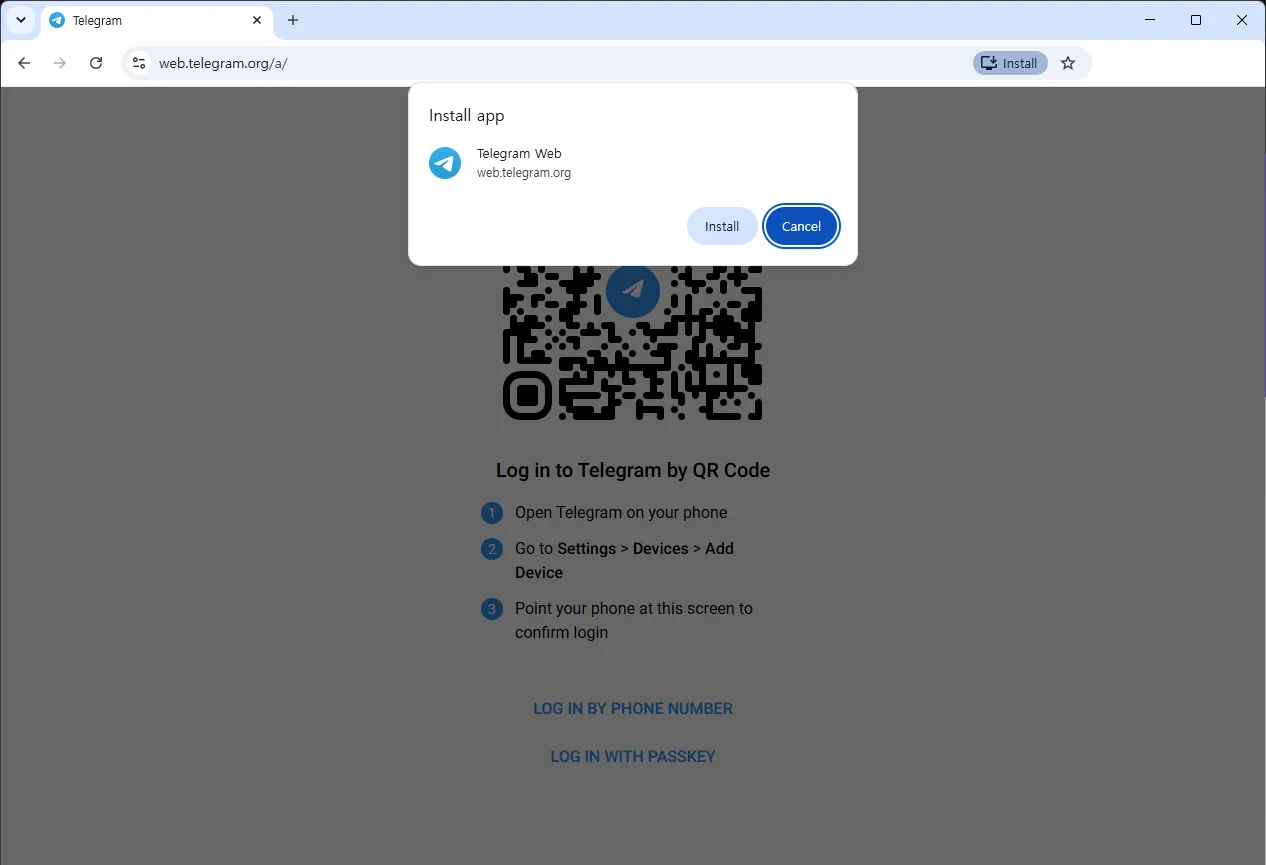
This is the only thing on the page that says “install”, and it does not download Telegram. touch_appClick Cancel to carry on in the tab, or Install to get a desktop shortcut.
It does not install a program. It makes a shortcut that opens the same website in its own window, with no address bar. Nothing is downloaded, it does not work offline, and deleting it later does not sign you out. The real desktop program is a separate app: see installing Telegram Desktop on Windows.
Phase 02 · screens 3 and 4Sign in with the code
-
Scan the code with the phone that already has Telegram
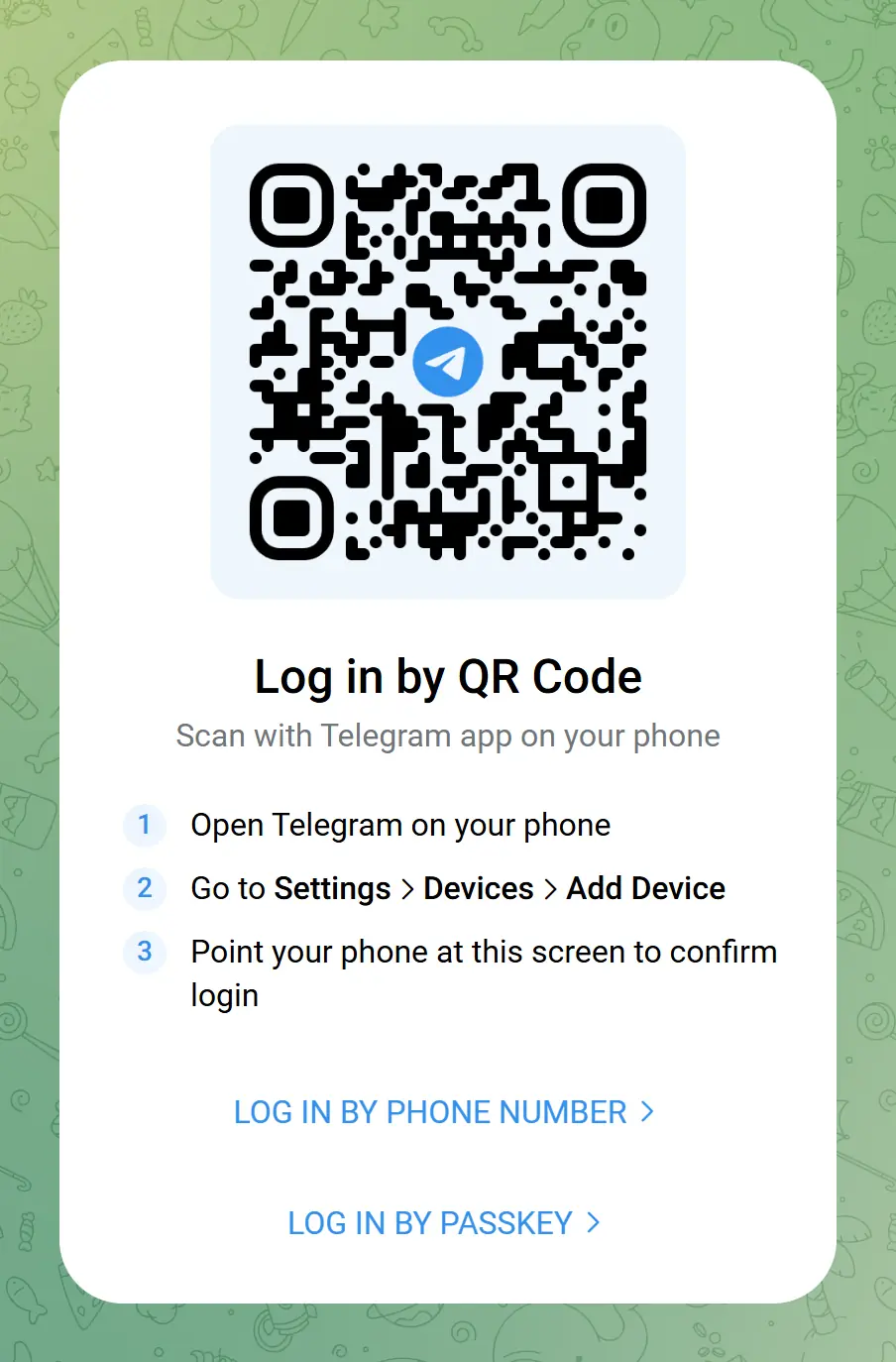
The three steps you need are printed on the card itself. The code in this picture has long expired. qr_code_scannerOn your phone, open Telegram and go to Settings > Devices > Add Device, then point the camera at the code.
The browser signs in the second the scan works — no password, no SMS, nothing typed. If you use two-step verification, Telegram asks for that cloud password once. The code refreshes every few seconds, which is why the one above does nothing.
warningOnly ever scan a code that is on your own screen. A login code hands a session on your account to whichever computer drew it, so scanning one from someone else’s laptop, a photo or a printed sheet gives that person your chats. Nobody has a good reason to show you one. -
If your screen looks different, you got the other client
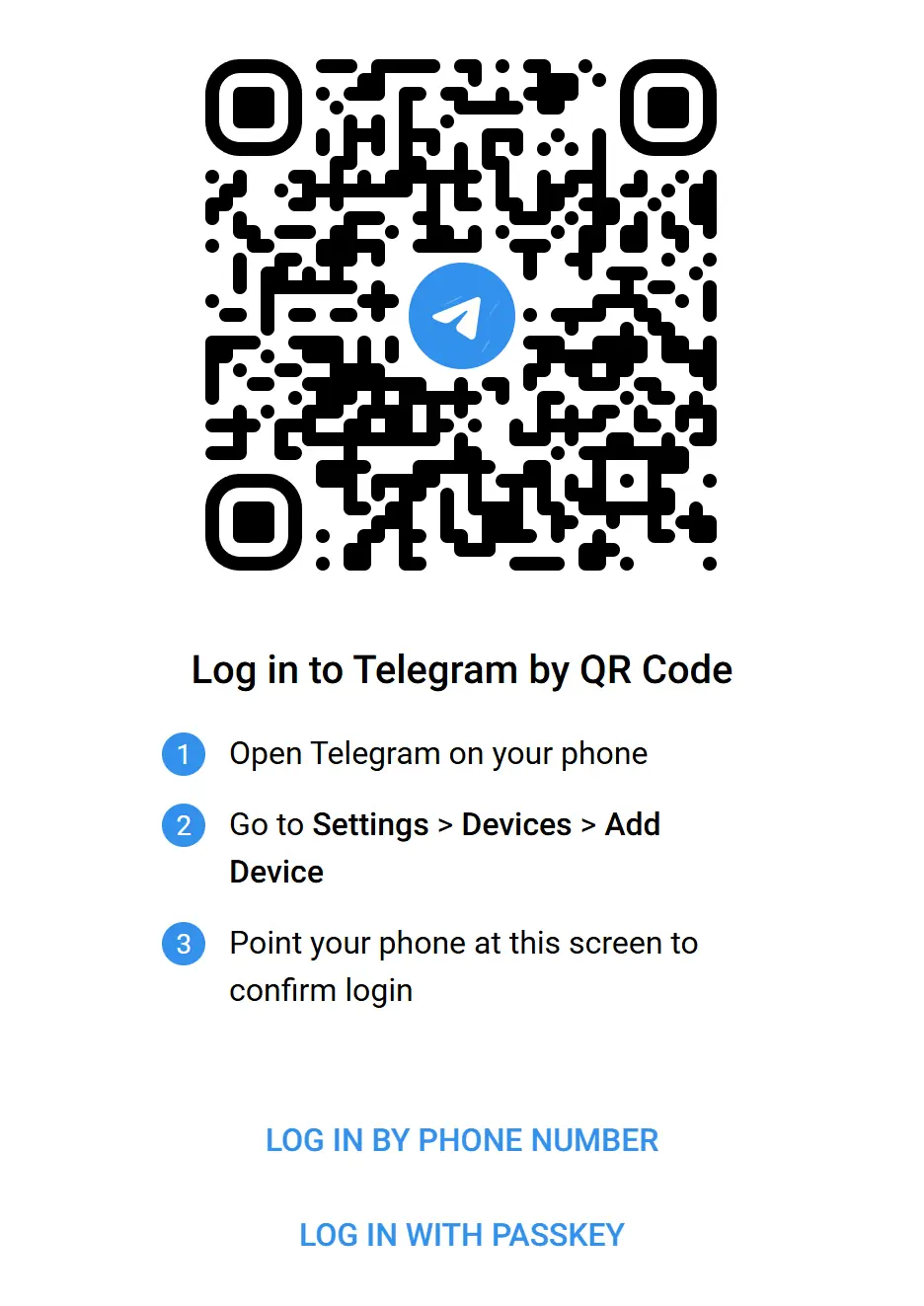
Same three steps, no card, no wallpaper. Both of these are the real Telegram Web. touch_appCarry on as normal — or edit the address to end in /k/ or /a/ to pick a side.
Telegram runs two official web clients and the plain address sends you to one of them, so the same link looks different on two computers. Loading it three times from a clean browser gave us
/a/, then/k/, then/a/. Both sign in the same way and reach the same account; we compare them in the two Telegram Web clients.
Phase 03 · screens 5 to 8Or sign in with your number
-
Switch to the phone number form
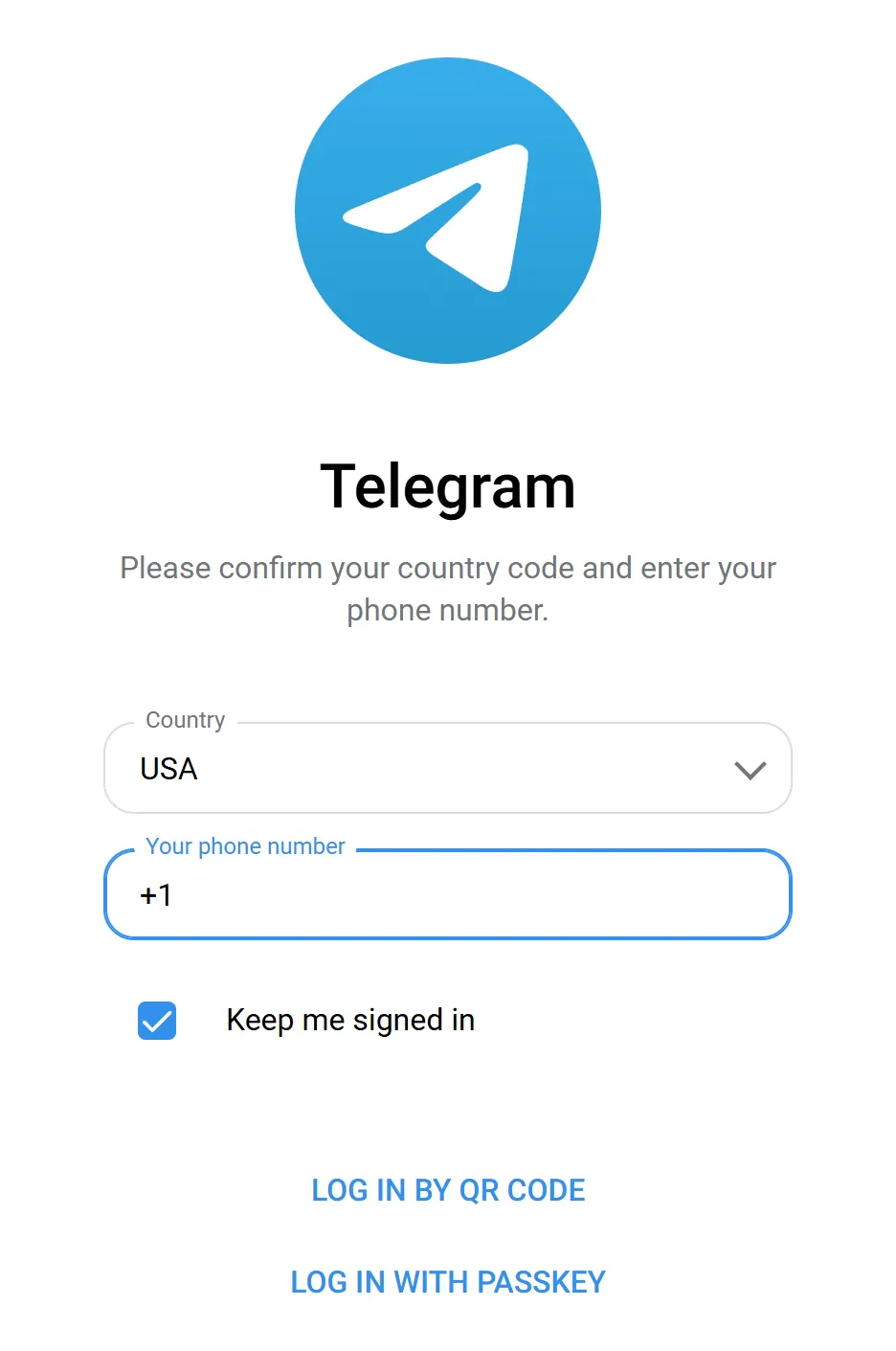
Three things: country, number, and whether the browser should stay signed in. touch_appClick LOG IN BY PHONE NUMBER under the code.
Use this when your phone is not next to you. Telegram guesses your country from your connection, so check that line first. Keep me signed in is ticked by default — untick it on a computer you share or do not own.
-
If the country guess is wrong, open the list
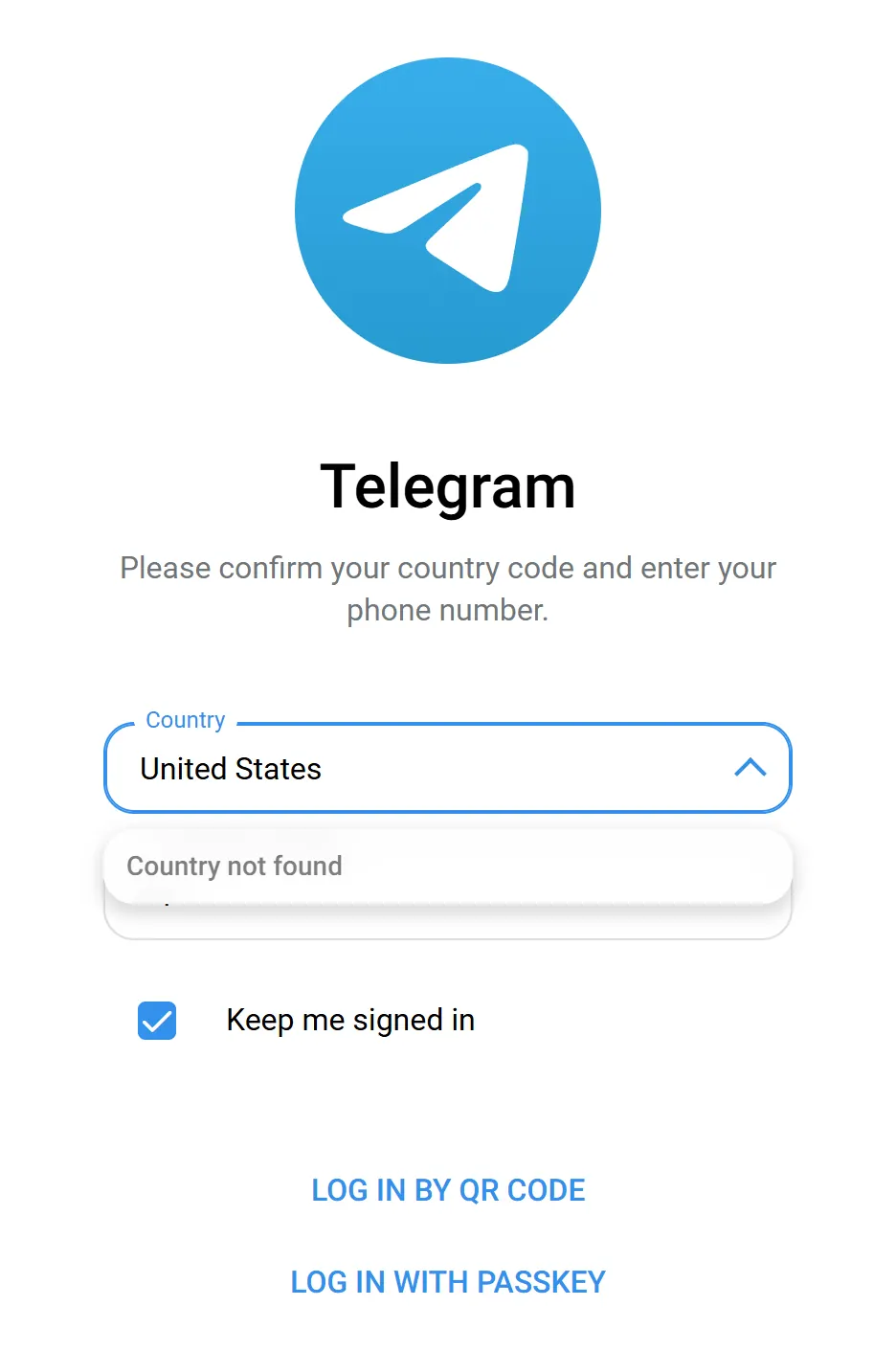
Typing the full name of the United States returns nothing. This is not a fault. touch_appClick the Country field and start typing.
The field is a search box, not a plain dropdown: typing filters the list instead of jumping to a letter. Telegram writes some countries the short way, so type two or three letters rather than the full name.
-
Pick the country and let the code fill itself in
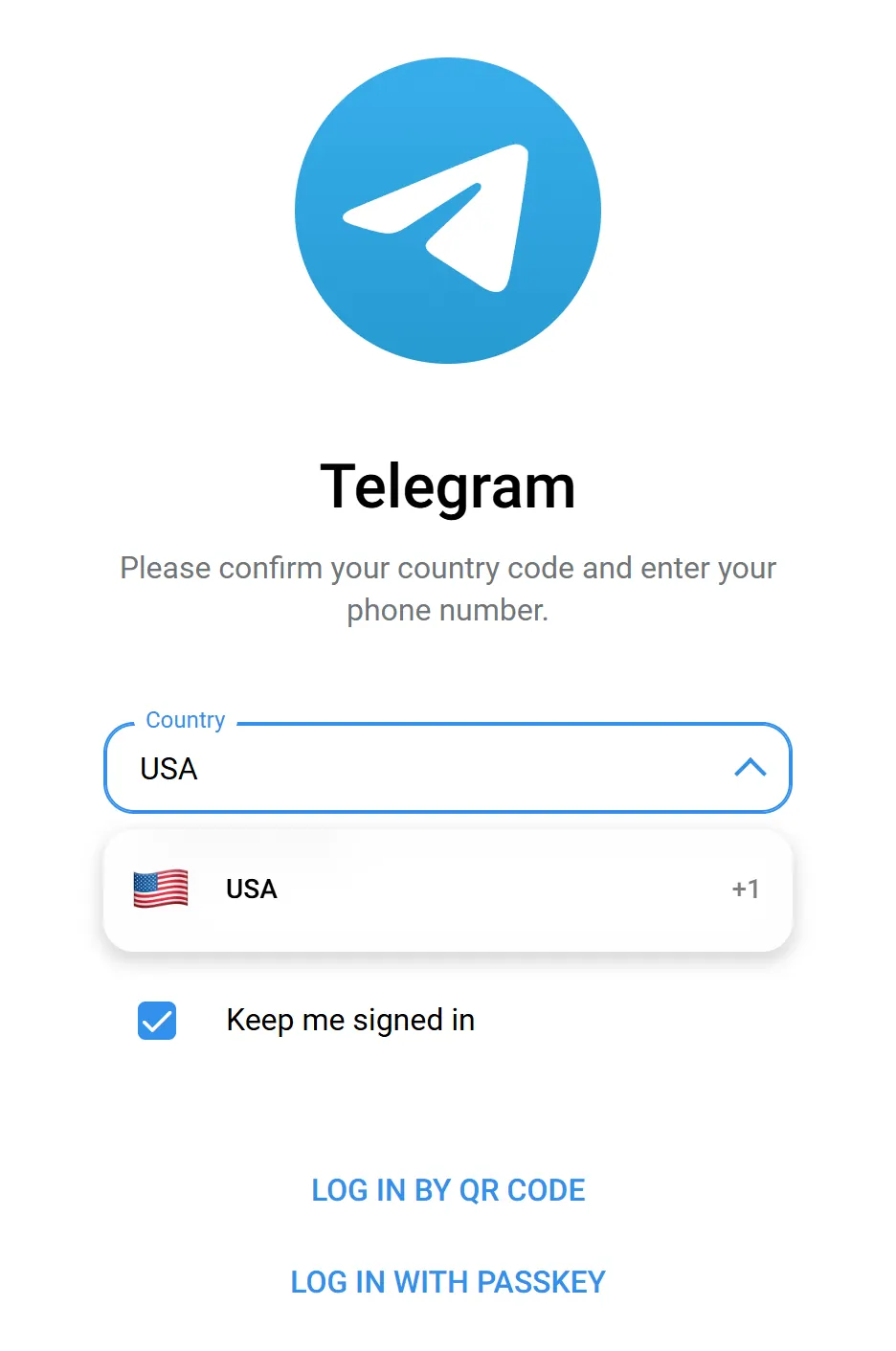
The United States is listed as USA. The United Kingdom is listed under its full name. touch_appClick your country in the list.
The dialling code drops into the number field for you, so you never type it. Pick the wrong country and the number is rejected a step later, not here — which is why it is worth a glance now.
-
Type your number and continue
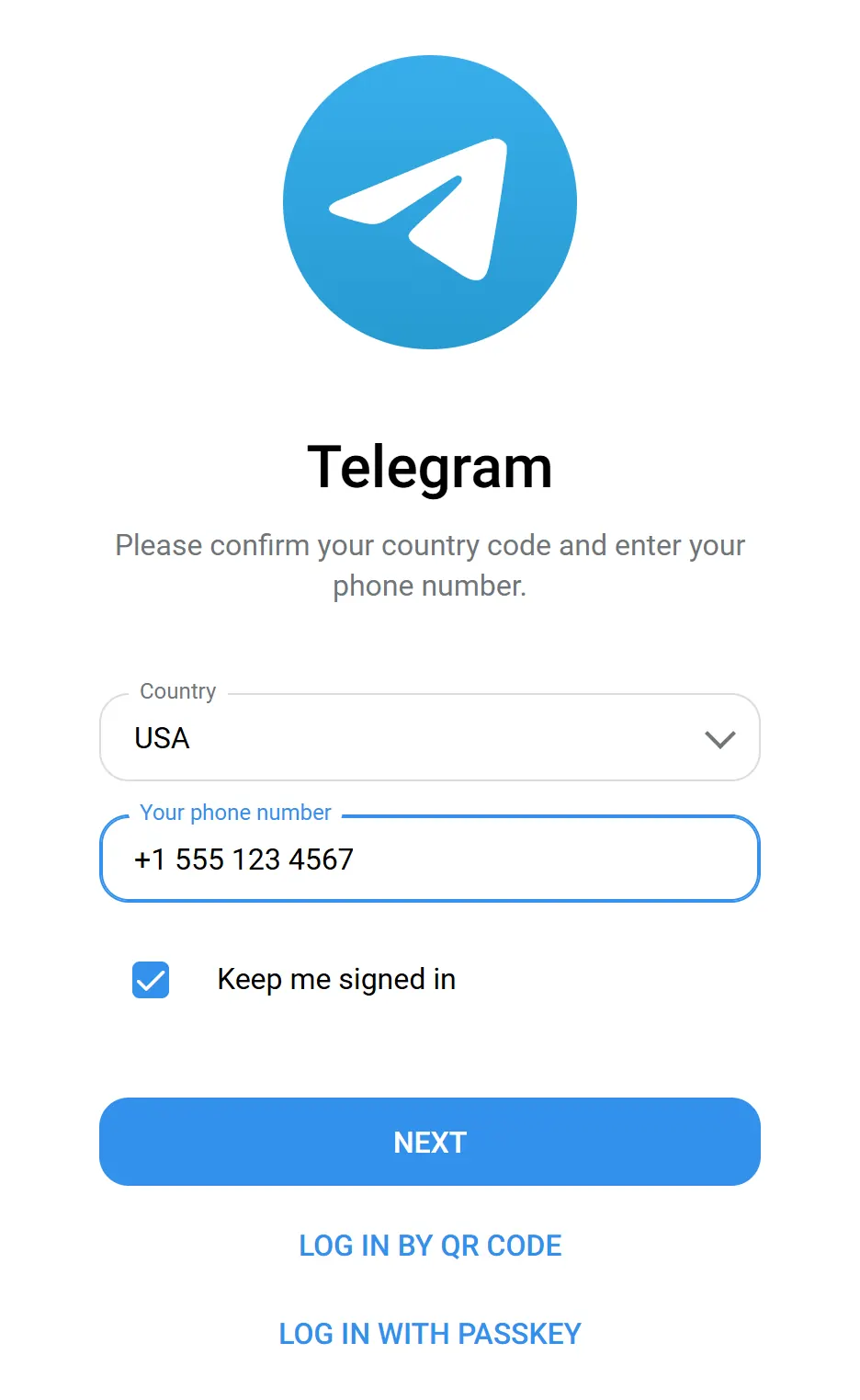
The blue Next button only appears once the number looks complete. touch_appType the rest of your number without the leading zero, then click NEXT.
Telegram sends a login code to the app on any device where you are already signed in, and falls back to SMS only if there is none. Type the code, then your cloud password if you use two-step verification, and your chats open.
securityNever pass that login code to anyone. It is the whole account. Telegram staff, moderators and support bots do not ask for it, and someone who already has your number has nothing else to wait for.
You opened the site and signed in without installing anything. Everything below is optional reading.
Before you walk away from that computer
Closing the tab does not sign you out — the session stays open until you end it. On a borrowed machine, untick Keep me signed in and sign out from the menu instead of closing the window. If you forget, Settings > Devices on your phone lists every logged-in browser and ends one immediately.
Downloads are the part people miss: a file you saved while signed in stays in that computer’s downloads folder afterwards, because by then it is an ordinary file.
![[Telegram Tips & Shorts] How to Instant Log In with QR Codes on Telegram Desktop & Web: Complete Multi-Device Guide](https://tgway.com/images/guides/video_poster_137.webp)