Your Telegram Identity: What You Can Change

On most services "your account" is one thing: an email address and a password. On Telegram it is a bundle of separate pieces — a phone number, a hidden numeric ID, an optional username, a name, photos and a bio — and each one behaves differently. Some you can change in a second. One never changes at all. Different people see different pieces.
This track is about managing that bundle over the life of an account: how you appear, how you get in, and what happens when you move, lose access or leave. It starts here, with a map of the pieces. The pieces people recognise you by are the ones you choose, and anything you choose, somebody else can copy.
What you will be able to do after this step
- check_circle Name the six pieces of a Telegram identity and say which ones you can change.
- check_circle Know which piece each kind of person sees: a contact, a group member, a stranger.
- check_circle Tell the details that prove who someone is from the details that only look like proof.
list_alt The six pieces, side by side
Read across a row to see how one piece behaves. Read down a column to see how differently the pieces are treated.
| Piece | Who sets it | Can it change? | Unique? | Who sees it |
|---|---|---|---|---|
| Phone number | You, when you sign up | Yes, with Change number | Yes, one account per number | Your choice in Phone number privacy; people who saved it always |
| Numeric user ID | Telegram, once | Never | Yes, permanent | Hidden in the normal app; bots and tools you use can read it |
| Username | You, if you want one | Yes, any time | Yes, while you hold it | Anyone, and anyone can search for it |
| Display name | You | Yes, any time | No | Everyone you talk to, except contacts who saved you under their own name |
| Profile photos | You | Yes; old ones stay unless deleted | No | Your choice in Profile Photos privacy |
| Bio | You | Yes, any time | No | Your choice in Bio privacy |
Two rows surprise people. The numeric ID is the account's real identity: it is assigned when you sign up and stays the same when you change your number, your username, your name and every photo. It is what a bot stores to remember you, and what makes a message still yours after you rename yourself. The display name, meanwhile, is not yours in any exclusive sense. Anyone can call themselves exactly what you call yourself.
visibility Who sees which piece
The same account looks different depending on who is looking.
A contact who saved your number sees your number no matter what your privacy setting says, and sees you under the name they typed into their phone, not the one you chose. Rename yourself and they may never notice.
A member of a group you are in sees your display name, your photo if your settings allow it, your bio, and your username if you have one. By default they do not see your number. From your username or a message they can open your profile and message you, unless your privacy settings stop them.
A stranger sees only what you made public. With a username, they can find you by searching for it. Without one, and with Who can find me by my number set to My Contacts, you are close to invisible to people who do not already know you.
None of these views shows your sessions or your contacts list, and the standard apps do not show your numeric ID either. Bots and third-party tools in a shared group can read that ID, which is fine: it identifies the account without saying anything about the person.
What looks like proof, and what is
When a message arrives from "someone you know", these are the two kinds of evidence on the screen.
content_copy Things the sender chose
verified_user Things the sender could not choose
A name and a photo tell you who someone wants to look like. The details on the right tell you which account you are actually talking to — and Step 010 covers what each badge means.
edit_note What changing each piece actually does
Changing your name or photo updates everywhere at once, including on messages you sent years ago. It is cosmetic and free, which is exactly why impersonators like it.
Changing your username releases the old one, and anybody may then claim it. Every link to the old one, in other people's messages, on your business card, in last year's channel description, now leads nowhere or to that new owner. Steps 021 and 022 are about choosing one that lasts.
Changing your number keeps every chat, group and contact; only the number the account is filed under changes. The one rule is to do it while both numbers still work. Step 011 walks through it.
The numeric ID cannot be changed by anyone, you included. A new ID means a new account, and a new account starts empty.
touch_app Try it now — five minutes
On Windows, Linux and Android, open the menu (☰) and choose Settings. On iPhone, tap Settings in the bottom bar. In the native macOS app, use Telegram > Settings or ⌘,.
- Write down your six pieces Your name, username (or "none"), bio and number are all on the first Settings screen. Notice which ones you have never looked at since you signed up.
- Look at yourself the way a stranger does Open My Profile from Settings. It shows your public profile as others see it, which is the fastest way to catch an old bio or a photo you forgot was public.
- Check the three privacy rows that match the table Privacy and Security > Phone number, Profile Photos and Bio. Each offers Everybody, My Contacts or Nobody, plus exceptions.
- Decide whether you want a username at all It is optional. It makes you easy to find and easy to link to, which is the point for a creator and a cost for a private person. Step 002 helps you decide.
Why the account lives in the cloud instead of on your phone, which is what makes a number, not a device, the thing that identifies you.
help Questions
Can two people have the same name on Telegram?
Yes. Display names are not unique and are not checked. Two accounts can share a name and a photo exactly, which is why a familiar name in your chat list proves nothing on its own. Usernames are the part that is unique.
Do I need a username?
No. Without one, people reach you through your number, a shared group or a link you send them. With one, anyone can find you by searching for it and message you, subject to your privacy settings. Choose based on whether you want to be findable by strangers.
If I change my name, will my contacts be told?
No notification is sent. Your new name simply appears wherever your old one did. Contacts who saved you in their phone keep seeing the name they saved, so some people may not notice the change at all.
Where can I see my numeric user ID?
The standard apps do not display it, because you never need it to use Telegram. It matters when a bot or a group tool asks to identify you, and it is the reason a bot still knows you after you change your name or username.
Is my Telegram identity the same as my phone's contact card?
No. Your phone's contact card is yours to edit and nobody else sees it. Your Telegram profile is what you publish to other people, and your number is shared with Telegram so it can file your account. The Privacy & Security track explains why that number matters so much in Why Your Phone Number Controls Your Telegram Account.
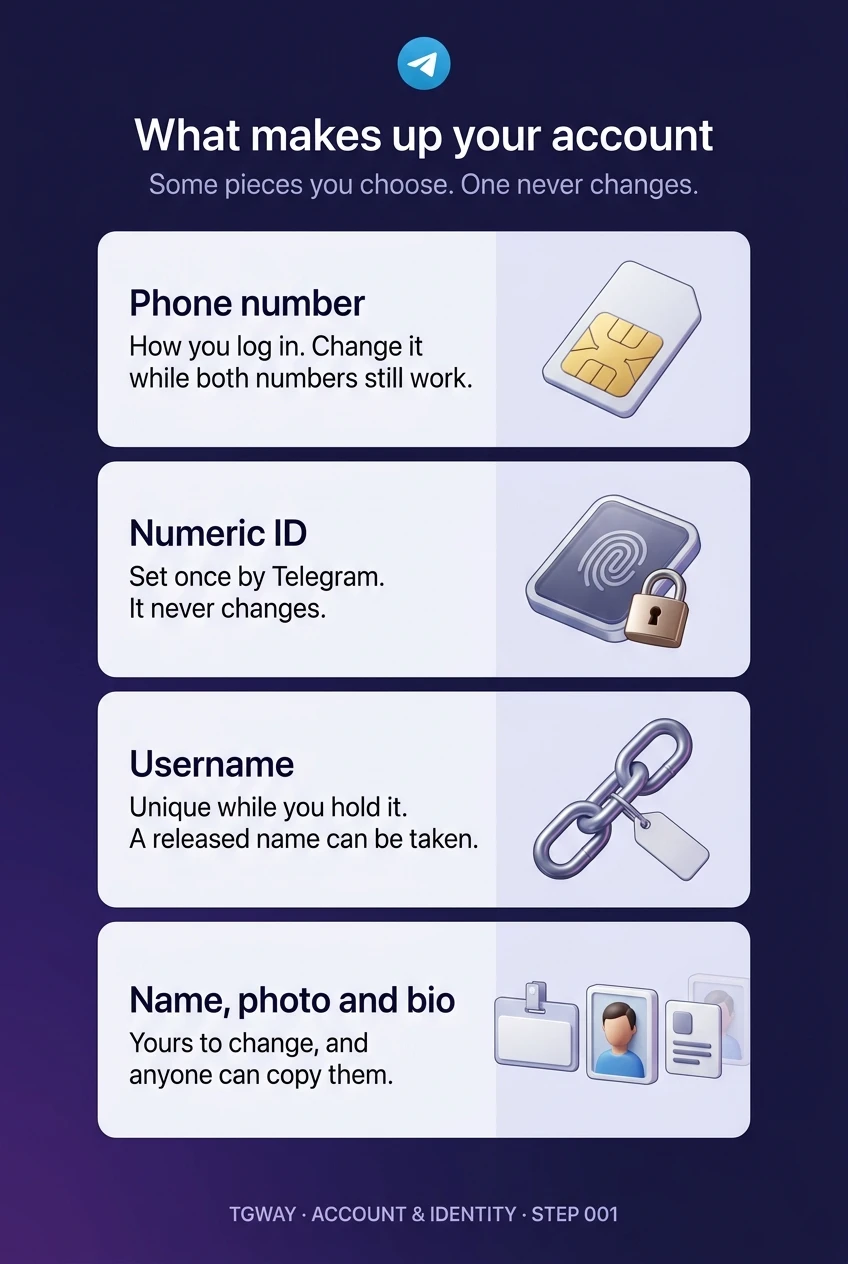
What makes up your account
The four kinds of piece in one picture: the number you log in with, the ID that never changes, the username you hold, and the name, photo and bio anyone can copy. Tap to open it at full resolution.