Keeping Business and Personal Telegram Separate

Almost every small business on Telegram starts the same way: the owner gives a customer their personal username, or the customer finds them through a number they already had. It works, and for a while nobody minds. Then there are fifty customers in the chat list between family and friends, a stranger is looking at last summer's holiday photo, and a message meant for a sister goes to a supplier.
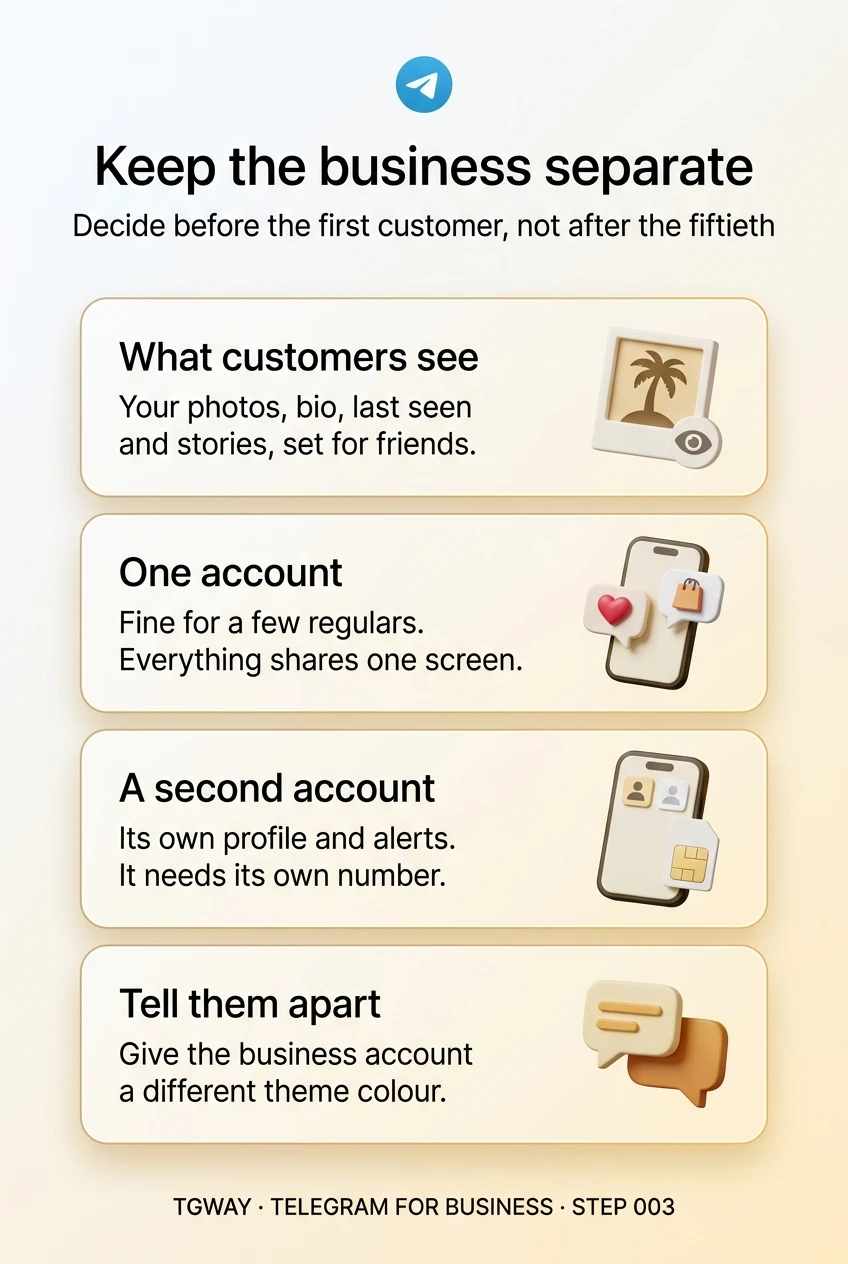
Separating the two is easy on day one and hard on day three hundred, because by then customers have saved the old contact. Decide before the first customer, not after the fiftieth. This step shows what a personal account reveals to customers and the ways to keep the business apart.
What you will be able to do after this step
- check_circle List what customers can see when they write to your personal account.
- check_circle Choose between one account and a separate business account.
- check_circle Set up the separation before customers get used to the wrong door.
visibility What a customer sees on your personal account
Each of these depends on your privacy settings, and most people set them for friends years ago. A customer who saves your number becomes a contact, and contacts usually see more than strangers.
| Detail | What the customer learns | Why it matters |
|---|---|---|
| Profile photos | Your current photo and the ones before it | Holiday, family and home photos meant for friends |
| Bio and birthday | Whatever you wrote for friends | Personal details you would not print on a flyer |
| Last seen and online | When you are active, day and night | A customer can see you online at midnight and expect a reply |
| Stories | Stories shared with your contacts | Once they are contacts, your weekend is in their feed |
| Groups in common | Which groups you are both in | Hints at your neighbourhood, school or hobbies |
| Your phone number | Visible to anyone who has it saved | It is also your account's login and your bank's contact |
None of this is a security failure; it is the app doing what you set it to do for friends. The problem is only that customers were never the audience you had in mind.
One account or two?
Both are legitimate. The deciding question is whether you want your personal life and your customers to share one screen.
person One account for both
work A separate business account
One account suits a side business with a handful of regulars. Anything you expect to grow should have its own account from the start, because customers will save whichever one you give them first.
call_split Three ways to separate, from light to strong
Tighten the personal account. If you keep one account, at least set Profile Photos, Bio, Birthday and Last Seen & Online to what you would show a customer, and use a separate public photo. This is separation by settings, and it is the weakest kind: one change for a friend affects every customer too.
Add a second account in the same app. Telegram lets you sign in to several accounts in one app and switch between them. Each needs its own phone number. You get a clean business profile, its own chat list and its own notifications, at the cost of occasionally replying from the wrong one. Giving the two accounts different chat themes makes that mistake much rarer.
Use a second device for the business. A work phone or a tablet signed in only to the business account is the strongest separation: switching off the device switches off the business. It suits businesses with staff, or owners who want evenings genuinely free.
schedule Why the timing matters
The account a customer first writes to is the one they save, forward to friends and search for next time. If you separate later, each of them has to be told, and some will keep writing to the old account for years.
There is also a practical limit to what you can move. Your personal chats cannot be split into a new account; you can only start the business account fresh and invite customers across. That is simple with five customers and a project with five hundred.
If you are already past that point, do it anyway, gradually: pin a short message in your conversations with regulars, add the new username to receipts, and reply from the business account whenever someone writes to the personal one.
edit_note Try it now — fifteen minutes
- Look at your profile as a customer would Open My Profile from Settings and switch to the view of a contact. Everything there is what a customer who saves you sees.
- Decide: one account or two Use the comparison above. If the business is meant to grow, plan the second account now.
- If two, add the account In Settings, use the option to add an account and sign in with the business number. Give it a business name, a logo or clear photo, and a one-line bio.
- Make the two look different Choose a distinct chat theme or colour for the business account, so you can tell at a glance which one you are typing in.
How accounts sit side by side in one app, what they share and what they do not, and the slip that happens most: acting in the account you are not looking at.
help Questions
Can I use one phone number for both accounts?
No. On Telegram each phone number is one account, so a separate business account needs its own number, such as a second SIM or an eSIM. Keep that number active: losing it puts the business account at risk, as the Privacy & Security track explains.
Does a channel solve the problem instead?
Partly. A channel lets customers follow the business without seeing your personal account at all. But the moment they have a question, they need an account to write to, and that account is what this step is about.
Will my customers know the two accounts are the same person?
Only if you tell them or if something connects them, such as the same photo or both accounts in the same groups. For most small businesses that is fine; the point of separation is a tidy profile and inbox, not secrecy.
I already have many customers on my personal account. Is it too late?
No, it is just slower. Open the business account, point every new customer to it, and move regulars over as you talk to them. Within a few months the personal account usually goes quiet on its own.
Keep the business separate
What customers see on a personal account, when one account is enough, and how to set up a second one you can tell apart. Tap to open it at full resolution.