Set Up a Telegram Profile Customers Will Message

A new customer decides whether to write to you in a few seconds, and in those seconds they see very little: a small round photo, a name, a username and one short line of text. There is no storefront, no reviews page and no website in view. For that moment, those four things are the whole of your business.
A profile that earns the first message answers three questions before anyone asks them: who is this, what do they do, and is it safe to write? This step works through each part of the profile with that test, using the account you set aside for business in Step 003.
What you will be able to do after this step
- check_circle Choose a profile photo that still works at the size customers actually see it.
- check_circle Write a name and a one-line bio that say what you do without sounding like spam.
- check_circle Check your profile the way a stranger sees it before your first customer does.
visibility Where customers actually meet your profile
Most people never open your full profile before writing. They meet you in smaller places, and each one shows only part of it.
| Where they see you | What they see | What it has to do |
|---|---|---|
| Search results | A tiny photo, the name and the username | Make it obvious this is the business they searched for, and not a copy of it. |
| A link on your website, flyer or social post | A preview with the photo and name, then the chat | Match what they just saw elsewhere, so the click feels like arriving, not guessing. |
| A forwarded message | Your name in the header of a message someone passed on | Carry enough of what you do that a stranger knows why the message was shared. |
| The profile page | Photo, name, username and the bio line under them | Answer who, what and how to start in one screen, with no scrolling. |
| Their chat list, after they write | A small photo and the name, among their friends | Stay recognisable weeks later, when they come back to reorder. |
Four of the five places show the photo at the size of a fingernail and the name cut short. Design for those, and the full profile page takes care of itself.
account_circle The photo: readable at the smallest size
Your photo is shown in a circle, usually small. Before you upload anything, shrink it on your screen until it is the size of a coin and ask whether you would still recognise it.
- If you are the business — a tutor, a photographer, a repair person — a clear photo of your face usually earns more first messages than a logo. People are deciding whether to talk to a person.
- If you have a known brand, use the simplest version of the logo: the mark alone, on a plain background, centred so the circle does not cut it.
- Avoid text in the picture. A logo with a slogan becomes a smudge at small sizes, and a photo covered in words looks like an advert.
- Use the same picture everywhere. If your website and your shop sign use one image and Telegram uses another, customers have to wonder whether they found the right account.
badge The name and the username
The display name is what people read; the username is what they type and what your links are made of. They do different jobs.
Name. If people already know your brand, the brand alone is enough. If they do not, add what you do: a name like "Maria Rossi · Wedding Photography" tells a stranger in search results why to tap. Keep it to what you would say out loud. Stacks of keywords, capital letters and symbols make a profile look like the spam accounts customers have learned to ignore. And never put a check mark or a word like "official" into the name itself; real verification marks are added by the platform next to the name, and a lookalike in the text is the first thing careful customers are taught to distrust.
Username. Choose one that matches your website or your handle elsewhere, short enough to say over the phone, without extra numbers or underscores that make it look like an imitation. Treat it as permanent: it is printed on your cards and saved in your customers' chats, and changing it breaks every link that already points to it. Step 002 of Account & Identity covers why usernames behave like domain names.
short_text The one line: what you do, for whom, how to start
The bio sits right under your name on the profile page, and on a free account only the first seventy characters are shown. That is roughly one sentence, so every word has to carry weight. A line that works usually does three things: says what you do, says who it is for or where, and tells people how to begin.
- "Custom birthday cakes in Leeds. Message your date and guest count."
- "Phone and laptop repairs, same day. Send the model and the problem."
- "English lessons for adults, online. Tell me your level to start."
The second half is the part most profiles skip, and it is the one that saves you work. When the bio tells customers what to include, their first message arrives with the details you would otherwise have to ask for. Leave out prices, which change, and urgency words like "limited" or "hurry", which read as pressure before anyone has said hello.
quiz Check your instincts
A home baker is choosing a bio. Which line is most likely to earn a useful first message?
It says what, where and how to start, so the first message already contains the two details the baker needs. The first line is a slogan that tells a stranger nothing; the third puts a price that will change and pressure that reads like an advert.
A solo photographer has a logo with the studio name written under a camera icon. What works best as the profile photo?
At the size customers see it, lettering under an icon turns into a blur and a collage turns into noise. The name is already written next to the photo, so the picture only has to be recognisable. For a one-person business, a face usually earns more trust than any mark.
You want customers to trust that they found the real account. What helps?
Consistency with places customers already trust is the signal they can check. Symbols typed into a name are exactly what impersonators use, and careful customers read them as a warning. Step 005 covers linking your website and Telegram so each confirms the other.
task_alt
touch_app Try it now — fifteen minutes
On Windows, Linux and Android, open the menu (☰) and choose Settings. On iPhone, tap Settings in the bottom bar. In the native macOS app, use Telegram > Settings or ⌘,. Your photo, name, username and bio are all edited from there.
- Do the coin test on your photo Look at your profile photo in your own chat list, at its real size. If you cannot tell what it is, replace it with a face or the simplest version of your mark.
- Read your name as a stranger Would someone who has never heard of you know what you do from the name alone? If not, add a few words, and remove any symbols or keywords you would not say out loud.
- Rewrite the bio in one sentence What you do, for whom or where, and what to send first. Count to seventy characters and put the essential part before that point.
- Match it to your other places Put your website, your shop sign or your social profile next to Telegram. Same picture, same name, same handle wherever you can.
- Look at it from outside Ask a friend who does not have you as a contact to search for your username and send you a screenshot of what they see. That screen is your storefront.
Opening hours, location, greeting and away messages, quick replies and the start page: what each one does, and which to switch on first.
help Questions
Do I need Telegram Business to set up a good profile?
No. Photo, name, username and bio are available on every account, and they do most of the work in the first few seconds. Telegram Business adds extras such as opening hours, a location and automatic replies, which later steps in this track cover one by one.
Can I write a longer bio?
Telegram Premium allows a longer bio, but on a free account only the first seventy characters are shown. Even with more room, the first line is what people read, so put what you do and how to start at the very beginning.
Should I put my phone number or email in the bio?
Only if you want customers to use them instead of Telegram, and only contact details you are happy to publish. Everyone who opens the profile can read the bio, including people who will never buy. If Telegram is where you want the conversation, the bio's job is to say what to send there.
How often can I change my profile photo?
Whenever you like, but regular customers find you by it in their chat list, so frequent changes cost you recognition. Earlier photos also stay in your profile's photo history unless you delete them, so remove old ones that no longer represent the business.
My personal account already has customers. Should I just edit it?
That depends on the separation question from Step 003. If you have decided to keep one account, edit it with this step in mind and remember that personal chats and old photos are visible from the same profile. If you are moving customers to a new business account, set that profile up fully before you share its link.
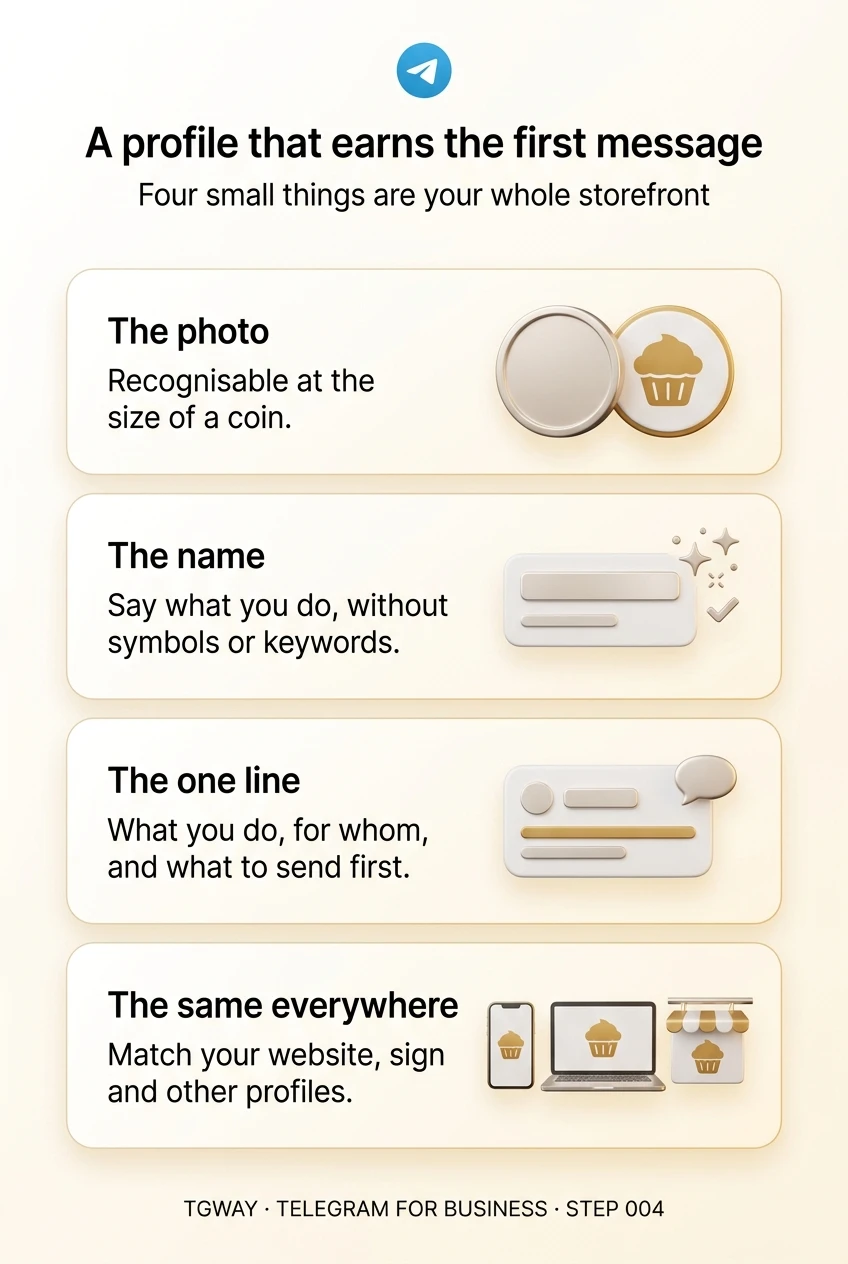
A profile that earns the first message
The photo, the name, the one-line bio and the consistency that make a stranger comfortable writing to your business. Tap to open it at full resolution.