If You Lose the Wallet Behind an Anonymous Number

Step 008 ended with one uncomfortable fact: with a +888 number, the login codes go to whoever holds the number in their wallet. That is fine while the wallet is safely yours. This step is about the day it is not: a lost phone, a wallet app deleted by mistake, a recovery phrase that turns out to be missing, or one that someone else has found.
With an ordinary number, losing your phone means a trip to the carrier. With an anonymous number, there is no carrier, and Fragment cannot hand the number back to you. Whether you keep your account depends entirely on what you set up before the loss: a second signed-in device, the recovery phrase on paper, and Two-Step Verification with a recovery email. This step walks through each situation, what still works in it, and the one rescue move that matters most.
What you will be able to do after this step
- check_circle Work out which situation you are in, and what you still control.
- check_circle Move your account to another number while you still can.
- check_circle Put the safeguards in place now, so a loss stays small.
key Why nobody can give it back
A +888 number lives in a TON wallet you control. Fragment shows its login codes to whoever connects that wallet, and nobody else. There is no customer account to reset, no identity check that returns the number, and no one at Fragment or Telegram who can move it to you. That is the same property that makes a self-custody wallet yours in the first place: nobody can take it from you, and nobody can restore it for you.
What protects you is not a support desk but the pieces you keep. The good news is that they are few, and each one on its own is often enough to save the account.
What happened, and what to do now
Start with the one that matches what you have in front of you.
The phone is gone, but the recovery phrase is on paper
This is the easy case. Install a wallet app on another device and restore the wallet from the phrase. The number comes back with it, because the number was always in the wallet, not on the phone. You can receive codes on Fragment again.
Then, from any signed-in device, open Settings > Devices and end the session on the lost phone. If the lost phone had your wallet unlocked, move anything valuable in that wallet to a new one as well.
Restore from the phrase, then end the lost phone's session.
The wallet and phrase are lost, but Telegram is still open somewhere
You are still inside the account, on a laptop, a tablet or another phone. That session will keep working, but you cannot sign in anywhere new, because nobody can receive the codes for that number any more.
This is the moment for the one rescue move: change the account's number now, from that signed-in device, to another number you control, such as a SIM number or a +888 number in a wallet you have backed up. The account, its chats and its contacts move to the new number. Do not wait; if that session ends, this door closes.
While a session is alive, move to another number today.
No wallet, no phrase, and no device still signed in
This is the case with no way back. New sign-ins need a code, the code needs the wallet, and nothing is left that can produce it. Telegram cannot send the code anywhere else, and the recovery email for Two-Step Verification resets a password, not a login code.
The account is not deleted straight away. It stays as it is until the inactivity period you set for account deletion passes without a sign-in. What you can still do is tell the people and groups who matter, from a new account, so nobody mistakes the old one for you.
This is the situation every safeguard exists to prevent.
Someone else has your recovery phrase
Whoever holds the phrase can restore the wallet, and with it the number, and receive login codes for your account. If you do not have Two-Step Verification, a code is all they need to sign in.
Act in this order: from a signed-in device, make sure Two-Step Verification with a confirmed recovery email is on; change the account's number to one they do not control; end every session you do not recognise; and move anything else in that wallet to a new wallet with a new phrase. The thief may still take the number itself, but not your account.
Password first, then move the account off the number.
table_chart What each safeguard saves
Look across each row: a safeguard is worth having if it turns a bad situation into a manageable one.
| Safeguard | Phone lost | Phrase lost | Phrase stolen |
|---|---|---|---|
| Recovery phrase on paper | Restores the wallet and the number | Not applicable: this is what was lost | Does not help; the thief has a copy |
| A second signed-in device | Keeps you in while you restore | Your only way to move to another number | Lets you change the number and end their sessions |
| Two-Step Verification | Stops a finder signing in on your phone's number | Stops whoever later gets the number | Stops the thief signing in with a code alone |
| Confirmed recovery email | Resets a forgotten password | Resets a forgotten password | Keeps the password in your hands |
No single row covers everything. Together, a phrase on paper, two signed-in devices and a password with a recovery email cover every situation above except the one where all of them were lost at once.
Two people, one bad afternoon
Both use a +888 number, and both have their phone stolen from a café table.
person_off Everything on one phone
The wallet app, Telegram and the only session were on the stolen phone.
The phrase was a screenshot in the photo gallery.
There is no other device to sign in from, and no way to get a code.
The account is out of reach for good.
verified_user Pieces kept apart
Telegram is still signed in on a laptop at home.
The phrase is on paper in a drawer.
They restore the wallet on a new phone and end the stolen phone's session.
By evening, nothing has been lost but the phone.
The theft was identical. What differed was decided months earlier.
swap_horiz The rescue move, step by step
If you are signed in somewhere and cannot trust the wallet any more, this is the move that keeps the account. It is the same number change Fragment describes for switching to a +888 number, run in the other direction.
- Have a new number ready A SIM number you will keep, or a +888 number in a wallet whose phrase is safely on paper.
- Open Settings on a signed-in mobile device Find your phone number and choose to change it.
- Enter the new number and its code The confirmation code goes to the new number, by text message for a SIM or on Fragment for a +888 number.
- Check you can sign in with it Sign in on one more device with the new number, so you are not relying on a single session again.
touch_app Try it now — before anything is lost
- Find the phrase without opening the wallet If you cannot, write it down on paper today, as Wallet Step 007 describes.
- Count signed-in devices At least two you control, in different places, in Settings > Devices.
- Confirm Two-Step Verification and the recovery email Both on, email confirmed, password written down.
- Check the inactivity period In Privacy and Security, see how long the account waits before deleting itself if nobody signs in, and choose a period you are comfortable with.
Why the password hint is visible to anyone at the sign-in screen, why adding a recovery email ties your account to that mailbox's security, and the order to act in if you think someone got in.
help Questions
Can Fragment or Telegram support recover my number?
No. The number is held in your wallet, and codes are shown to whoever connects it. Without the wallet or its recovery phrase, there is nothing anyone can restore. Be wary of anyone who offers to recover a number or wallet for a fee; that is a common scam aimed at exactly this situation.
Does the recovery email let me sign in without a code?
No. It resets a forgotten Two-Step Verification password. You still need the login code first, which for a +888 number means the wallet. That is why a second signed-in device matters as much as the email.
If I restore the wallet, do I lose my chats?
No. Chats live in your Telegram account, not in the wallet. Restoring the wallet only gives you back the ability to receive login codes. Secret Chats are the exception: they exist only on the devices that took part in them.
Should I just switch back to a normal SIM number?
For many people, yes. An anonymous number removes the carrier from your login, which is valuable when the carrier is part of your risk. If it is not, a SIM number with Two-Step Verification may simply be easier to keep safe. Step 007 covers who anonymous numbers are for.
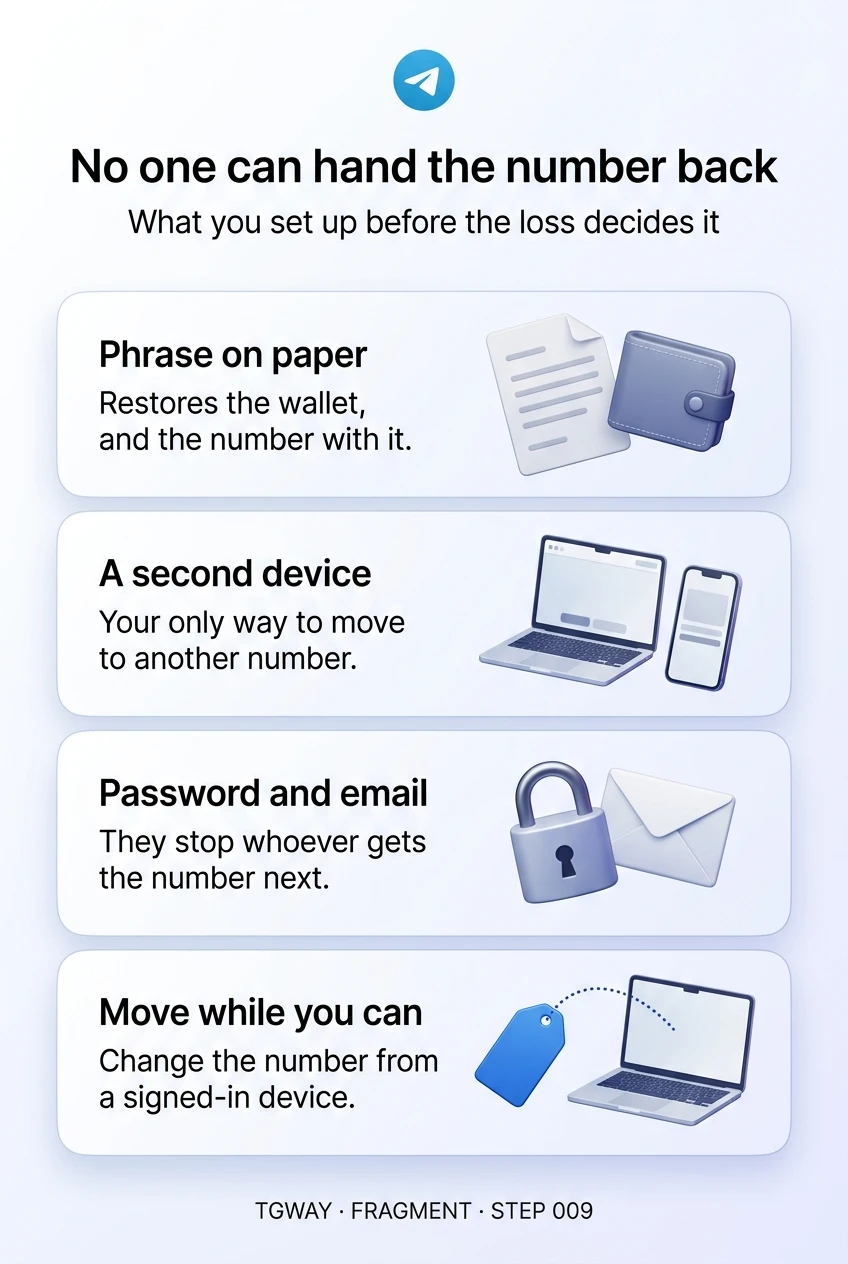
No one can hand the number back
Four ways to lose the wallet behind a +888 number, what still works in each, what every safeguard saves, and the rescue move that keeps the account. Tap to open it at full resolution.