Minimising a Telegram Mini App Is Not Closing It

A mini app no longer has to be closed to get back to your chats. Swipe it down and it shrinks into a bar, the conversation returns, and one tap brings the app back exactly where you left it. It is one of the most convenient changes to Telegram in years.
It also changed what "done" means. A minimised mini app is a web page that is still open: signed in, holding what you typed, still running. And even a properly closed one leaves things behind: a bot in your chat list, permissions you granted, perhaps a connected wallet or an icon on your home screen. This step separates the three states, minimised, closed and fully cleared, so you choose the one you mean.
What you will be able to do after this step
- check_circle Tell a minimised mini app from a closed one, and when each is right.
- check_circle Find what a closed mini app still leaves behind.
- check_circle Clear an app completely when you have finished with it.
Minimised, or closed
You have just paid for something in a shop's mini app and want to reply to a friend.
close_fullscreen Minimised to the bar
The shop is still open and signed in, one tap away.
Anyone who picks up your unlocked phone can reopen it.
It keeps using memory and battery while it sits there.
Right for a game, a form you will finish, a page you are reading.
close Closed
The page ends; next time it starts fresh.
Nothing is running in the background.
Right for anything with money, an account or a wallet.
Anything you typed but did not save is gone.
Minimise what you will come back to. Close what involved money or a login.
table_chart What each action ends, and what it leaves
| You | What ends | What is still there |
|---|---|---|
| Minimise it | Nothing; the app just leaves the screen | The running page, your session, what you typed |
| Close it | The running page | The bot in your chats, permissions, wallet connection, home screen icon, anything the operator saved |
| Clear it fully | Messages from the bot, ongoing permissions, the wallet connection, the icon | Data the operator already stored on its own servers, and anything you shared, such as your phone number |
The last cell is the one worth remembering. Nothing you do on your phone reaches into the operator's own records. If you want those removed, that is a request to the operator, usually through the bot or its website.
Clearing an app you have finished with
Each one lives in a different place. Pick the one you want to remove.
The chat with the bot behind the app
Every mini app belongs to a bot, and opening it usually leaves that bot in your chat list. If you allowed it to message you, it can keep doing so.
To stop that, open the chat and stop or block the bot, or delete the chat and choose to stop the bot as you do. Its messages end there.
Stop the bot, and its messages stop with it.
Access you granted while using it
Location, an emoji status, the right to message you: ongoing permissions can be withdrawn. Location access for bots has its own settings in Telegram, and the rest end when you stop the bot or change your status back, as Step 004 described.
What you handed over once, such as your phone number, cannot be taken back.
Withdraw what continues; what was shared stays shared.
A wallet connection
If you connected a wallet, closing the mini app does not disconnect it. The app can keep sending requests for you to approve until you end the connection in the wallet itself, under its connected apps.
This is the leftover that matters most. Disconnect wallets from apps you no longer use, especially after a game or a one-off purchase.
Disconnect in the wallet, not in the app.
A shortcut on your home screen
A home screen icon is only a route into the app. Removing it does not sign you out or withdraw anything, and leaving it does not keep anything running.
Delete it the way you delete any shortcut on your phone. It is tidy to remove, but it is not a way of clearing the app on its own.
A shortcut, not a switch.
phone_android Before someone else holds your phone
The bar is designed for you, and it assumes the phone stays in your hand. That assumption breaks more often than people think: a child playing a game, a friend looking at photos, a phone handed across a shop counter, a repair desk. In each case a minimised shop, a signed-in account page or a wallet approval screen is one tap from someone who was not meant to see it.
A two-second habit covers it. Before the phone leaves your hand, glance at the bar and close anything that involves money or a login. If you use Telegram's passcode, locking the app does the rest, because a minimised app sits inside Telegram and is hidden behind the same lock. It is the same reason you would not leave a banking website open on a shared computer, only quicker to fix.
touch_app Try it now — five minutes
- Look at the bar If mini apps are minimised above your chats, close the ones involving money, an account or a wallet.
- Open your wallet's connected apps Disconnect any mini app you no longer use.
- Scroll your chat list for app bots Stop or block the ones you are finished with.
- Check the home screen Remove icons for apps you no longer open.
How the bar keeps apps running while you chat, why a minimised shop is a shop you are still signed into, and why the bar is worth clearing on an older phone.
help Questions
How do I close a mini app instead of minimising it?
Use the close control in the app's top bar, which Telegram draws. Swiping it down minimises it; closing ends it. If it is already in the bar, reopen it and close it from there.
Does deleting the bot chat delete my data from the app?
No. It removes the chat from your account and, if you choose, stops the bot. Whatever the operator stored about you is on its own servers. To have that removed, ask the operator, usually through the bot or its website.
Can a minimised mini app see my chats?
No. Minimised or not, a mini app has no route to your messages. What it can do is keep doing whatever it was doing on its own page, which is why money and logins should be closed rather than left in the bar.
Is it bad to keep several apps in the bar?
Not for a game or an article. Each one is a live page using memory, so on an older phone a full bar can slow things down. Keep the bar for what you will return to soon, and close the rest.
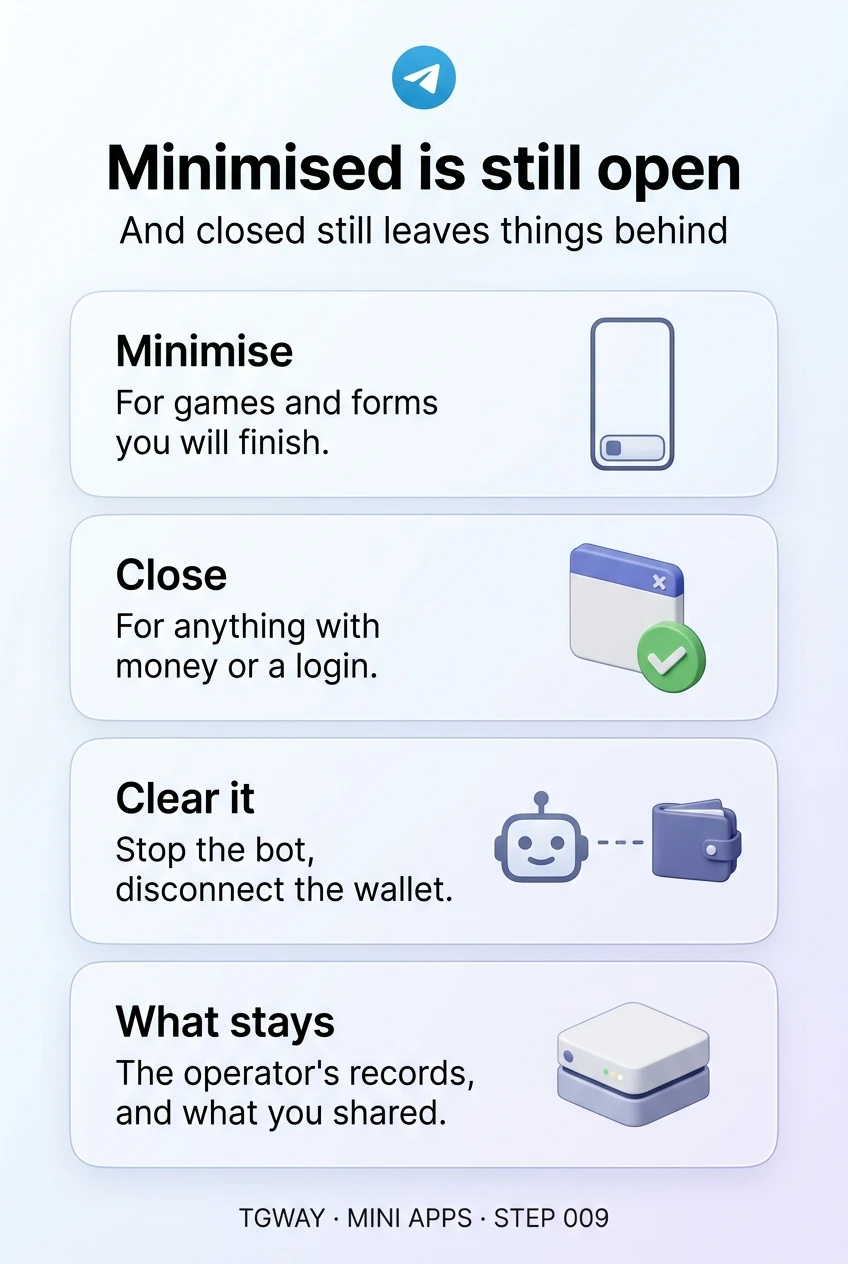
Minimised is still open
The difference between a minimised and a closed mini app, the four things a closed app still leaves behind, and how to clear an app you have finished with. Tap to open it at full resolution.