

In this article
The official Telegram blog post, copied in full. Menu names may differ in today's app — check the Glossary.Read the original (opens in a new tab)
A huge advantage of Telegram over any other tool is sharing large documents. Since Telegram's launch in 2013, you can send files up to 1.5 GB and access them from any of your devices, including computers. Perfect for everything from studying to sharing personal archives.
For this iOS and Android update, we have fully rewritten the Shared Media section. From now on, you can use the ‘Files’ overview to see all documents that were shared in a chat. It is also possible to search for specific files using the instant search.
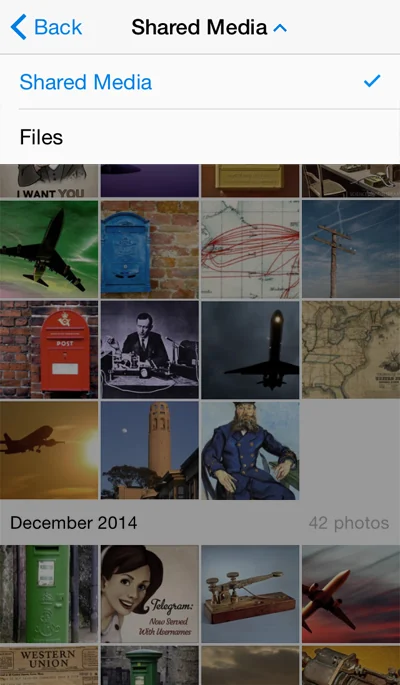
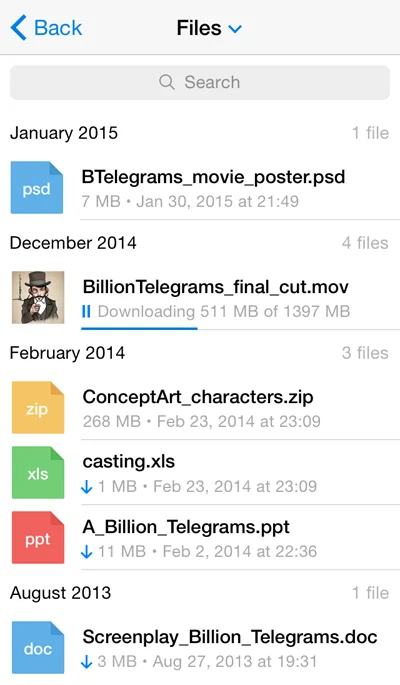
Any document you receive in Telegram can be forwarded to email or other apps – just open the file and tap on the Share button. In addition, Android users will find a ‘Share’ option in the file‘s context menu (tap on ’…' next to the file inside a chat).
Bonus for iOS users: Telegram is now supported in the iOS8 sharing menu – you can open it while you're viewing any document on your iOS device.
Mute Notifications
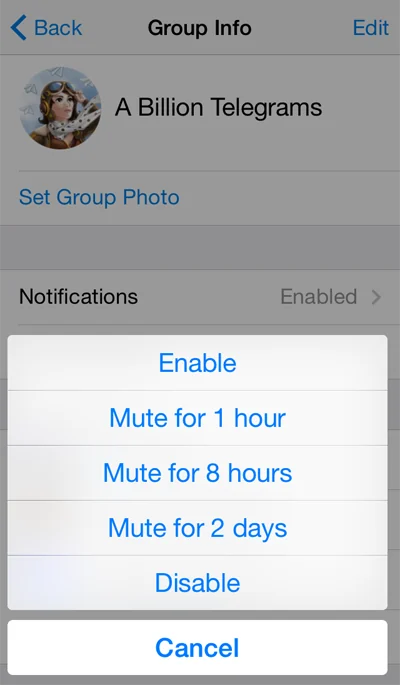
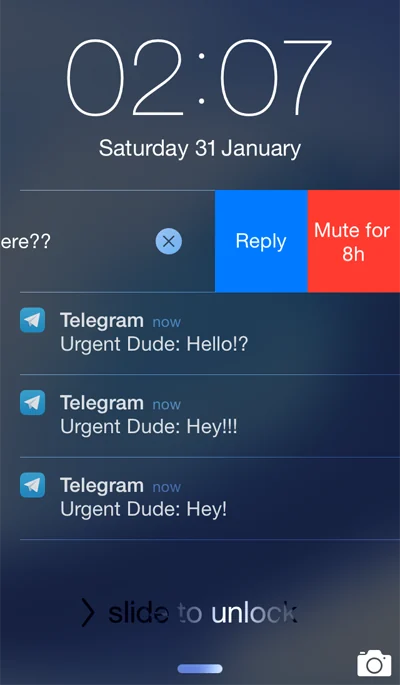
You can now temporarily mute notifications from particular contacts and groups for 1 hour, 8 hours or 2 days. On Android, open the ‘…’ menu in a chat and choose ‘Mute notifications’. On iOS, go to group or contact info and tap on Notifications. iOS8 users can now also use interactive notifications to mute a contact or group for 8 hours.
Multisearch
Instead of looking for the right search box, just type your query in the new universal search field and get instant results — contacts, chats, groups, usernames or messages.

February 1, 2015
The Telegram Team
Sources
Updated


