

The official Telegram blog post, copied in full. Menu names may differ in today's app — check the Glossary.Read the original (opens in a new tab)
In addition to numerous great features in today's update, we’re happy to introduce a new way to move your existing group chats to Telegram — invite links for admins.
Each passing month brings more reasons to switch to Telegram from older services. Persistent history, instant full-text search, open platform, unlimited file sharing, rich link previews, native desktop apps, replies, mentions, hashtags and much more.
And yet, if you‘ve ever tried moving your existing group chats from other apps to Telegram, you know it was not easy. There was simply too much work to do and too much friction — you had to collect everyone’s usernames or phone numbers and add them to your group one by one. We're glad to announce that these days are over.
Invite Links
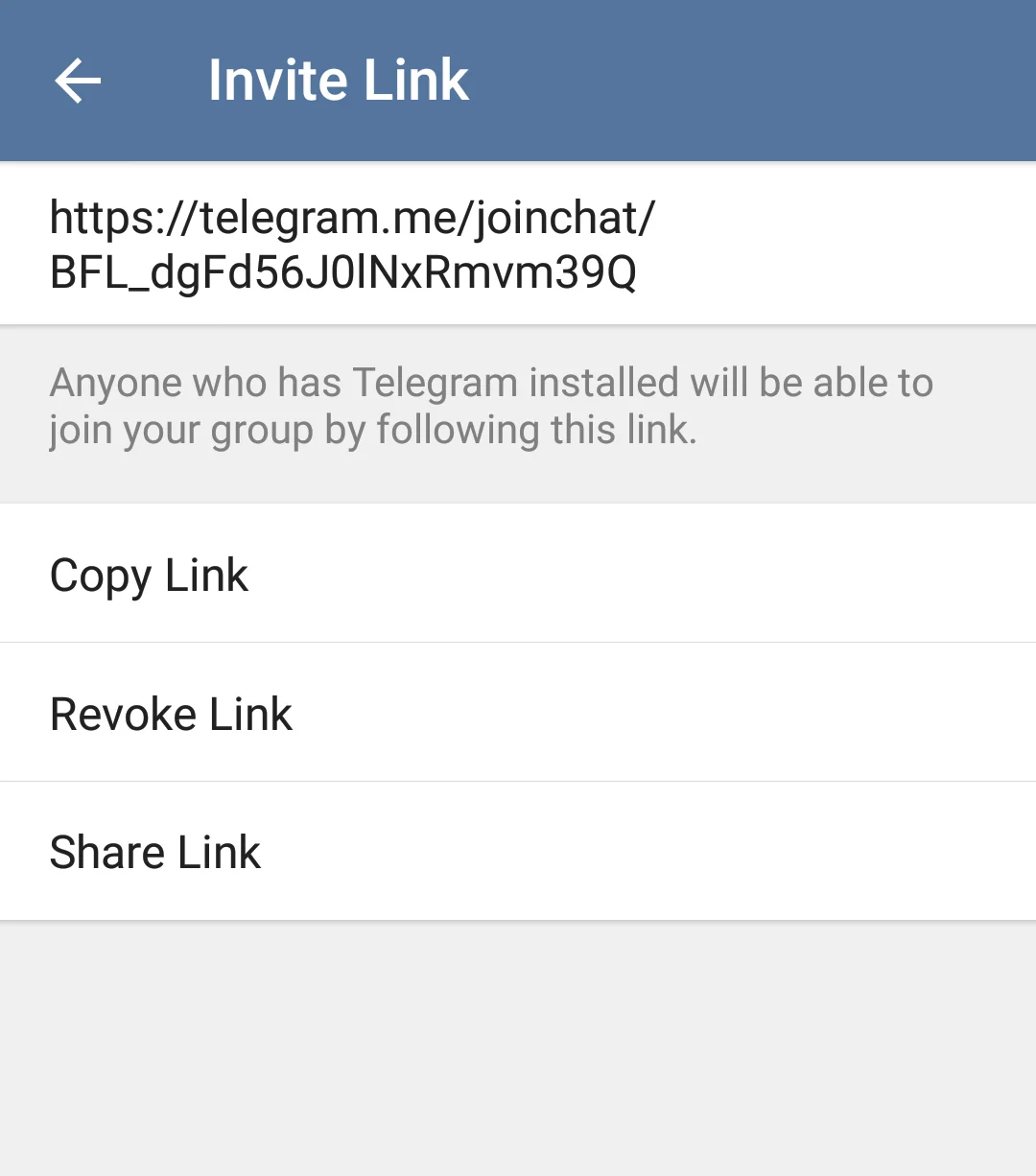
With invite links for groups, all you have to do is send a link to your existing group chat in any messaging service that your friends might still be using. As soon as they get Telegram, they can instantly join your Telegram group just by following that link.
Where do you get the link? Once you've created a group on Telegram, head to the "Add participant…” section and tap “Invite to Group via Link”. Easy!

The Telegram Team,
April 30, 2015
Sources
Updated


