The Telegram Login Code Nobody Should Ever Ask For

The login code is a short number, usually five digits, that Telegram sends when someone tries to sign in to your account on a new device. For the few minutes it is valid, that number is worth more than your password, your SIM card and your phone put together, because it is the one thing a stranger needs to open a new session as you.
Step 003 showed that your phone number is the root of the account. This step is about the key that the number produces. The rule that protects it fits in one sentence: nobody legitimate ever asks for it. Not a friend, not a support agent, not a bot, not a website. Everything below explains why that rule has no exceptions, and why it is the easiest security rule you will ever follow.
What you will be able to do after this step
- check_circle Recognise a real Telegram login code, and tell it apart from the codes other services send you.
- check_circle Name the one place a login code belongs, and every place people will try to redirect it.
- check_circle Know what to do when a code arrives that you never asked for.
key Where the code comes from
A login code is never sent at random. It exists because somebody, a few seconds earlier, typed your phone number into a Telegram sign-in screen. If that somebody was you, the code is yours to type. If it was not, the code is the only thing standing between that person and your account.
How it reaches you depends on what you already have set up:
- Inside Telegram. If you are signed in on another device, the code usually arrives as a message in the chat named Telegram, the verified service account with a blue check, instead of by SMS.
- By text message to the number on the account, when no other signed-in device is available.
- By phone call, where a synthesized voice reads it out. Telegram only offers this for accounts that have Two-Step Verification switched on.
- By email, if your account uses a Login Email instead of SMS. That address is stored separately from your recovery email and is used only for sign-in codes.
- On Fragment, for accounts registered on an anonymous number bought there. The Fragment track covers how that works.
Every one of these routes delivers the same thing: a key that works once, for a short time, for your account only.
chat Two chats that look alike
Telegram now carries a second kind of code, and confusing the two is where a lot of hesitation comes from. The chat named Verification Codes is used only by other apps and services that send their sign-in codes through Telegram instead of SMS. A shopping app or a bank might use it. Those codes are for that service, and you type them into that service.
Codes for your Telegram account itself never appear there. They arrive in the chat named Telegram, and Telegram's own help pages are explicit that they should never be shared with anyone, including other services or apps. So there are two different chats with two different jobs, and one rule for both: a code goes back into the screen that asked for it, and nowhere else.
Where a login code belongs, and where it gets sent instead
The left column is short on purpose. There is exactly one legitimate destination.
verified_user The one place it belongs
A Telegram sign-in screen you opened yourself, a moment ago, on a device in your hands.
You started the login. You know why the code arrived. You type it, and you are done.
If any of those three things is not true, the code is not yours to use.
gpp_bad Every other place someone will suggest
Sent back in a chat to a friend who says it was a mistake.
Read aloud on a call to someone claiming to be support, security or your bank.
Typed into a website or a bot that promises a prize, a badge or proof that you are human.
Sent as a screenshot, or typed with spaces between the digits, "because the app blocks it otherwise".
A legitimate login never needs a second person. If anyone at all is asking for the code, the request is the attack.
block Telegram already fights back, and how scammers route around it
Telegram's servers automatically invalidate a login code if you send it to another Telegram chat, whether you forward the message or type the digits into a new one. Telegram's guidance to app developers goes further and asks apps to invalidate the code when you try to screenshot or forward the message that contains it. The code message itself warns you not to give it to anyone.
Scammers know all of this, which is why the requests have grown oddly specific. They ask you to put spaces or dashes between the digits, to spell the numbers out as words, to send a photo of the screen taken with another phone, to read it out on a voice call, or to type it into a web page or a bot that is not a Telegram chat. Each of these exists for one reason: to get the code past the protection that would have cancelled it.
That turns the detour itself into a signal. A person who asks you to format a code in a strange way is telling you they know it is not supposed to leave your hands. No genuine friend, colleague or support team has any reason to know about those workarounds.
Why this is the easiest rule in the whole track. Most security advice asks you to judge something: is this link real, is this page genuine, is this account the one it claims to be. This rule asks for no judgement at all. You do not need to spot a clever forgery or recognise a fake support badge. You only need to notice that someone is asking, and that works on a tired evening, on a busy day, and when the message comes from a friend you trust.
devices The code on a locked screen
One route to your code needs no conversation at all. If message previews are on, a new code can appear on your lock screen, readable by anyone holding your phone for a moment: a colleague at the next desk, a stranger who picked it up in a cafe, a repair shop. They type your number into Telegram on their own device, glance at your screen, and they have the key.
This is easy to close. Turn off message previews in Telegram's notification settings, and consider doing the same for text messages in your phone's own settings, since the SMS route bypasses Telegram's settings entirely. With Two-Step Verification on, a code read off your lock screen still stops at the password screen, which is the same reason the password matters in every other scenario on this page.
quiz Check your instincts
A bot in a group you just joined asks you to enter the code Telegram sent you "to verify your membership". What is happening?
A login code only opens a new session on your account; it cannot verify anything for a group. The code appeared because the bot's operator typed your number into a sign-in screen at the same moment. Real membership checks ask you to tap a button or solve a small puzzle, never to hand over a code. Step 015 covers these fake gates in detail.
Someone asks you to send the code with spaces between the digits, "because Telegram blocks it if you send it normally". What does that tell you?
Telegram cancels a login code that is sent to another chat precisely so it cannot be passed on. Asking you to disguise it is asking you to defeat that protection. Anyone who knows the workaround knows why the protection exists.
A login code arrives that you did not request, and nobody has contacted you yet. What should you do?
An unused code expires on its own and lets nobody in. Typing it yourself would not cancel anything; it would sign in a device you do not control if you were on the wrong screen. Expect a message asking for the code soon, and ignore it. If codes keep coming, someone is trying, which is exactly what Two-Step Verification is for.
task_alt
touch_app Try it now — five minutes
On Windows, Linux and Android, open the menu (☰) and choose Settings. On iPhone, tap Settings in the bottom bar. In the native macOS app, use Telegram > Settings or ⌘,.
- Find the real code chat Search your chat list for Telegram and open the chat with the blue check. Past login codes are there. Notice that the messages tell you, every time, not to share them.
- Turn on Two-Step Verification if you have not Privacy and Security > Two-Step Verification. With it on, a code that leaks is no longer enough on its own.
- Hide message previews on your lock screen Notifications and Sounds, then turn off the message preview option (on Telegram Desktop it is Show message preview). Do the same for text messages in your phone's system settings.
- Decide your answer in advance Write it down if it helps: "I never send codes, to anyone." Deciding before the message arrives is what makes it easy to refuse when it sounds urgent.
How the Verification Codes chat works for third-party services, and why its codes follow the same rule: back into the screen that asked, and nowhere else.
help Questions
Does Telegram ever ask for my login code?
Only through the sign-in screen you opened yourself. Telegram support does not message you first and never asks for a code in a chat, by email or on a call. An account calling itself Telegram Support that asks for one is trying to sign in as you. Step 012 covers fake support accounts.
Why did my code arrive by phone call instead of text?
Telegram offers a voice call as a fallback when the text message does not arrive, and only for accounts that have Two-Step Verification on. If you receive a call reading out a code you did not request, treat it exactly like an unexpected text: someone typed your number into a sign-in screen.
How long is a login code valid?
Only for a short time, and only for the sign-in attempt that produced it. If it expires, the sign-in screen offers to send a new one. That is why scammers push for speed: a code that sits unanswered for a while is useless to them.
I already gave someone my code. What now?
Act immediately, from a device where you are still signed in. Open your device list and end any session you do not recognise, then turn on Two-Step Verification if it was off. A session that has just signed in cannot end your older sessions straight away, so the first minutes are on your side. Step 082 walks through the full sequence.
Is a code in the Verification Codes chat safe to share?
No. It opens an account on another service instead of your Telegram account, but it is still a key. Type it only into the app or website where you started signing in, and never pass it to a person who asks.
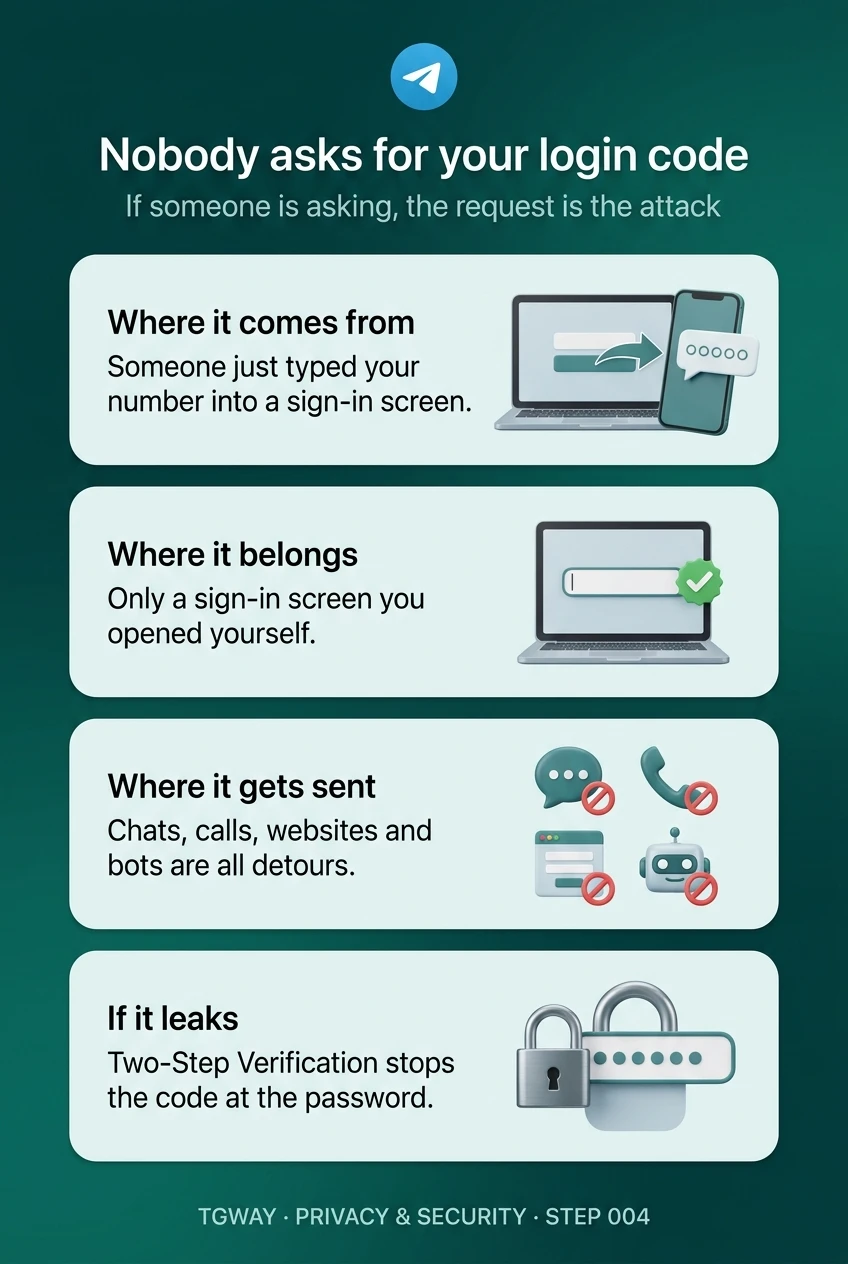
Nobody asks for your login code
Where a login code comes from, the one place it belongs, the detours scammers suggest, and what stops a leaked code. Tap to open it at full resolution.