What to Put on Your Telegram Profile

A Telegram profile is one screen, and it gets read at a specific moment: when somebody is deciding what to make of you. A new member of a group wondering whether your message is genuine. A client who was just given your username. Someone who found your number and wants to know whose it is.
Every field on that screen is optional except your first name, and each one either helps that person decide or tells them something they did not need to know. Fill in what helps a stranger place you. Leave out anything that helps a stranger find you. This step goes through the fields with that single rule.
What you will be able to do after this step
- check_circle Decide, field by field, what belongs on your profile.
- check_circle Write a bio that answers the question people actually have when they open it.
- check_circle Spot the details that are harmless alone and revealing together.
person Who opens your profile, and why
It helps to picture three visitors, because a good profile serves the first two and gives the third nothing.
The person checking you are real. Someone in a group received a message from you and wants to know whether it is you or a copy. They look for a photo they recognise, a name that matches, and a bio that sounds like you.
The person who needs to reach you. A client, a new colleague, a parent from your child's class. They want to know they have the right account and how you prefer to be contacted.
The person collecting details. A scammer or an obsessive stranger reading everything you have made public, combining it with what they find elsewhere. This visitor is why the second half of the rule exists.
fact_check Field by field
Most of these have their own privacy setting under Settings > Privacy and Security, with Everybody, My Contacts and Nobody plus exceptions. Where a field does not, whatever you type is public to everyone who opens your profile.
| Field | Add it when | Leave it blank when | Who can see it |
|---|---|---|---|
| Profile photo | You want people to recognise you at a glance | Your face is itself the risk, for example after harassment | Profile Photos privacy, with a separate public photo for everyone else |
| Bio | You can say in one line what to contact you about | All you would write is your employer and your city | Bio privacy |
| Username | Strangers should be able to find and message you | Only people who already know you should reach you | Always public if set |
| Birthday | Friends like being reminded | You would have to make it public to get that | Birthday privacy; My Contacts suits most people |
| Personal channel | You post there regularly and want visitors to find it | It has been quiet for months | Everyone who opens your profile |
| Old profile photos | They are photos you would still show a stranger | They show a former address, workplace or someone else | Same setting as your current photo |
The row people forget is the last one. Telegram keeps every profile photo you have ever set unless you delete it, and anyone who can see your current photo can swipe back through the rest. It is worth one scroll through your own history.
Two bios for the same person
Both are one line. One answers the visitor's question; the other answers a stalker's.
location_on The bio that leaks
task_alt The bio that works
A bio is an instruction to the person reading it, not a summary of your life. "Translator, English and Spanish. Send files here, calls by appointment" does more than a list of places.
hub Harmless alone, revealing together
Very few single details are dangerous. The problem is combinations. A first name is nothing. A first name, a face, a neighbourhood and a gym is a person someone can find. A birthday is nothing; a birthday plus your full name plus your city is the set of answers many banks and delivery services use to check who you are.
So judge the profile as a whole, not field by field. Put yourself in the third visitor's position and ask what they could do with everything on the screen at once. Anything that only makes sense as part of that answer can go.
A bio is also free text that nobody verifies. Whatever you write can be copied word for word onto an impersonating account, which is one more reason not to put anything there that you would regret seeing on someone else's profile.
touch_app Try it now — ten minutes
On Windows, Linux and Android, open the menu (☰) and choose Settings. On iPhone, tap Settings in the bottom bar. In the native macOS app, use Telegram > Settings or ⌘,.
- Rewrite your bio as an instruction Open your profile editor (Edit profile on Telegram Desktop, Edit at the top of Settings on iPhone) and replace a description of yourself with a line that tells a visitor what to do.
- Scroll back through your old photos Open your own profile photo and swipe through the history. Delete any that show a former home, a workplace badge or somebody who did not agree to be on your profile.
- Set the three audiences Under Privacy and Security, check Profile Photos, Bio and Birthday. If you restrict your photo, add a neutral public photo so you do not look like an empty account.
- Check the result, not the switches Open My Profile from Settings and look at yourself the way a stranger would. That view is the only honest test of everything above.
A short video of the My Profile preview, which switches between the stranger's, the contact's and the restricted view of the same page.
help Questions
Is an empty profile safer?
Safer against the third visitor, but it costs you with the first two. An account with no photo and no bio looks exactly like the fresh accounts scammers create, so people are right to hesitate before trusting it. A neutral photo and a one-line bio usually give you both privacy and credibility.
Can I show one photo to contacts and another to everyone else?
Yes. Restrict Profile Photos to your contacts, then set a public photo, which is what everyone outside that audience sees. Beginner Basics Step 33 walks through the setting and the exceptions.
Should I put my email or phone number in my bio?
No. A bio has no audience setting of its own beyond the Bio privacy row, and putting your number there undoes the setting that hides it. If someone needs another way to reach you, give it to them in a message.
How often should I review my profile?
Whenever your situation changes: a new job, a move, a new role in a community. Bios written for one situation tend to stay up for years after it ends, and they are read out of context by people who never knew the original.
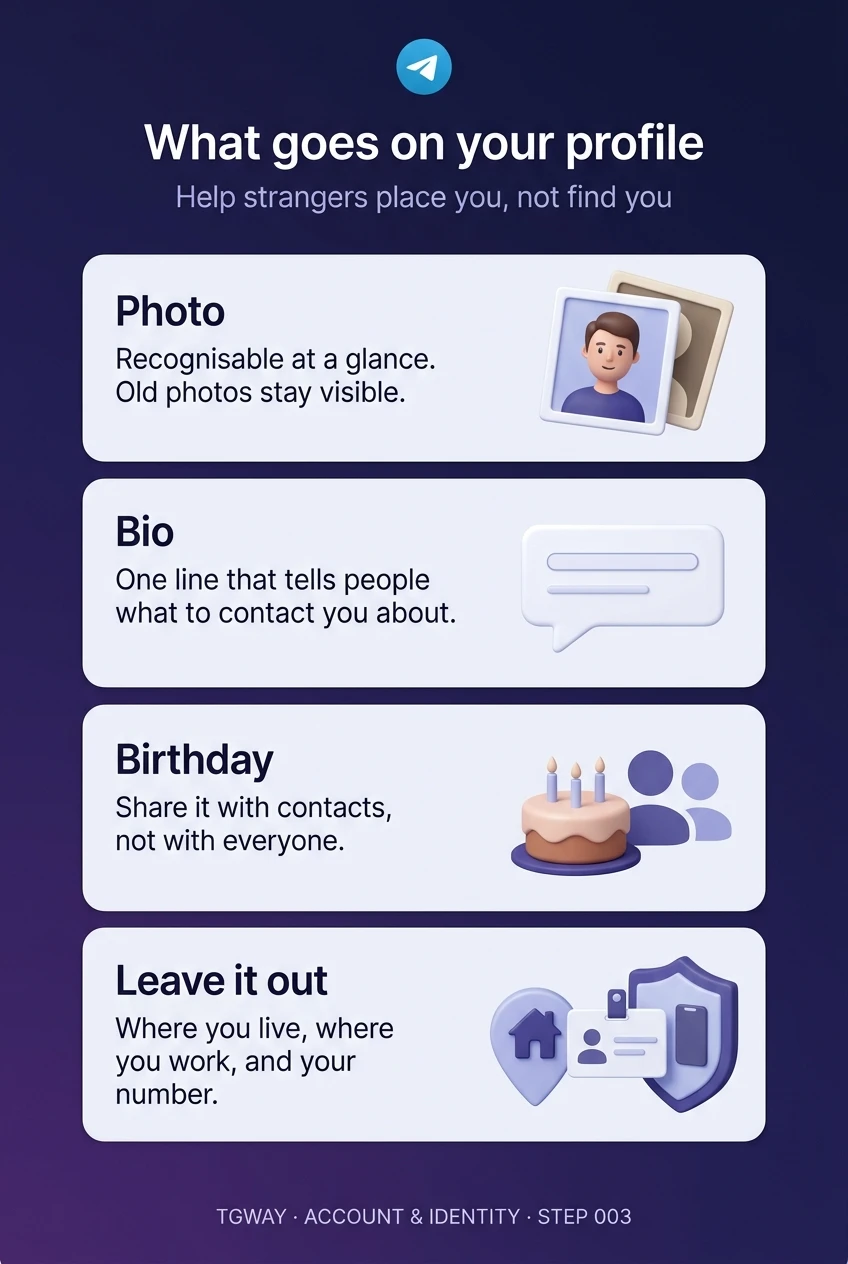
What goes on your profile
The four decisions on one page: a recognisable photo, a one-line bio, a birthday for contacts only, and the three details to leave out. Tap to open it at full resolution.