Add and Switch Telegram Accounts on Your Phone

Step 004 settled whether you need a second account. If the answer was yes, this step puts it on your phone. Telegram holds several accounts inside one app, all signed in at once, each with its own chats, contacts and settings. You add the second one once, and after that moving between them takes a single tap.
The steps are short, but the places they start from differ between iPhone and Android, and there are two moments worth slowing down for: the sign-in code for the new number, and the first evening when both accounts start notifying you. Get those right and the rest is habit.
What you will be able to do after this step
- check_circle Add a second account to the Telegram app on an iPhone or an Android phone.
- check_circle Switch between accounts, and look at the other one without opening it.
- check_circle Take an account off the phone without deleting it.
checklist Before you start
- A second phone number. Every account belongs to its own number. You need to be able to receive a code for it, either as a text message or, if that number already has a Telegram account signed in somewhere, as a message inside Telegram on that device.
- Room in the app. One app holds up to three accounts. When you try to add a fourth, Telegram shows a Limit Reached notice; subscribing to Premium on one of the connected accounts makes room for one more.
- A minute to secure it. The new account does not inherit anything from the first one, including Two-Step Verification. Plan to set it up straight after.
Adding, switching and removing, step by step
The account list lives in a different place on each system. Pick yours.
On iPhone, the accounts sit in the Settings tab
- Open the Settings tab at the bottom of the screen. Your current account is at the top, with any others listed under it.
- Tap Add Account. Telegram opens the same sign-in screen you saw when you first installed the app.
- Enter the second number and the code that arrives for it. If the number is new to Telegram, you create the account here with a name.
- Switch by tapping the other account in the Settings tab, or by pressing and holding the Settings tab itself and choosing it from the list that appears.
- Remove an account by switching to it, opening Settings, tapping Edit and choosing Log Out at the bottom.
Hold the Settings tab for the account list; tap an account to switch.
On Android, the accounts sit in the main menu
- Open the main menu with the three lines at the top left. Your name and number are at the top.
- Tap the small arrow next to your name to expand the account list, then tap Add Account.
- Enter the second number and the code that arrives for it. If the number is new to Telegram, you create the account here with a name.
- Switch by tapping the other account in the expanded list. The chat list changes to that account's chats.
- Remove an account by switching to it, opening Settings, tapping the three dots at the top right and choosing Log Out.
The arrow beside your name is the whole account switcher.
password The sign-in code for the new number
Adding an account is a real login, with the same rule as every other one from Step 004 of the Privacy & Security track: the code belongs only on the sign-in screen you opened yourself, a moment ago, on the phone in your hands. You are the only person who should ever see it.
Two details catch people out. If the second number already has an account signed in on another device, the code arrives there, inside Telegram, rather than as a text message, so have that device nearby. And if that account uses Two-Step Verification, the app asks for its cloud password after the code. Neither step has anything to do with the account you were already using.
Once you are in, the other account's list of devices shows your phone as a new session. That is expected, and it is a good moment to look at the list and end any session you do not recognise.
visibility Looking without switching
Switching accounts is instant, but opening a chat in the other account marks it as read. When you only want to know whether something there needs you now, hold the other account in the account list instead of tapping it. Its chat list appears as a preview over the one you are in, and nothing is marked as read. Let go and you are back where you were.
The preview is also the fastest way to answer the question a two-account phone keeps asking: which account is this message for? The multiple accounts tip shows the gesture in a short video.
person_off Logging out is not deleting
Log Out takes an account off this phone and nothing more. Its chats, groups and contacts stay on Telegram's servers, the account keeps working on any other device where it is signed in, and you can add it back later with the number and a code. People who message it see nothing different.
Deleting an account is a separate, permanent action with its own page, and it is never part of removing an account from the switcher. If a menu ever seems to offer both in one step, stop and read it again.
touch_app Right after adding it — five minutes
- Turn on Two-Step Verification for the new account Switch to it, then Settings > Privacy and Security > Two-Step Verification. A cloud password belongs to one account, so the first account's password does not protect this one.
- Set its notifications Each account has its own Notifications and Sounds settings. If this is a work account, decide now whether it should make a sound in the evening.
- Give it a different look A different profile photo, or a different theme, makes it obvious at a glance which account you are typing in. Step 008 goes further into this.
- Check its devices Settings > Devices shows where else this account is signed in. End anything you do not recognise.
A short clip of the switcher in action, what is kept separate between accounts, what is shared, and why the app passcode covers all of them.
help Questions
Can two accounts share one phone number?
No. Each Telegram account belongs to exactly one number, and each number to one account. A second account needs a second number that can receive a code.
Do my accounts see each other's chats or contacts?
No. They share a screen and nothing else. Chats, contacts, folders, drafts and privacy settings belong to one account each. The app passcode, if you set one, is the only thing that covers all of them together.
Will people know I have a second account?
Not from Telegram. The two accounts are not linked in anything other people can see. What can connect them is you: the same photo, the same name, or messaging the same people from both.
I reached the limit of three. What are my options?
Log out of an account you rarely use, which frees its place without deleting it, or subscribe to Premium on one of the connected accounts, which makes room for one more. A second phone or a computer can also hold accounts of its own.
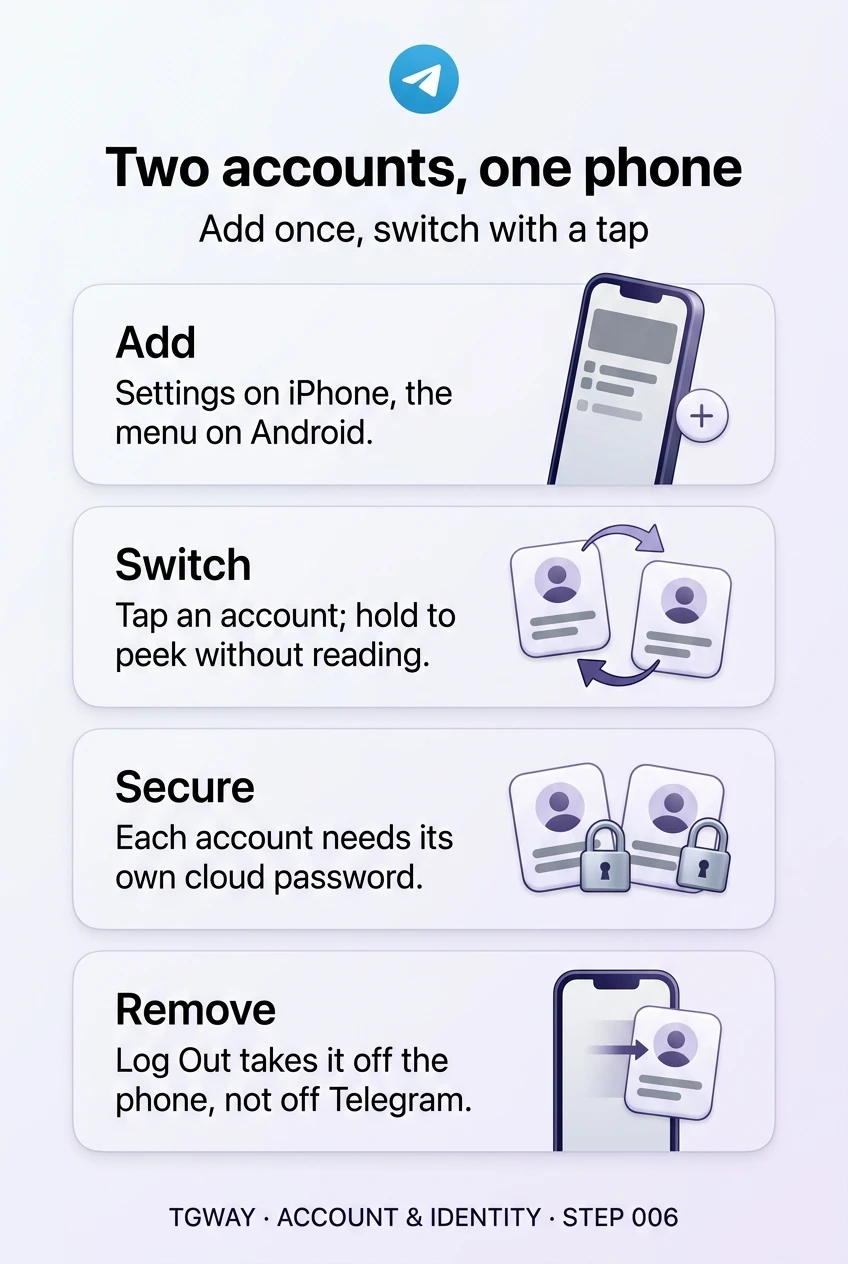
Two accounts, one phone
Adding a second account on iPhone or Android, switching and peeking, securing each account, and logging out without deleting. Tap to open it at full resolution.