The Wallet Inside Telegram vs a Separate Wallet App

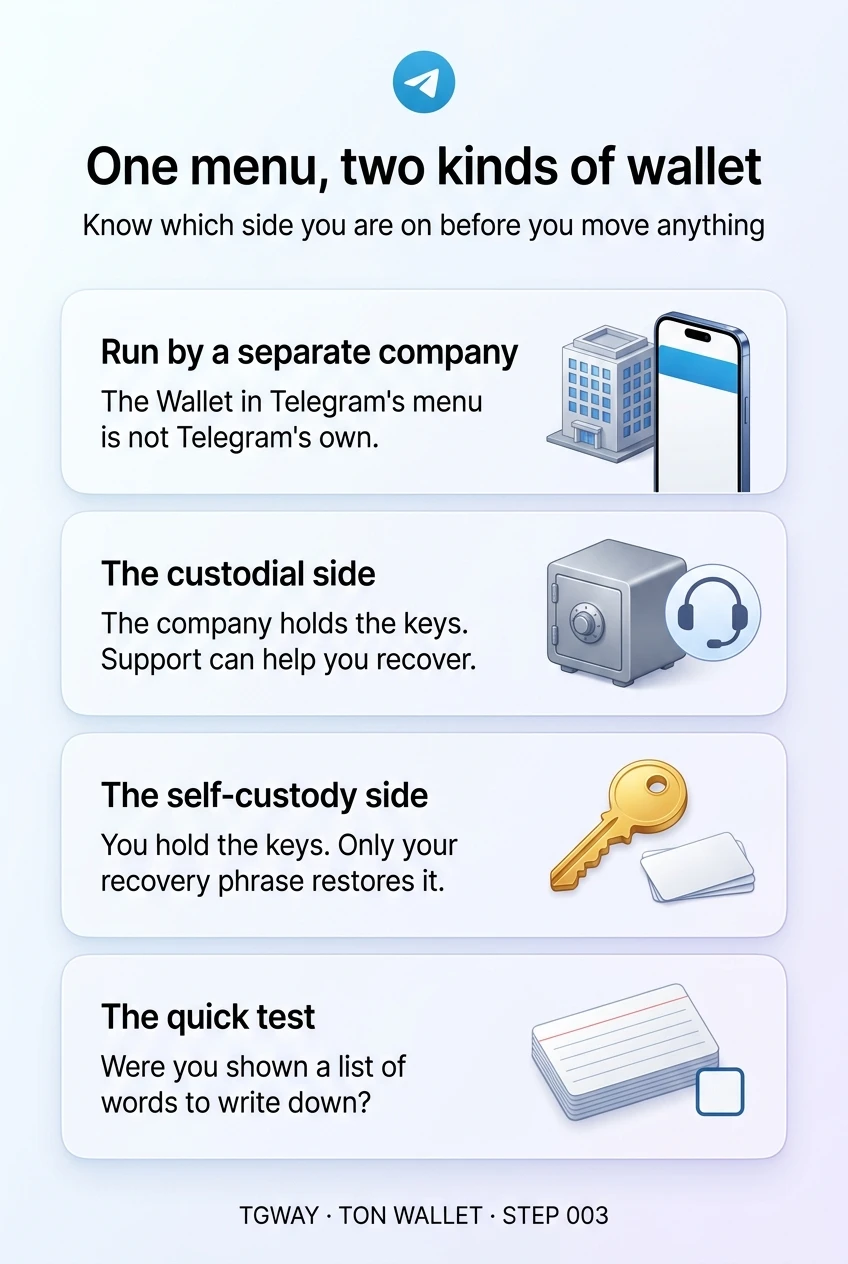
Open the menu in Telegram and you may find an option called Wallet. It opens a wallet service that feels like part of the app, and many people assume it is Telegram's own. It is not: it is run by a separate company and reached through Telegram, in the same way as any mini app. There are also independent wallet apps you install from your phone's app store and connect to Telegram when needed.
The part that catches people out is inside the first option. The same service can hold two different kinds of wallet side by side: one where the company keeps the keys, and one where only you do. They sit a tap apart and look similar, yet the rules from Step 002 apply to each in opposite ways. This step shows how to tell which one you are in.
What you will be able to do after this step
- check_circle Say who runs the wallet you reach from Telegram's menu.
- check_circle Tell its custodial and self-custody parts apart before putting anything in.
- check_circle Know when a separate wallet app is the better fit.
corporate_fare Who runs the wallet in the menu
The service behind Telegram's Wallet option is operated by its own company, under its own terms and its own support. You can open it from Telegram's settings or menu, or by searching for its bot. Telegram shows the door; the company runs everything behind it.
That matters for two practical reasons. First, questions about your balance go to that company's support, not to Telegram's. Second, what the service offers depends on where you live: some of its features are not available in certain countries, and the options you see can differ from what a friend abroad sees. If something described here is missing for you, that is usually why.
compare Three places a wallet can live
| Where | Who holds the keys | If you lose access | Shown a recovery phrase? |
|---|---|---|---|
| The custodial part of the in-app service | The company | Its support can help you recover | No |
| The self-custody part of the same service | You | Only your phrase can restore it | Yes, and you must keep it |
| A separate wallet app | You, in most such apps | Only your phrase can restore it | Yes, and you must keep it |
The last column is the quickest test you have. If setting up a wallet showed you a list of words and asked you to write them down, it is self-custody, wherever it lives. If it never did, the company holds the keys.
Inside Telegram, or a separate app?
Both can hold the same assets. The difference is how they fit into the rest of your phone.
widgets The in-app wallet service
install_mobile A separate wallet app
The in-app service is the easy start, with a custodial safety net if you choose it. A separate app suits people who want a wallet that does not depend on any single account or service.
warning The mistake of the one-tap switch
Because both parts of the in-app service live in the same place, people move things from the custodial side to the self-custody side, or the other way, without noticing that the rules just changed. A balance that support could have recovered becomes one that only a phrase can restore.
Before you move anything, look for the words the service uses to label each side, and remember the test from the table. If you have not written down a recovery phrase for the side you are sending to, stop and do that first, or keep your balance where support can help.
And beware of anyone who offers to help you "upgrade" or "activate" a wallet by sharing your screen or your phrase. The genuine service never needs either.
link When a mini app asks to connect a wallet
Some mini apps offer to connect a wallet, and they usually let you choose between the in-app service and a separate app. Whichever you pick, the connection itself does one thing: it shows the app your wallet's address, which is public anyway. It does not let the app move anything.
Moving something needs a separate approval, shown by the wallet rather than by the page, and that screen is where every decision that matters is made. Steps 021 and 022 walk through reading it. For now, remember the order: connecting is looking; approving is paying.
It is also worth deciding which of your wallets you connect at all. A separate app holding only what a game needs keeps the rest of your balance out of that game's reach, whatever it later asks you to approve.
handshake What your Telegram account has to do with it
A custodial balance in the in-app service is attached to your account with that service, which you reach through Telegram. Losing your Telegram account can therefore make that balance hard to reach, which is one more reason to protect the account with Two-Step Verification.
A self-custody wallet is attached to nothing but its phrase. You could lose your Telegram account entirely and still restore it elsewhere, and the reverse is also true: someone who takes over your Telegram account does not get it, unless you stored the phrase somewhere inside Telegram. Step 020 goes deeper into how the two relate.
touch_app Try it now — five minutes
- Find the Wallet option, but do not create anything yet Look in Telegram's settings or menu. If it is not there, it may not be offered where you live, which is fine.
- If you already use it, identify each side For every balance, ask whether you were ever shown a recovery phrase for it. Note which is custodial and which is yours alone.
- Check who to contact Find the service's own support route from inside it. Keep it handy; Telegram's support cannot act on the service's wallets.
How custodial and self-custody positions differ, why transfers never reverse, and the four scams that account for most losses.
help Questions
Is the Wallet in Telegram's menu made by Telegram?
No. It is operated by a separate company and reached through Telegram. Its terms, fees and support are its own, which is why it matters to read them before holding anything there.
Why can I not see the Wallet option?
Availability depends on your country and on the service's own policies, and some parts are not offered in certain regions. If it is missing, nothing is wrong with your account.
If I delete my Telegram account, what happens to the in-app wallet?
A custodial balance is tied to your account with the service, so move anything you want to keep before deleting. A self-custody wallet is tied to its recovery phrase and can be restored in another app with that phrase.
Can I use both the in-app service and a separate app?
Yes. Many people keep a small custodial balance for convenience and use a separate self-custody app for items that need it. Just keep a note of which is which, and send a small amount first whenever you move between them.
One menu, two kinds of wallet
Who runs the wallet in Telegram's menu, its custodial and self-custody sides, and the one question that tells them apart. Tap to open it at full resolution.