How to Read and Check a TON Wallet Address

A wallet address is where coins go. On TON it usually appears as a string of 48 letters, digits and a few symbols, the kind of text nobody reads closely. That is exactly the problem: a transfer to the wrong address is final, and the wrong address looks almost the same as the right one.
This step does not ask you to memorise anything. It teaches one habit and the reasons behind it. Before every send, compare the start and the end of the address against the source you trust, and never take that source from your own transaction history. Along the way it explains why the same wallet can show more than one address, and what an exchange means when it asks for a comment.
What you will be able to do after this step
- check_circle Recognise a TON address and the two forms it usually comes in.
- check_circle Check an address before sending, in a way that catches the common mistakes.
- check_circle Avoid the two tricks that exploit how people check addresses.
qr_code_scanner What an address looks like
The form you will see in wallets is 48 characters long, made of upper- and lowercase letters, digits and a couple of symbols such as the hyphen and underscore. It usually begins with UQ or EQ. A wallet may also offer the same address as a QR code, which is simply that string in picture form.
The first letter carries meaning. An address starting with U is the non-bounceable form, the one wallets normally show for receiving. An address starting with E is the bounceable form, mostly used for smart contracts, where a payment that cannot be accepted is sent back. For everyday sending between people, the wallet takes care of this, and you do not need to choose.
sync_alt One wallet, more than one address string
The same TON account can be written in several forms, and they look nothing alike: the bounceable and non-bounceable versions differ in more than the first letter, because the whole string is encoded differently. Both still point to exactly the same account.
This confuses people in two ways. You might see an older version of your own address in one app and a newer one in another and think you have two wallets. Or a friend might send you an address that starts with EQ when your wallet shows it starting with UQ. The safe way to compare is not to decode the strings yourself, but to compare against the same form from the same source: the address your contact copies from their own wallet's receive screen, sent through a channel you trust.
A check that catches mistakes, and one that does not
Most losses are not clever thefts. They are a wrong paste that nobody looked at.
task_alt A check that works
Get the address from the source: the recipient's receive screen, their message to you, or the exchange's deposit page.
Compare the first four and the last four characters on the send screen, character by character.
For larger amounts, compare a few characters in the middle too.
Send a small amount first when the address is new to you. Step 008 covers why.
cancel A check that fails
Copying the address from your own transaction history, where a lookalike may have been planted.
Glancing at the start only, because every UQ address starts the same way.
Trusting the paste without looking, when malware can replace what you copied.
Retyping it by hand, where one wrong character sends coins nowhere you can reach.
Checking the ends catches accidents. Taking the address from the right source stops tricks.
gpp_maybe Two tricks that target how people check
The lookalike in your history. Some scammers create an address whose first and last few characters match an address you have used, then send you a tiny amount from it. It now sits in your transaction history, right next to the real one. The next time you copy "the address from last time", you may copy theirs. The defence is simple: never copy a recipient's address from your history. Go back to the source, and for anything important, compare characters in the middle as well as the ends.
The swapped paste. Malicious software on a computer or phone can watch for copied wallet addresses and replace them with the attacker's at the moment you paste. The address on your screen then looks like an address, just not the one you copied. This is why the check happens on the send screen, after pasting, and why keeping your devices clean matters as much as the check itself.
edit_note When an address needs a comment
Exchanges and some services often use one address for many customers, and tell them apart by a comment (sometimes called a memo or tag) attached to the transfer. Their deposit page will show both. If they give you a comment, it is part of the address for that transfer: leave it out, and the coins arrive at the service without anything saying they are yours, which can mean a long support process or a loss.
For sending to a friend's own wallet, a comment is optional and usually just a note. The rule is simply to copy exactly what the deposit page gives you, address and comment both, and check each one.
quiz Check your instincts
You want to pay a friend again. Where should the address come from?
Your history can contain lookalikes planted by strangers who sent you tiny amounts. An address from the source, or one you saved deliberately, avoids that entirely. Matching the ends is a check on a good source, not a replacement for one.
Your wallet shows your address starting with UQ, but an older app shows one starting with EQ. What is going on?
The same TON account can be written in a bounceable form (EQ) and a non-bounceable form (UQ), and the strings look very different. Your wallet app is the authority on its own address. When in doubt, use the address its receive screen shows.
An exchange's deposit page shows an address and a comment. You send to the address without the comment. What is the risk?
The network delivers the coins to the exchange's address, but the comment is how the exchange assigns them to your account. Without it, recovering them depends on the exchange's support, and may not be possible. Copy both, and check both.
task_alt
touch_app Try it now — five minutes, no coins needed
- Open your own receive screen Look at your address and its QR code. Notice how it begins, and read out the last four characters.
- Practise the check on yourself Copy your address, paste it into a note, and compare the first four and last four characters with the receive screen. That is the whole habit.
- Save the people you pay If your wallet supports saved contacts or an address book, add the addresses you use regularly from their source, so you never need your history.
- Decide your rule for history Recipients' addresses never come from your transaction list. Write it down if it helps.
Custodial and self-custody wallets, why the recovery phrase is the wallet, and why every transfer on the chain is final.
help Questions
Is it safe to share my wallet address?
Sharing it lets people send you coins; it does not let anyone take them. But an address is public in another way: anyone who knows it can look up its balance and every transfer it has made. Share it with people who need it, and think twice before posting it in public groups.
What happens if I send to a wrong but valid address?
The coins go to whoever controls that address, and nobody can reverse the transfer, including Telegram and your wallet provider. If you know the owner, you can ask them to send it back. Otherwise it is usually lost, which is why the check and the small first transfer exist.
Can I send to a Telegram username instead of an address?
Some wallets let you send to a contact inside Telegram, and some addresses have human-readable names. Both are conveniences that still end in an address, and both can be imitated by a name one character different. Step 016 covers readable names.
Does scanning a QR code avoid all of this?
It avoids typing and paste errors, which helps. It does not tell you whose address it is. A QR code on a poster or in a chat can be replaced as easily as text, so still compare the first and last characters on the send screen.
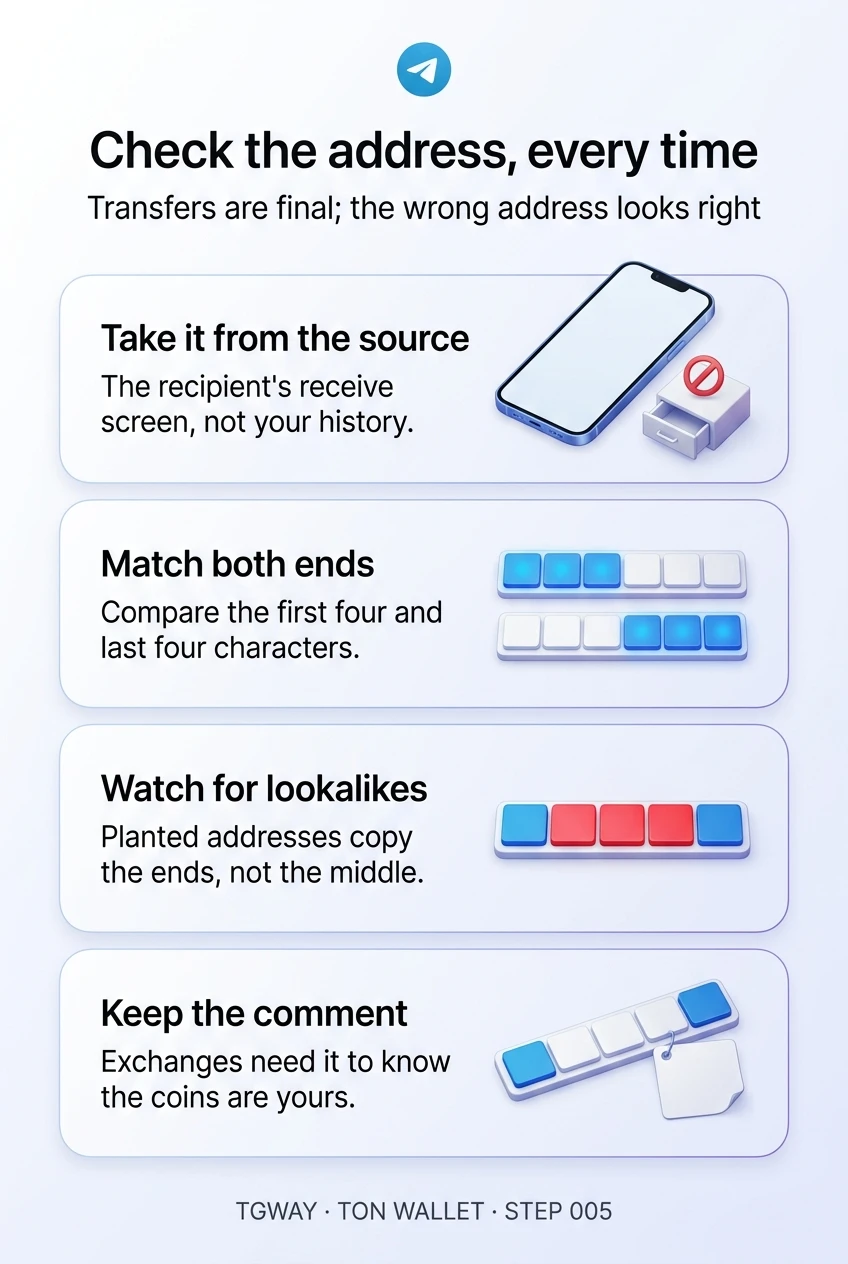
Check the address, every time
Where to take an address from, how to match both ends, the lookalike planted in your history, and the comment an exchange needs. Tap to open it at full resolution.