Joining and Cancelling Telegram Star Subscriptions

Some channels charge a monthly fee in Stars to join, and some bots sell monthly access to a service the same way. You tap a special invite link, confirm the amount, and you are in. From then on, the same number of Stars leaves your balance every month until you stop it.
That is simple to start and easy to forget. The one fact that makes cancelling painless: when you cancel, you keep access until the end of the month you already paid for. There is no reason to wait for the last day, and no advantage in putting it off. This step walks through a subscription's life, from joining to renewal to cancelling, and the few places where people lose Stars by not knowing how it works.
What you will be able to do after this step
- check_circle Know exactly what you agree to when you join through a paid invite link.
- check_circle Find every subscription you are paying for, in one list.
- check_circle Cancel at the moment you decide, without losing the time you already paid for.
A subscription's life, from joining to leaving
Each moment has one thing worth knowing. Pick one.
A paid invite link, and a monthly promise
A subscription usually starts with an invite link that asks for a monthly fee. Before you join, Telegram shows the amount in Stars and that it repeats every month. Confirming pays the first month and adds you to the channel.
This is the moment to decide on the evidence you have. As with paid posts in Step 004, you are paying for a creator's future work, so the channel's free posts, if any, and what the creator says the subscription includes are the best guide you get. A subscription to a channel you have never read is a bet on its description.
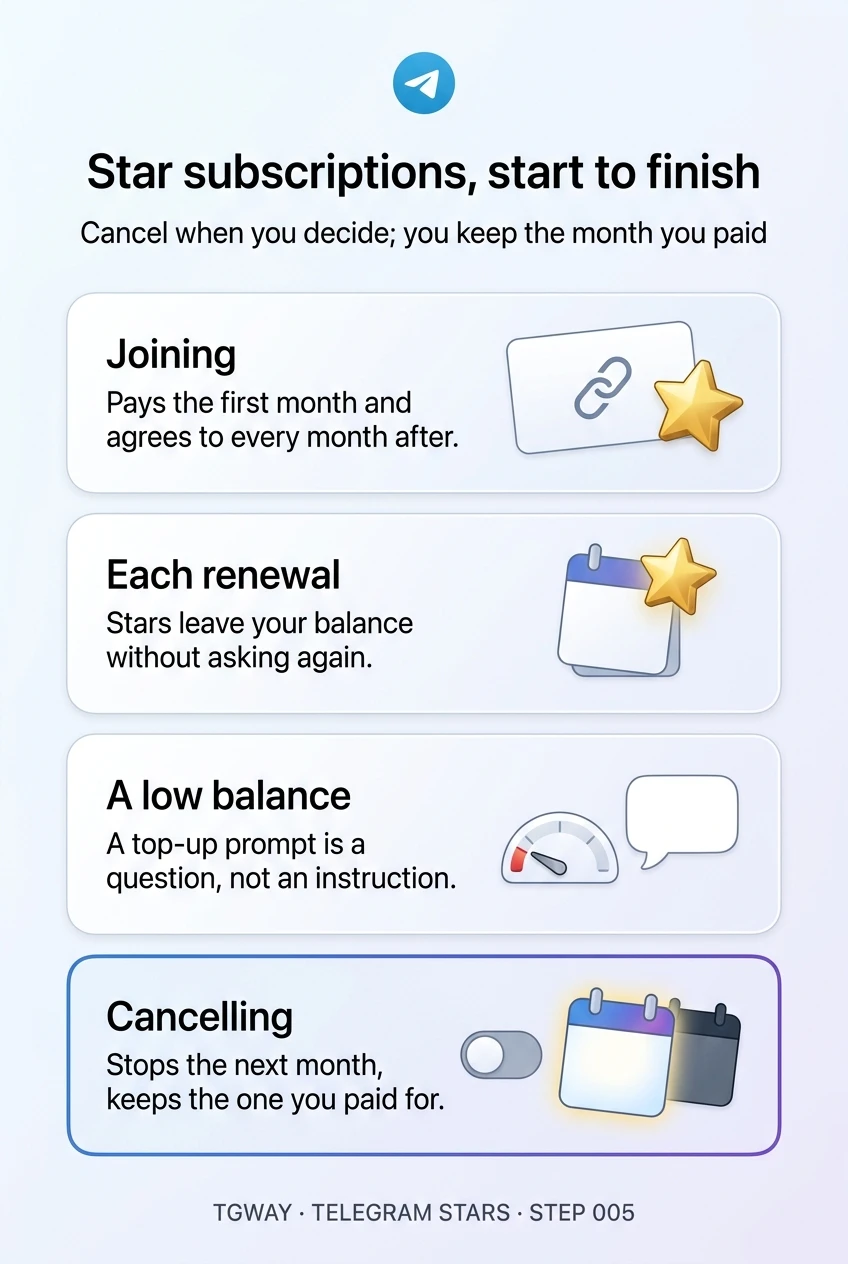
Joining pays the first month and agrees to every month after, until you cancel.
The same amount, every month, automatically
Subscriptions renew monthly. On the renewal date, the fee is taken from your Stars balance without asking again. That is convenient for something you use, and exactly how subscriptions you have stopped using keep charging you.
The renewal comes from your Stars balance, not directly from your card. If you buy Stars in bigger amounts than you need, a forgotten subscription can run quietly for months before you notice the balance going down.
Renewals do not ask. Your subscription list is the only reminder you can count on.
Not enough Stars when the month comes round
If your balance is too low for a renewal, Telegram prompts you to top up so the subscription can continue. If you do nothing, it cannot renew, and your access ends with the period you already paid for.
That prompt is also a useful moment to ask whether you still want it. Topping up to keep a subscription you had forgotten about is how small monthly charges become a habit. If you would not have joined today, let it lapse.
A low-balance prompt is a question, not an instruction.
Stop the renewals, keep the month you paid for
Cancelling stops future renewals. It does not cut off the time you already paid for: you keep access until the end of the current period, and on that date the subscription ends instead of renewing.
Because of that, the right time to cancel is the moment you decide you will not want next month, even if that is the first day. And if you change your mind before the period ends, you can usually turn the subscription back on from the same list without joining again.
Cancel when you decide, not on the last day. You lose nothing by doing it early.
list_alt Where your subscriptions live
Every Star subscription you pay for is listed together on the Telegram Stars screen, which you reach from Settings: tap your Stars balance, and the subscriptions appear with their monthly amount and next renewal date. That list is the one place to check what you are paying for, and the place to cancel.
One habit prevents most surprises: before you leave a paid channel, cancel its subscription from that list first. Leaving a channel and ending a subscription are separate actions, and doing the cancel explicitly means you can see that it worked.
gpp_maybe Where people lose Stars
- Forgetting it exists. A subscription to a channel you have muted keeps renewing. Muting changes what you hear, not what you pay.
- Waiting for the end of the month to cancel. There is no benefit, and on the day you meant to do it, the renewal has already happened.
- Paying outside the link. A creator asking you to send Stars or money directly "for this month" is outside the subscription system, with no renewal date, no cancel button and no list entry. Real subscriptions start from a paid invite link.
- Expecting a refund for the unused days. Cancelling keeps what you paid for; it does not return part of it. Purchases with Stars are generally final, as Step 010 covers.
touch_app Try it now — three minutes
- Open your subscriptions list On Android and iPhone, open Settings and tap your Telegram Stars balance. Scroll to your subscriptions.
- Ask one question of each entry Would I join this today, at this price? If the answer is no, cancel it now; you keep the rest of the month.
- Note the renewal dates you are keeping A subscription you meant to keep should be one you would notice if it stopped.
- Keep your balance close to what you plan to spend A modest balance makes forgotten renewals show up as low-balance prompts rather than silent charges.
How monthly subscriptions work from the creator's side, and why a subscription is a promise about next month rather than a payment for last month.
help Questions
How often am I charged?
Monthly. The fee shown when you joined is taken from your Stars balance at the start of each new period, until you cancel or your balance cannot cover it.
If I cancel today, do I lose access today?
No. You keep access until the end of the period you already paid for. Cancelling only stops the next renewal, which is why there is no reason to wait.
Does muting or archiving the channel stop the subscription?
No. Muting and archiving change how the channel appears in your chat list, not what you pay. Renewals continue until you cancel from your subscriptions list or your balance cannot cover them.
What happens to the channel's posts after my subscription ends?
When the paid period ends without renewal, your access to the channel ends with it. Anything you wanted to keep from it, such as notes of your own, is worth saving while you still have access, within the channel's rules on copying content.
Can bots and mini apps offer subscriptions too?
Yes. Bots can charge a recurring amount in Stars for a service, and those subscriptions appear in the same list, with the same monthly renewal and the same way to cancel.
Star subscriptions, start to finish
What you agree to when you join a paid channel, how monthly renewals work, what a low balance means, and why cancelling early costs nothing. Tap to open it at full resolution.