How to Buy Telegram Stars the Official Way

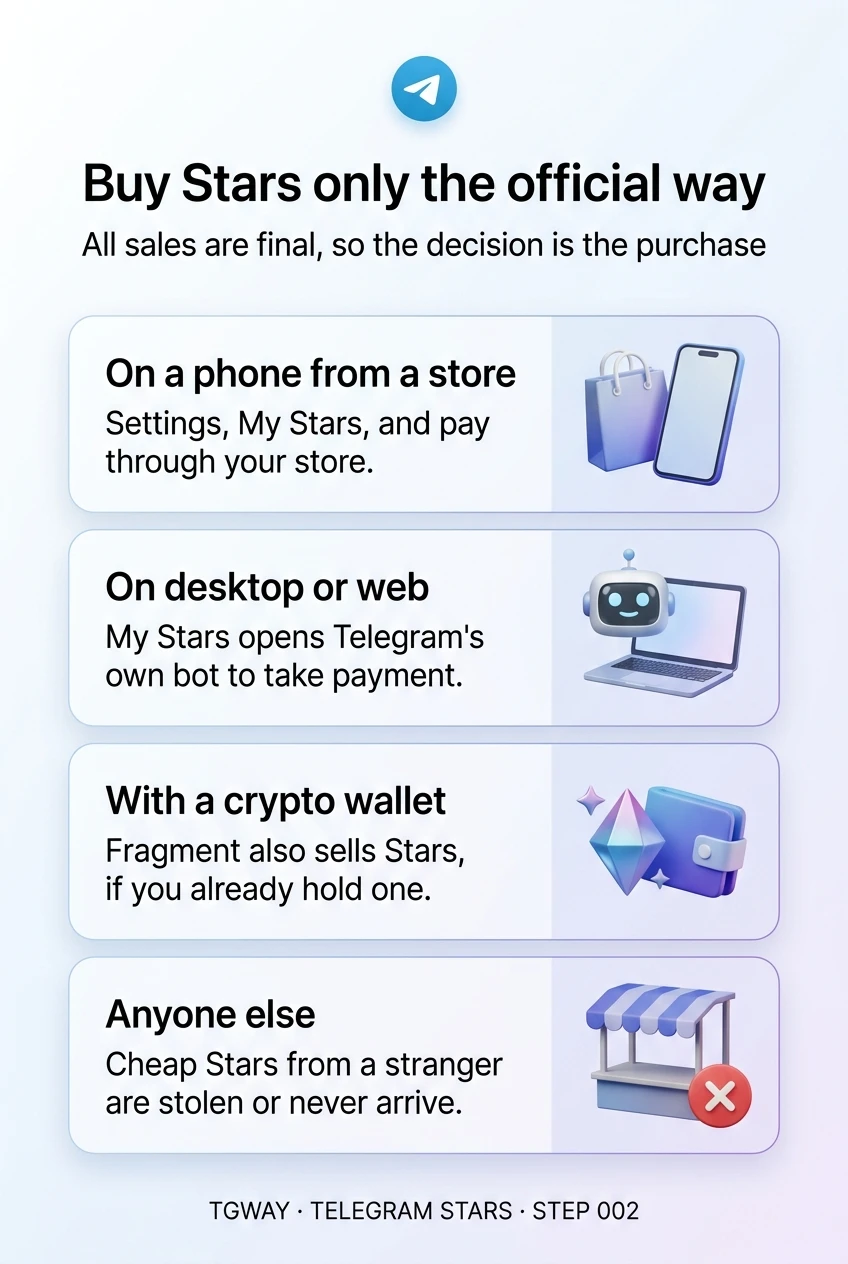
There are only a few official ways to buy Stars, and which one you see depends on the app you are using. On a phone installed from an app store, you pay through that store. In Telegram's desktop and web apps, and in the Android version downloaded directly from Telegram, you pay through Telegram's own bot. Telegram's marketplace, Fragment, also sells them.
Whichever route you use, one fact matters more than the rest. Telegram's terms put it plainly: "All sales of Telegram Stars are final." The spending decision happens when you buy the balance, not later when you use it. This step shows the official routes and how to buy only what you are about to spend.
What you will be able to do after this step
- check_circle Find the official way to buy Stars on the device you use.
- check_circle Buy for yourself or for someone else without leaving Telegram's own routes.
- check_circle Recognise any other seller as one to avoid.
Where you buy depends on the app you use
Pick the app you are using now. The route appears in the same place on all of them: Settings > My Stars, or the prompt that appears when a purchase needs more Stars than you have.
An in-app purchase through Apple
Tap Settings in the bottom bar, open My Stars, choose a package and confirm with your Apple account, just like any other in-app purchase. The charge appears on your App Store receipts.
Because the store is involved, its own terms also apply to the purchase, and its refund process is separate from Telegram's.
Buy from My Stars, and check the package against what you are about to spend.
An in-app purchase through your store
Open the menu (☰), go to Settings > My Stars, pick a package and pay through the store your app came from, using the payment method saved there.
The store's receipt is your record of the purchase, and the store's own terms apply alongside Telegram's.
Same place, same habit: buy the amount you need, not the biggest package on offer.
Through Telegram's own bot
The version of Telegram for Android downloaded directly from telegram.org does not go through an app store, so purchases are handled by Telegram's official bot, @PremiumBot. You reach it from My Stars and pay with a card or another method it offers.
Check the bot's name carefully if you ever reach it any other way. Fake bots with similar names are a common way to take card details.
Start from My Stars and let it open the bot, rather than searching for the bot yourself.
Through Telegram's own bot, in the desktop and web apps
On Windows, macOS and Linux, and in the web version, open Settings > My Stars. Buying there hands you to @PremiumBot, which takes the payment inside Telegram.
The balance is the same one you see on your phone. Stars bought on a computer are there on every device you are signed in to.
Buy wherever is convenient; the balance is one balance across all your devices.
alt_route Every official route in one table
| Route | Where you see it | You pay with | Good to know |
|---|---|---|---|
| App store purchase | Telegram from Apple's or an Android store | Your store account | The store's receipts and terms apply too |
| @PremiumBot | Desktop, web, and Android from telegram.org | A card or another offered method | Reach it from My Stars to avoid look-alike bots |
| Fragment | Telegram's marketplace on the web | A crypto wallet | Only useful if you already hold one |
| A gift from someone | Arrives in your balance | Nothing | A real gift never asks you to pay or connect anything |
The prices for the same number of Stars can differ between these routes, because each carries different costs. The app always shows the price before you confirm, so compare there rather than trusting a figure someone quotes you.
block Everyone else selling Stars
Individuals and channels sometimes offer Stars "cheaper than the app". None of them is an official seller. Stars only enter a balance through the routes above, so a stranger offering a price well below the app's has either bought them with someone else's card, or will take your payment and deliver nothing. A friend gifting you Stars through the app is a different thing entirely: nobody asks you for money first.
Telegram's terms also do not allow Stars in a personal balance to be sold or transferred for other purposes. In practice that means there is nobody to complain to when a private deal goes wrong, and no record anywhere of what you were promised.
shopping_bag Buying for yourself or for someone else
For yourself, the habit from Step 001 is the whole technique: buy the amount you are about to spend. Packages are sized for convenience, not for your purchase, and whatever is left over stays in Telegram whether or not you ever use it.
For someone else, gift the thing itself where you can, such as a subscription or a gift, rather than a balance. If you do want to give Stars, use the gifting option inside the app so they arrive directly in the other person's balance. Never send money to a person who promises to top up someone's Stars for you.
touch_app Try it now — two minutes, no purchase needed
- Open My Stars on the device you use most Note which route it offers: your store, or @PremiumBot.
- Look at the packages without buying See the smallest one and what it costs in your money. That figure is useful the next time a price is shown in Stars.
- Check your transactions for anything unfamiliar Every purchase you made is listed in Stars Transactions. If something you do not recognise is there, check which device or store it came from.
Where the balance and its history live, why a price in Stars feels smaller than it is, and the one message about Stars that is always a scam.
help Questions
Can I get a refund if I bought too many Stars?
Telegram's terms say purchases of Stars are final and not refunded for unwanted or accidental purchases. A store you bought through may have its own process. This is why buying only what you need matters. Step 010 covers refunds for purchases that were not delivered.
Why is buying Stars on my computer different from my phone?
Phone apps installed from a store have to use that store's payments. The desktop and web apps, and the Android version from telegram.org, are not bound by a store, so they use Telegram's own bot instead.
Do I need a crypto wallet to buy Stars?
No. The in-app and bot routes use ordinary payments. Only buying through Fragment needs a wallet, and there is no reason to set one up just for that.
Someone offered to sell me Stars at a discount. Is that allowed?
It is not an official route, and personal Stars are not meant to be resold. The Stars are usually bought with stolen cards or never arrive. Buy only through My Stars.
Buy Stars only the official way
The three official routes to buy Stars, which one fits your device, and why a cheap offer from a stranger is never one of them. Tap to open it at full resolution.