When a Telegram Gift Is the Right Gesture

Telegram lets you send someone a gift paid for with Stars: an animated item with a short message, delivered in your chat. The recipient can keep it, show it on their profile, or turn it into Stars. It feels like sending a card, and most of the time that is exactly what it is.
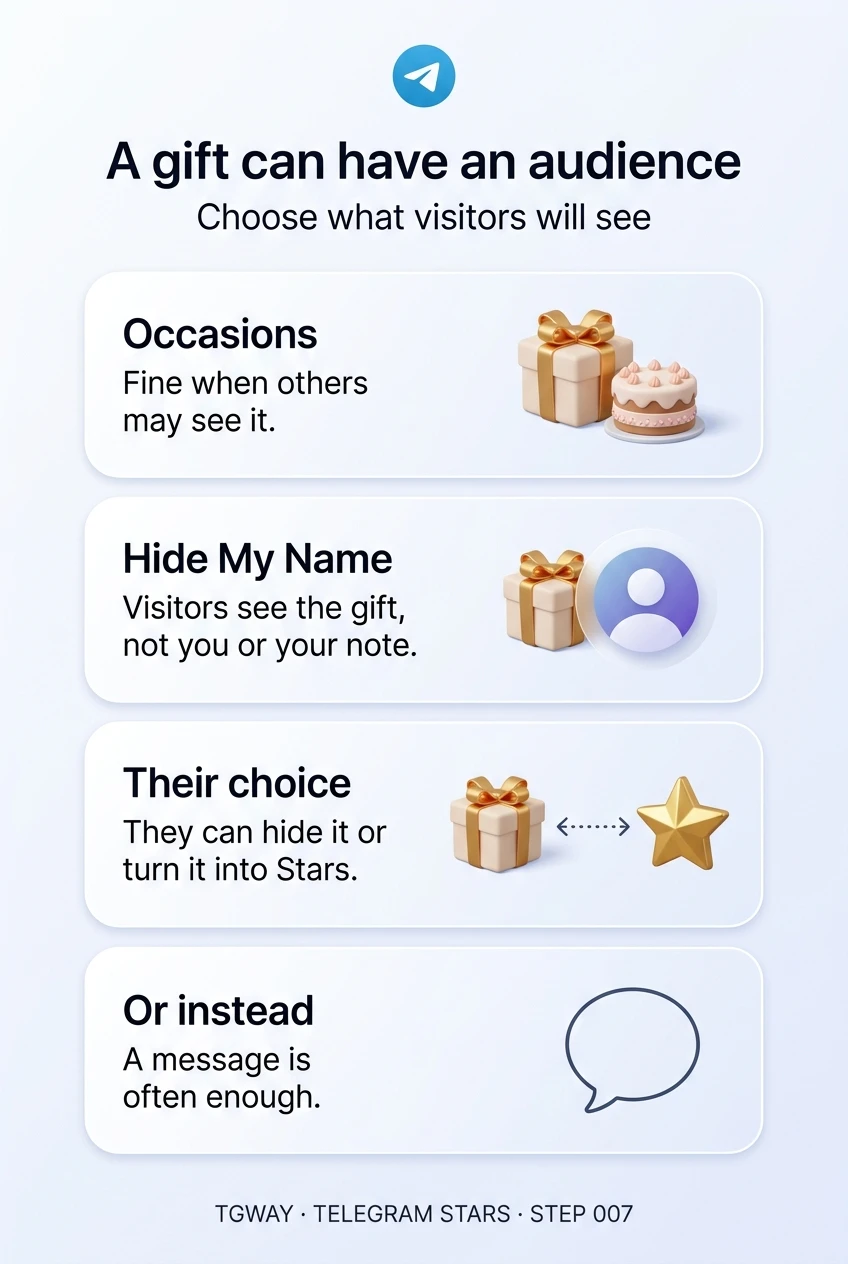
One detail makes it different from a card. A gift can be displayed on the recipient's profile, where anyone who opens it may see it, and possibly who sent it and what you wrote. A gift can have an audience. This step helps you decide when that audience makes a gift the right gesture, when it makes it awkward, and how the settings on both sides change who sees what.
What you will be able to do after this step
- check_circle Say what happens to a gift after you send it, and what the recipient can do with it.
- check_circle Use Hide My Name to decide what visitors to their profile can see.
- check_circle Choose between a gift, a tip, a Premium gift and a simple message.
redeem What happens to a gift
- It arrives in your chat with the message you wrote, paid from your Stars balance.
- The recipient chooses where it goes. They can add it to their profile or hide it from their profile, at any time.
- They can convert it to Stars for a limited number of days. Telegram warns that this cannot be undone and permanently destroys the gift. Once sent, a gift is theirs to use.
- Some gifts can be upgraded into a unique collectible that can be transferred or auctioned, as the Fragment track touches on. That turns a keepsake into property.
- Some gifts are limited and show as "1 of" a set number, which is why a few sell out.
The recipient also controls, in their privacy settings under Gifts, who can display gifts on their profile and which types of gift they accept. Their choice always wins over yours.
The same gift, with and without Hide My Name
Both assume the recipient chose to show the gift on their profile.
public Sent normally
The recipient sees your name and your message.
Visitors to their profile can see the gift, your name and your message.
A private note becomes something strangers can read.
visibility_off Sent with Hide My Name
The recipient still sees your name and your message.
Visitors to their profile see the gift, but not who sent it or what you wrote.
The gesture stays between the two of you.
If your message is for them alone, turn on Hide My Name before you send.
Is a gift the right way to say it?
Pick the situation you are in.
A friend's birthday, a new job, a milestone
This is what gifts are designed for. A small animated gift with a warm line arrives as a moment of attention, and if they display it, it says "people remembered" on their profile.
Keep the message suitable for strangers to read, or turn on Hide My Name. Choose a modest gift; the gesture matters more than the price, and a very expensive one can feel like an obligation.
A gift fits an occasion when you would be happy for others to see it.
Someone helped you, answered a question, fixed something
A gift is a warm way to thank a person, and it arrives with your name, so they know who appreciated them. For thanking a channel for a post rather than a person, a Star reaction is the tool made for it, as Step 006 explained.
If the help was part of a paid service, a gift can blur the line between a thank-you and a tip. That is usually fine between friends, less so with someone whose work you should simply pay for.
Thank a person with a gift; thank a post with a reaction.
A romantic or private gesture
Here the audience matters most. A gift on someone's profile with your name on it tells everyone who visits that you sent it. The recipient may not want that, even if they like the gift.
Use Hide My Name, keep anything intimate in a message rather than the gift note, and remember they can hide or convert the gift. If you are not sure the gesture is welcome, a message is the safer first step.
For anything private, assume the gift could be seen and write accordingly.
Thanking a moderator, a helper or a contributor in your community
Public recognition is where the audience becomes the point. A gift shown on the profile of someone who has helped your group for a year tells anyone who looks that their work was noticed.
Give the same kind of gift to everyone in the same role, so it reads as thanks rather than ranking. And ask yourself whether the person would prefer something they can use, such as a Premium gift, over something they can display.
Public thanks works when it is fair and consistent.
compare_arrows When something else is better
- A Premium gift gives the person something they can use every day, as a subscription period. It is less visible and often more useful.
- Sending Stars gives them a balance to spend on what they choose. It is closer to cash than to a present.
- A message costs nothing and, for most thank-yous, is enough. A gift should add to the words, not replace them.
Whatever you send, the rules from Step 001 apply: Stars spending is generally final, and nobody legitimate ever asks you to send a gift or Stars to receive something. A stranger who says you have won a gift and must pay to unlock it is running a scam.
touch_app Before your next gift — five minutes
- Check your own Gifts privacy Settings > Privacy and Security > Gifts. Decide who can display gifts on your profile and which types you accept.
- Look at your own profile's gifts Hide any you would rather not show, and notice what visitors can see.
- Write the note as if others will read it Or turn on Hide My Name when you send.
- Choose the amount before browsing A modest gift says as much as an expensive one.
Why a displayed gift says more than it seems, what the recipient can do with it, and why a decorated profile is not a reason to trust anyone.
help Questions
Will I know if they convert my gift to Stars?
Once sent, a gift belongs to the recipient, and what they do with it is their choice. Converting it is a normal option, and it is best not to treat it as a comment on the gesture.
Can I take back a gift I sent by mistake?
Generally not. Like other Stars spending, a sent gift is final. Check the recipient and the amount before confirming.
Can I stop people sending me gifts?
In Settings > Privacy and Security > Gifts you can choose which types of gift you accept and who can display gifts on your profile, with exceptions for specific people.
Can I send a gift to a channel?
Yes. A channel can display gifts in its Gifts section. If you hide your name, only the channel's admins can see who sent it.
A gift can have an audience
What happens to a gift after you send it, what Hide My Name hides from profile visitors, and when a gift is the right way to say it. Tap to open it at full resolution.