TON Fees and Why a Transfer Can Fail After Sending

Every change on TON costs a small network fee, paid in Gram, the coin formerly called Toncoin. Most of the time you barely notice it. Two situations make people notice: a token transfer that will not go through although the token balance is plenty, and a transfer the wallet calls sent that never arrives.
Both come from the same two facts: fees are always paid in Gram, even when you move another token, and a transfer on TON is a chain of steps that can fail after the first one has already been sent. This step explains what the fee pays for, why a wallet's "sent" is not the same as "received", and where to look when something goes quiet. It gives no prices and no advice on what to hold; fees change with the network, and this is about moving what you have.
What you will be able to do after this step
- check_circle Know why you need a little Gram even to send another token.
- check_circle Tell "sent" from "received", and check which one happened.
- check_circle Avoid the three most common reasons a transfer fails.
receipt_long What the fee pays for
The network is run by computers that process and store transactions, and the fee pays for that work. TON's own documentation describes a few parts: the computation a transfer needs, the messages it sends between accounts, and a small charge for the space an account takes up over time. You do not choose these parts. Your wallet adds them up and shows one fee on the confirmation screen.
- It is paid in Gram. Always, whatever you are sending.
- The sender pays it. The recipient does not pay to receive an ordinary transfer.
- It depends on the work, not the amount. Sending a large amount does not cost more than a small one; a transfer that involves more steps, such as a token, costs more.
- It is spent even if a later step fails. The computers did the work either way. This is the part that surprises people.
alt_route Why "sent" is not "received"
On TON, a transfer is not one instant event. Your wallet signs a message and sends it; that message may trigger further messages, for example from your token account to the recipient's. Each step runs after the one before. Your wallet can only tell you that the first step went out.
If a later step does not have enough Gram attached to pay for its work, it stops there. The fees spent so far are gone. With a token transfer, the tokens themselves usually stay with you or come back, but you have paid for an attempt that did not complete. That is how a transfer can look sent and still fail.
What to check before you approve
The fee behaves slightly differently in each. Pick the one you are about to do.
The simplest case
You send Gram, and the fee comes out of your Gram balance on top of the amount. The confirmation screen shows both. As long as your balance covers the amount plus the fee, this rarely fails.
What goes wrong here is usually the address, not the fee, which is what Step 008's test transfer is for.
Amount plus fee must fit in your balance.
Sending a token that is not Gram
Tokens on TON move through their own small accounts, and every step is paid for in Gram. So you need some Gram in the wallet even if the token is all you want to send. A wallet with plenty of a token and no Gram cannot move it.
Wallets attach a little Gram to token transfers for the later steps, and usually return what is not used. If a transfer fails for lack of it, the tokens normally stay with you, and the fee is spent.
Keep a small Gram balance for moving anything else.
Sending your whole balance
If you type your full Gram balance as the amount, there is nothing left to pay the fee. Wallets usually offer a "max" option that works out the amount after the fee; use it rather than typing the number yourself.
Sending everything also empties the wallet of Gram, so any tokens left in it can no longer be moved until you add some back.
Use the wallet's max, and think about what stays behind.
A deposit to an exchange
The fee works as usual, but two things from the exchange side matter more: the comment or memo it asks for, and its minimum deposit. A deposit below the minimum, or without the comment, may arrive and still not be credited.
That is not a fee failure, but it looks like one from your side, which is why the test transfer from Step 008 matters most here.
Check the comment and the minimum before the fee.
table_chart Where to look when something goes quiet
| Place | What it tells you | What it cannot tell you |
|---|---|---|
| Your wallet's history | That you signed and sent the transfer, and the fee | Whether every later step succeeded |
| A TON block explorer | Each step of the transfer, and which one stopped, if any | Whether an exchange credited your account |
| The recipient | Whether it actually arrived and was credited | Why it failed, if it did |
A block explorer is a public website that shows what happened on the network for any address. Open it by typing its address yourself, paste your own wallet address into it, and look at the latest transfer. You are only reading public records; an explorer never needs your wallet connected or your recovery phrase.
quiz What happened here?
You have a large balance of a token but no Gram. Why will the wallet not send the token?
Every step on TON is paid for in Gram, including token transfers. Add a small amount of Gram to the wallet and the token can move again.
Your wallet shows a transfer as sent, but the recipient sees nothing. What is the best next step?
Sending again may simply repeat the same failure, or send twice if the first one was just slow. The explorer shows exactly what happened. People who offer to "recover" transfers for a fee are a common scam.
A transfer failed and the fee was not refunded. Is that a sign something is wrong with your wallet?
The fee pays for processing, which happened even though the result was a failure. It is a small, normal cost, and the reason to fix the cause, usually too little Gram, before trying again.
task_alt
touch_app Try it now — five minutes
- Check your Gram balance If you hold other tokens, make sure a small amount of Gram is there to move them.
- Find the fee on your last transfer Open it in your wallet's history and note what it cost.
- Look up your address in a block explorer Type the explorer's address yourself, paste your wallet address, and follow your last transfer step by step.
Why a wallet's success message means signed and sent, not accepted, why a transfer can still fail on fees or time limits, and why a result of "nothing came back" needs its own plan.
help Questions
How much Gram should I keep for fees?
Enough for a few transfers of the kind you make, with some room to spare. Fees vary with the network, so there is no fixed number; your wallet shows the fee before each transfer, and most warn you when the balance is too low.
Can I get a fee back?
No. Part of what was attached for later steps may come back if it was not used, but the fee for work the network did is spent, whether the transfer succeeded or not.
Does the recipient pay anything?
Not to receive an ordinary transfer. If they later move what they received, they pay the fee for that transfer, in Gram.
Why is a token transfer more expensive than a Gram transfer?
It involves more steps: messages between your token account and the recipient's, each of which needs processing. More work means a higher fee, still paid in Gram.
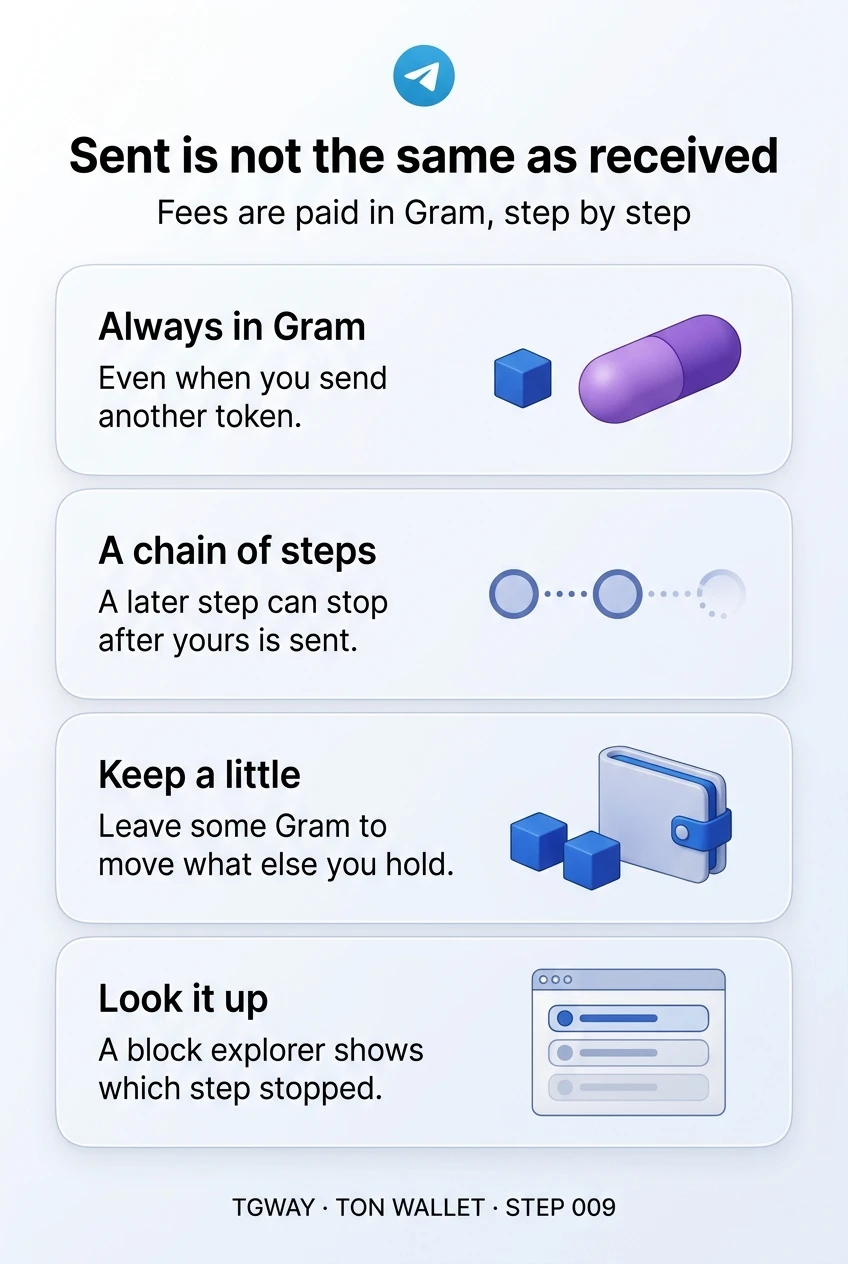
Sent is not the same as received
What a TON fee pays for, why you need a little Gram even to move another token, why a transfer can look sent and still fail, and where to check what happened. Tap to open it at full resolution.