Paying Telegram Bots and Mini Apps With Stars

When you unlock a creator's post or join their subscription, you have usually read their channel for a while. You know roughly who they are and what they publish. When you pay a bot or a mini app, the thing selling to you is a program. It has no posting history to read, and a new one can be made in minutes.
So the question before paying a bot is not "is this bot good?" but "who is behind it, and can I reach them if something goes wrong?" This step explains what happens when you pay a bot with Stars, what Telegram does and does not check, and a few quick ways to find the person at the other end before you tap Pay.
What you will be able to do after this step
- check_circle Recognise a genuine Stars payment in a bot or mini app.
- check_circle Find signs of who runs a bot, and how to contact them about a payment.
- check_circle Decide how much to spend with a seller you cannot see.
receipt_long What happens when you pay a bot
- The bot sends an invoice A message with the item, a description and a price in Stars, and a Pay button.
- Telegram shows its own payment screen Tapping Pay opens a panel drawn by Telegram, not by the bot or the mini app, with the item and the price. If you do not have enough Stars, it offers to buy them through the official routes from Step 002.
- You confirm, and the Stars go to the developer The payment is recorded, and the bot is told it succeeded.
- Delivery is up to the bot Whatever you bought, a file, a feature, credits in a game, arrives only if the bot's own program delivers it.
Telegram moves the payment. It does not review what the bot sells or check that it delivers. Its developer rules put the responsibility on the seller: bots that take payments must answer a /paysupport command and handle payment problems themselves. That is useful to know, because it tells you exactly where to go first.
table_chart Who you are paying, in each case
| Paying for | The seller | What you can judge beforehand | Where to go if it fails |
|---|---|---|---|
| A paid post | A channel owner | Months of free posts in the same channel | The channel owner |
| A subscription | A creator | The channel or group you are joining | The creator, then Step 010 |
| An item in a bot | Whoever runs the bot | Its description, links and support command | /paysupport in the bot |
| Something in a mini app | Whoever runs the app | The bot it opens from, and the site behind it | /paysupport in that bot |
The first two rows come with a track record you can read. The last two often do not, which is why they need a moment of checking the others do not.
One you can trace, one you cannot
Both sell a pack of credits for a photo-editing tool.
person_off Nobody behind it
The description is a slogan with no website or channel.
You found it through a link a stranger posted in a group.
It does not answer /paysupport, or answers with the same menu.
It urges you to buy the largest pack, "today only".
verified Someone you can find
The description links to a website or channel, which links back to the same bot.
You reached it from that website, not from a stranger's link.
/paysupport replies with a real way to reach a person.
You can buy a small pack first.
The price is the same. Only one of them has anyone to answer for it.
person_search Finding the person behind a bot
- Read the bot's profile. A description that names a service, with a website or a channel, is a start. A slogan with nothing to follow is not.
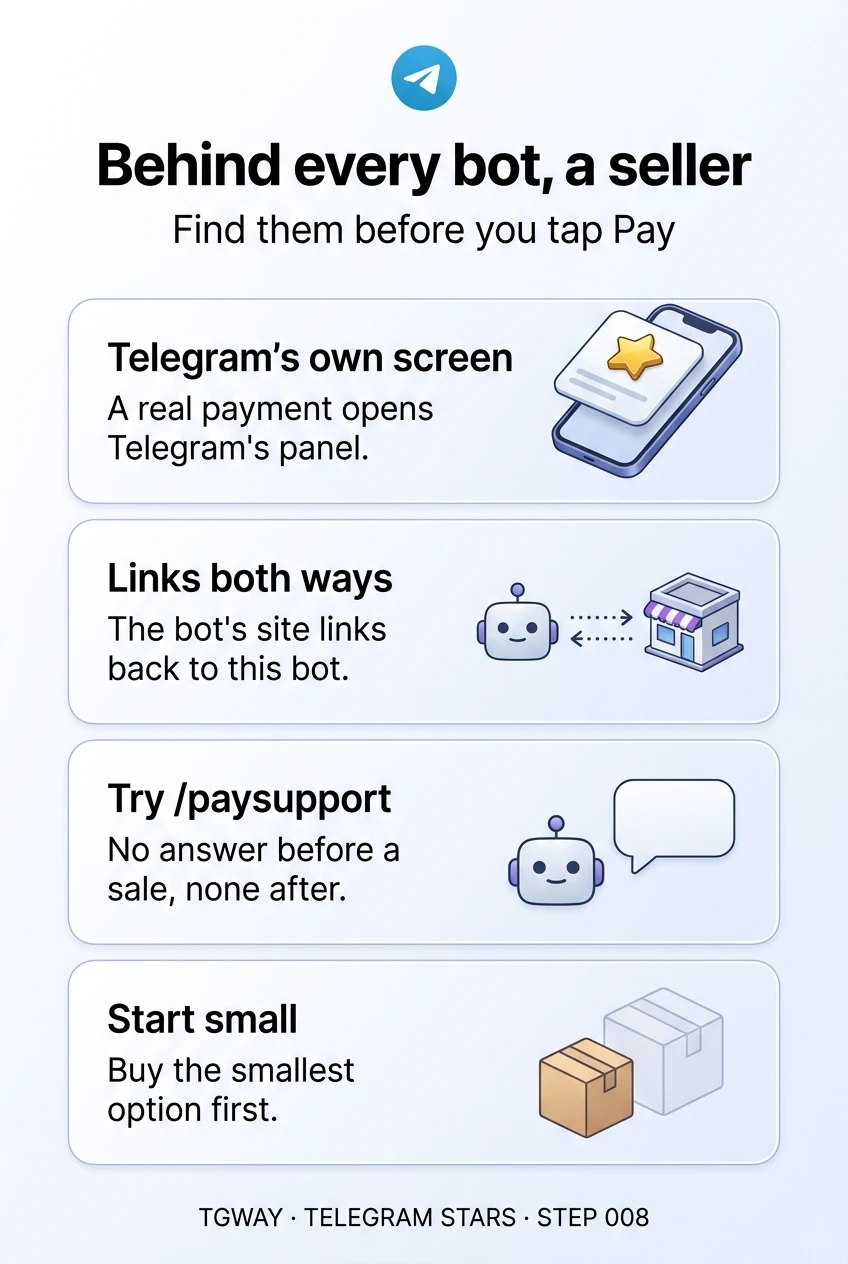
- Check that the links point both ways. The bot links to a site or channel, and that site or channel links back to this exact bot, username and all. Copies of popular bots borrow names and pictures, but they cannot make the real website link to them.
- Arrive from the source. Open the bot from the service's own website or official channel rather than a link in a group or a message from someone you do not know.
- Send /paysupport before you pay. A seller that does not answer before a sale is unlikely to answer after one.
- Start small. Buy the smallest option first, and make sure it is delivered before spending more.
For mini apps, one more rule from Paying inside a mini app applies: a real payment always opens Telegram's own payment screen. A price and a card form drawn inside the page is not a Stars payment at all.
quiz Would you pay?
You paid a bot 250 Stars and nothing was delivered. Where should you go first?
Sellers are responsible for payment problems, and /paysupport is the channel Telegram requires them to answer. Paying again doubles the loss, and "recovery" offers from strangers are a common second scam. Step 010 covers what to do if the seller does not respond.
A bot asks you to send Stars as a gift to its owner's account instead of paying the invoice, "to avoid fees". What does that mean?
An invoice creates a recorded payment to the bot, with support obligations attached. A gift to a person is just a gift. Asking you to switch removes the only record that you bought something.
A bot looks exactly like a well-known service, but you found it through a link in a group chat. What is the quickest check?
Pictures, names and claimed user numbers are all things a copy can imitate. The real service's website linking to a specific username is the one thing a copy cannot fake. If the link takes you to a different bot, you have your answer.
task_alt
touch_app Try it now — five minutes
- Open a bot you have paid, or plan to Read its profile. Is there a website or channel, and does it link back?
- Send /paysupport See whether you get a way to reach a person, or nothing at all.
- Check your Stars history Every payment to a bot is listed with its name. Anything you do not recognise is worth a closer look.
Why a bot has no history to read the way a channel does, why finding the person behind it is the only real check, and why Telegram moves the payment without reviewing what is sold.
help Questions
Can a bot refund my Stars?
Yes. The developer can refund a Stars payment for digital goods, and the Stars return to your balance. Whether they will depends on the seller. Step 001 noted that refunds are narrower than with cards; Step 010 explains the routes in detail.
Does Telegram check the bots that sell with Stars?
Telegram processes the payment and sets rules for sellers, including answering payment support. It does not review each item a bot sells or confirm delivery. Treat a bot like any shop you have not used before.
The bot I paid has disappeared. What now?
Note what you paid, when, and the bot's username; your Stars history shows the payment. If the bot's website or channel still exists, contact them there. Otherwise report the bot. This is why small first purchases matter with sellers you cannot trace.
Is paying a bot with Stars safer than paying by card?
It is safer in one way: the bot never sees your card details, because you pay through Telegram's own screen with a balance you already hold. It is less protected in another: purchases with Stars are generally final, and there is no card dispute to fall back on.
Behind every bot, a seller
What happens when you pay a bot with Stars, what Telegram does and does not check, and quick ways to find the person behind a bot before you tap Pay. Tap to open it at full resolution.