The Customer Data Sitting in Your Telegram Chats

When you sell through a chat, the chat quietly becomes your filing cabinet. A delivery address typed in a message, a photo of a receipt, a phone number for the courier, a question about a medical product: each one stays exactly where it was sent, in a history that never expires unless you make it.
Your chat history is a customer record, whether or not you meant to keep one. This step helps you see what you are holding, decide who can reach it and how long it stays, and plan what happens when a customer asks you to delete it. It is not legal advice: the rules that apply to personal data depend on where you and your customers are, and a business that handles a lot of it should check its local obligations. But the habits below are sensible almost everywhere, and most of them take minutes.
What you will be able to do after this step
- check_circle List the kinds of customer information your chats already contain.
- check_circle Decide who and what can read those chats, including devices and bots.
- check_circle Set how long conversations stay, and know what deleting one actually removes.
inventory_2 What your chats are holding
Scroll back through a month of customer conversations and you will usually find several of these, often in the same chat:
- Who they are. Their Telegram name and username, and often a real name typed for an order.
- How to reach them. Phone numbers and email addresses shared for delivery or invoices.
- Where they live. Delivery addresses, sometimes with notes about when they are home.
- What they paid. Screenshots of transfers and receipts, which can show bank names and partial account details.
- Documents and photos. Pictures of items, and occasionally of IDs or prescriptions that customers send without being asked.
- What they told you. Sizes, preferences, complaints, and sometimes personal details they shared to explain a request.
None of this is unusual. The risk is that it builds up without anyone deciding to keep it, and stays available to anyone who can open your account.
An inbox that grows forever, or one you manage
A small shop answering thirty customers a week, a year later.
archive Left to accumulate
Fifteen hundred chats, each with an address or a payment screenshot, all still there.
The account is signed in on a shared shop computer and a former helper's phone.
A bot connected months ago still reads every conversation.
A customer asks what you have on them, and nobody knows.
fact_check Managed on purpose
Order details are copied into the order system; the chat is set to clear itself.
Only the devices the owner and one staff member use are signed in.
The bot is limited to the chats it needs, or removed.
A deletion request takes two minutes, because you know where everything is.
The shop is the same size. The second one simply decided what to keep.
What to decide about customer chats
Each one is a small choice you make once and then keep. Pick the one you have not made yet.
A chat is a poor place to keep records
If you need an order history, keep it where it belongs: a spreadsheet, an order system or your accounting tool, with only the fields you need. Once the details are there, the chat does not have to hold them too.
Auto-delete can then do the tidying. A timer on a customer chat removes messages after the period you choose, for both of you, from the moment each message is sent. It does not touch what was sent before you turned it on.
Copy what you need out, then let the chat clear itself.
Every signed-in device, and every connected bot
Anyone who can open the business account can read every customer chat in it. Check the devices list and end sessions on computers and phones that are no longer used for the business, including those of people who stopped helping.
A chatbot connected to a Telegram Business account can read the chats you allow it to. That access goes to whoever runs the bot, as Step 007 explained. Limit it to the chats it needs, or remove it when you stop using it.
Access is devices plus bots. Check both.
The safest data is the data you never received
Ask only for what the order needs. A delivery needs an address and a phone number; it does not need a date of birth. Payment should go through a payment method, not a photo of a card.
Customers sometimes send too much without being asked, such as a photo of an ID. When that happens, use what you need, delete the message, and tell them politely that you do not need it next time.
Every field you do not ask for is one you never have to protect.
A customer wants their conversation gone
In a private chat you can delete messages, or the whole chat, for both sides. That removes it from Telegram for you and for them. It does not remove copies elsewhere: the notes in your order system, a screenshot a staff member took, or an export someone saved.
So a deletion request has two parts: the chat, and everywhere you copied from it. Knowing where those copies are, before anyone asks, is what makes this quick.
Delete the chat, then the copies you made from it.
download Exports and screenshots
Two habits turn a well-managed chat back into an unprotected pile. The first is exporting chat history "for safety". An export is a folder of plain files with none of Telegram's protection around it; on a shared computer or a synced cloud folder, it is the least protected copy of your customers you have. The second is screenshots: a staff member saving an order screenshot to their own phone has made a copy you cannot see or delete. If a record is worth keeping, keep it in one agreed place, not in whatever was closest.
touch_app Try it now — twenty minutes
- Look at five recent customer chats Note which kinds of information from the list above each one contains.
- Check the devices list End every session the business no longer uses.
- Review connected bots Remove any you no longer need, and limit the rest to the chats they need.
- Pick a home for order records One place outside the chat. Move what you need there from the chats you just looked at.
- Try auto-delete on one chat Choose a period long enough to finish the order and handle a return.
What an export contains and what it leaves out, why you should decide where it will live before making it, and why a synced folder turns it into a copy held by a third party.
help Questions
Is this legal advice?
No. Rules on personal data differ by country and sometimes by industry, and some businesses have specific duties about how long records must be kept or how quickly a deletion request must be answered. If customer data is a large part of your business, check the rules where you operate. This step covers the practical habits that make any of those rules easier to follow.
Does Telegram see my customer chats?
Ordinary chats are cloud chats, stored on Telegram's servers so they sync across your devices. What Telegram can and cannot see explains the difference from Secret Chats, which Business features and bots do not use.
Can I delete a customer's messages without them knowing?
You can delete messages for yourself only, which removes them from your side and leaves the customer's copy. Deleting for both removes them on both sides. Neither sends a separate notification, but the customer will see the messages are gone if they look.
Should staff use their personal accounts to talk to customers?
It spreads your customers' details across accounts you do not control, and the chats leave with the person. A shared business account, or a support setup where replies come from the business, keeps the records in one place. Step 003 covers separating the business from personal accounts.
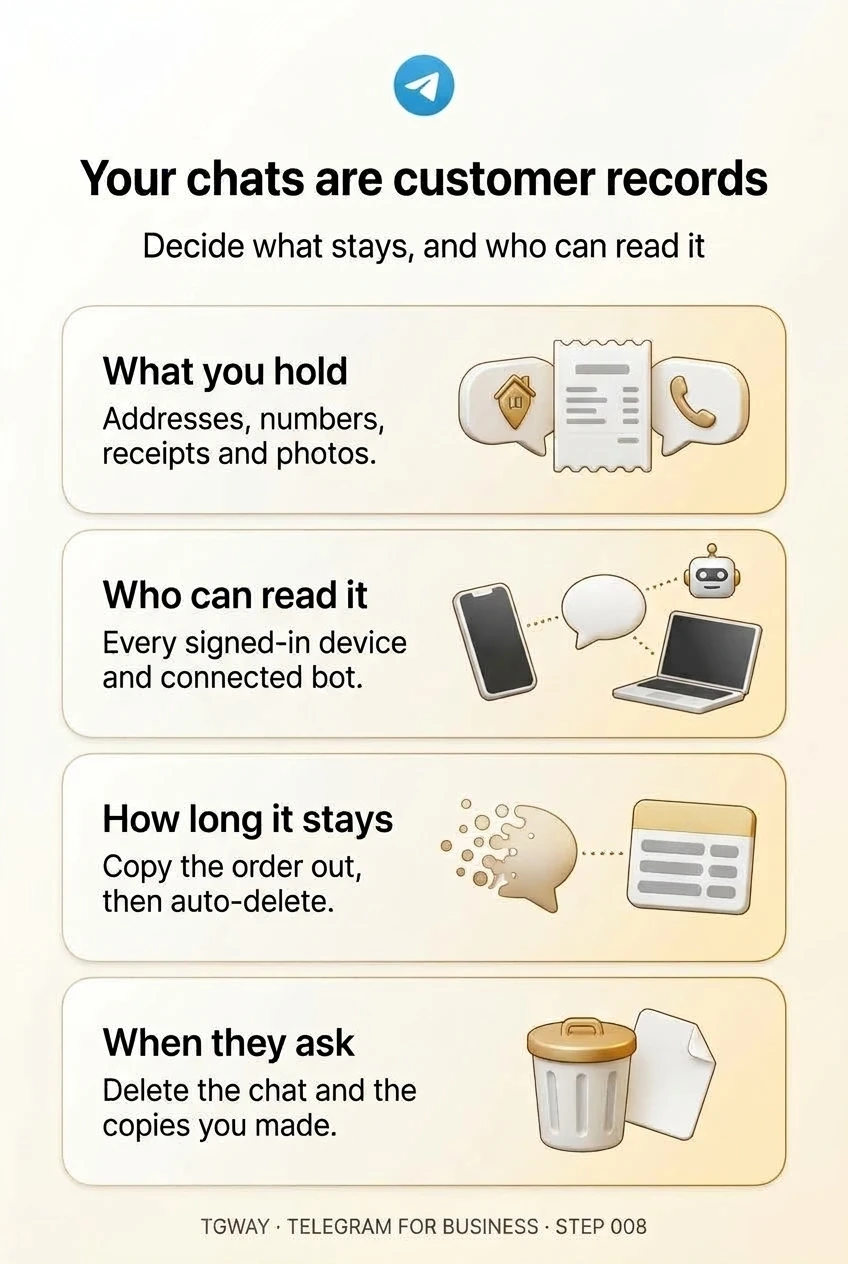
Your chats are customer records
What customer information your chats already hold, who and what can read it, how long it should stay, and what a deletion request really involves. Tap to open it at full resolution.