Getting a Refund for Telegram Stars Purchases

Earlier steps kept saying the same thing: purchases with Stars are generally final. This step shows exactly what "generally" means, because there are real routes for real problems, and they are narrower than most people expect from a card payment.
Telegram's terms put the two ends plainly. Stars you bought and no longer want are not refunded. Something you paid for that was never delivered can be. Between those two sits a clear path: ask the seller, then report them if they refuse. This step closes the first module of the Stars track with what is possible, what is not, and the order to try things in.
What you will be able to do after this step
- check_circle Tell which Stars problems have a refund route and which do not.
- check_circle Follow the dispute path for an undelivered purchase, in order.
- check_circle Avoid the moves that make things worse, including "recovery" offers.
table_chart What can be refunded
| Situation | Refund possible? | Route |
|---|---|---|
| You bought more Stars than you needed, or by accident | No, from Telegram | Telegram's terms say these sales are final. If you bought through an app store, its own process is separate. |
| A bot or mini app did not deliver what it advertised | Yes, by the developer | /paysupport in the bot, then a report if they refuse |
| A paid post disappointed you | Rarely | You saw the offer before paying; tell the creator, and report it if it was deceptive |
| A subscription you no longer want | No, for time already paid | Cancel it; you keep access until the period ends, and nothing more is charged |
| A paid message got no reply | Only if the recipient chooses | They can remove the fee and refund you |
| Your account was deleted | No | Remaining Stars are forfeit, which is another reason to hold only what you will spend |
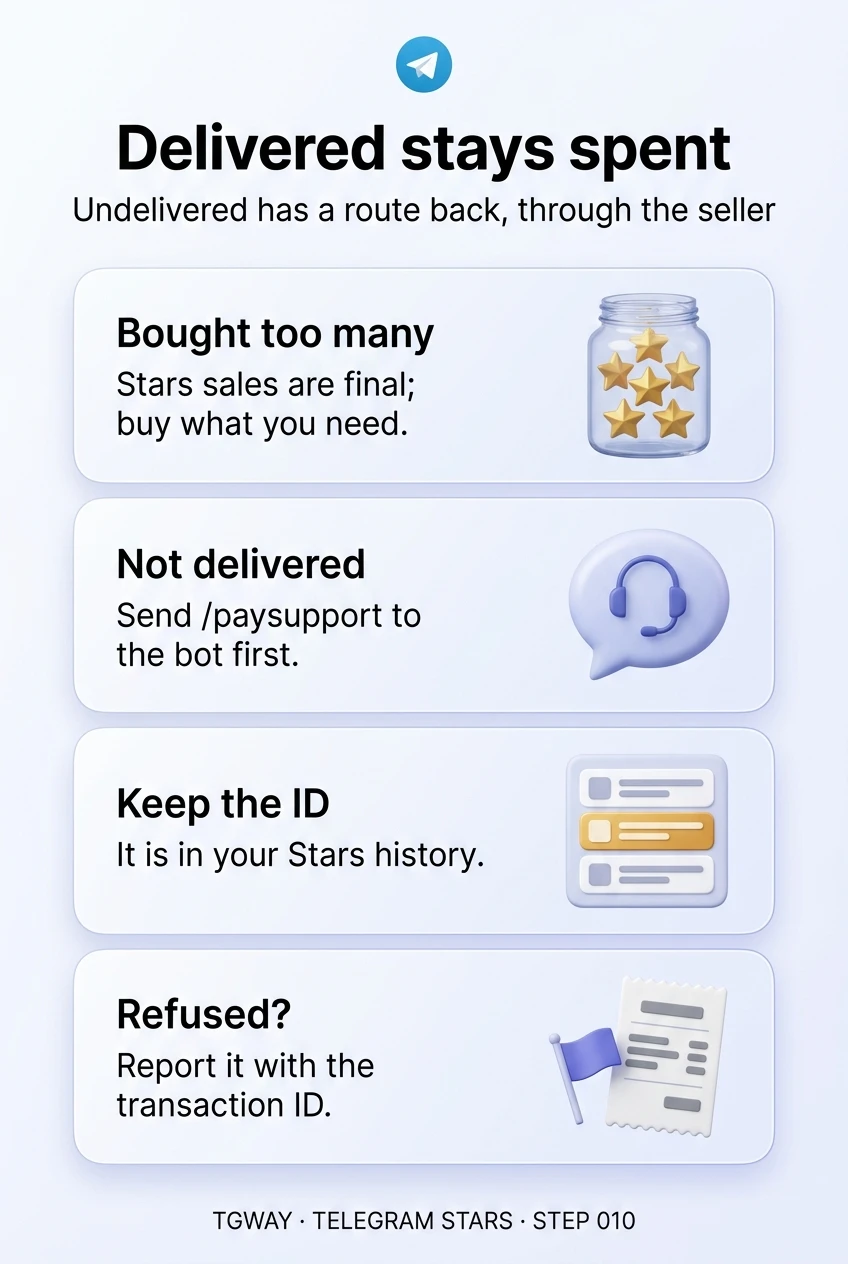
The pattern is simple: money for something that was delivered stays spent. Money for something that was not delivered has a route back, through the seller first.
A purchase was never delivered
Go through these in order. Each step gives the next one what it needs.
Send /paysupport in the bot
Telegram's terms say bots should provide payment support when you send them /paysupport, and that a developer can refund Stars for a purchase that was not delivered as advertised. Describe what you bought, when, and what is missing, in one clear message.
Give it a reasonable time. Many problems are simply a delivery that failed and a developer who fixes it once told.
The seller is the first and fastest route.
Find the transaction ID in your Stars history
Every Stars payment is listed in your balance history, reached from Settings through your Stars balance. Open the payment to the bot: it shows the details, including a transaction ID.
Copy it and keep it with a screenshot of what the bot promised. Telegram's terms name this ID as what you need if you have to report the developer.
No ID, no report: save it before anything else.
If the developer refuses a legitimate refund
Telegram's Stars terms say that if a developer refuses to process a legitimate refund after a /paysupport request, you can submit a report with the transaction ID, through the form those terms link to.
Keep it factual: what was advertised, what you received, when you asked for a refund, and the answer. A clear report is far more likely to be acted on than an angry one.
Report the refusal, with the ID and the facts.
A refund request to Apple or Google
If you bought the Stars through an app store, the store has its own refund process. Telegram's terms note that by requesting a chargeback or refund through such a third party, you allow Telegram to share the necessary data with it.
Treat this as a last resort for the Stars purchase itself, after the seller route, not as a way around it. It concerns the Stars you bought, not a particular item you spent them on.
A separate process, for the Stars, not the item.
Two ways to chase 500 Stars
A bot took payment for a photo-editing pack and nothing arrived.
bolt In a panic
Deletes the chat in anger, losing what the bot promised.
Pays again in case the first payment "failed".
Accepts help from a stranger who offers to recover it for a fee.
fact_check In order
Screenshots the offer and saves the transaction ID.
Sends /paysupport with a clear description, and waits.
If refused, reports it with the ID and the facts.
Only one of them still has a route back. Nobody legitimate charges a fee to recover Stars.
balance Why the routes are narrower than a card's
A card payment comes with a bank behind it that can reverse a charge after a dispute. Stars do not work that way. You already paid for the Stars when you bought the balance; spending them moves that balance to a developer or creator, and there is no bank in between to pull it back. That is why the route runs through the seller, and why the protection that matters most happens before you pay: finding the person behind a bot, as Step 008 described, buying the smallest option first, and holding only the Stars you are about to use.
touch_app Try it now — two minutes
- Open your Stars history From Settings, through your Stars balance. Find your most recent payment.
- Open one transaction See where its details and ID are, so you know where to look on the day you need it.
- Check your balance If you are holding far more than you plan to spend, remember that it cannot be refunded and is forfeit if the account is lost.
Why Stars are a prepaid balance created by app store rules, why a unit that is not your currency makes spending feel smaller, and why the real decision happens when you buy the balance.
help Questions
Can I get a refund for Stars I bought by mistake?
Not from Telegram: its terms say unwanted or unintentional purchases of Stars are not refunded. If you bought through an app store, that store's own process may apply. The best protection is buying only what you are about to spend, as Step 002 suggested.
How long should I wait after /paysupport?
There is no fixed period in the terms. Give the developer a fair chance, a few days for a small project, and keep a note of when you asked. If there is no answer, or a refusal for something clearly undelivered, that is the point to report.
What happens to my Stars if my account is deleted?
Telegram's terms say any remaining balance is forfeit, whether you delete the account or lose access to it. This is one more reason to protect the account, and to hold only a small balance.
What is next in the Stars track?
This closes the first module on buying and spending Stars. The next module turns to the other side: every way a creator can earn Stars, what to lock behind a paid post and what to leave free, and running a Star subscription for a channel.
Delivered stays spent
Which Stars problems have a refund route and which do not, the dispute path for an undelivered purchase, and the moves that make things worse. Tap to open it at full resolution.