Your First Receive and First Send in a TON Wallet

Nine steps of preparation come down to two actions: receiving something into your wallet, and sending something out of it. Each takes less than a minute once you have done it. The first time, it is worth going slowly, because the habits you use on the first transfer are the ones you will keep.
Receive, confirm, then send: three moments, each with one thing to check. This step closes the first module of the Wallet track by walking through all three with Gram, the coin formerly called Toncoin, between you and someone you know. It works the same in the wallet inside Telegram and in a separate wallet app; only the button positions differ. It is not advice on what to buy or hold.
What you will be able to do after this step
- check_circle Share your address safely so someone can send to you.
- check_circle Confirm that something actually arrived, and where to look.
- check_circle Send your first transfer with every check from this module in place.
Receive, confirm, send
Do them in this order the first time, with a small amount between you and a friend.
Give someone your address
Open your wallet and tap Receive. It shows your address as text and as a QR code. Copy the text, or let your friend scan the code from your screen in person.
Send it to them yourself, in a chat you trust, rather than typing it out. Your address is safe to share; it lets people send to you and see the public history of the address, and nothing more. What you never share is the recovery phrase.
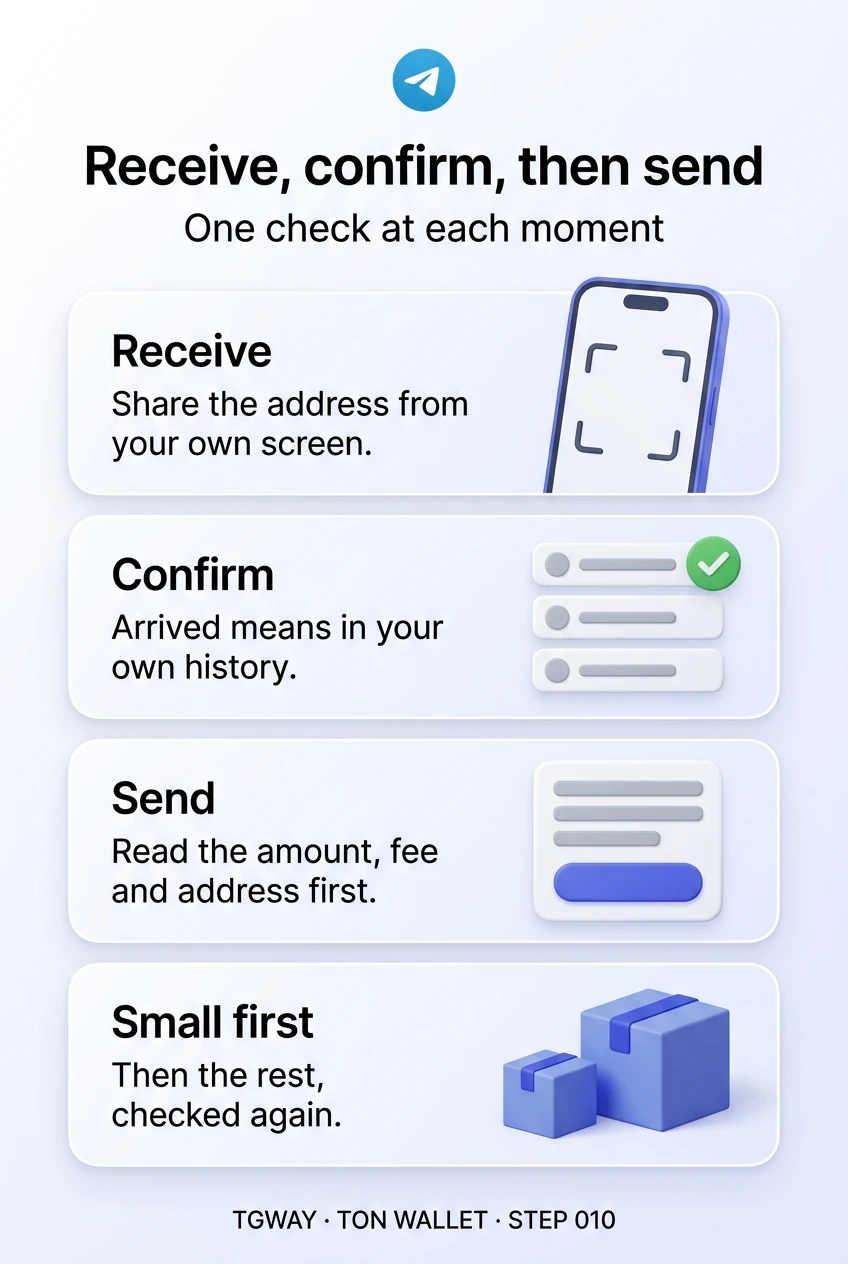
Share the address from your own receive screen.
Check that it really arrived
When your friend sends, the transfer appears in your wallet's history, usually within moments. Open it: it shows the amount and the address it came from.
A screenshot of your friend's "sent" screen is not the same as it arriving, as Step 009 explained. The arrival in your own history, or in a block explorer for your address, is the only confirmation that counts.
Arrived means in your history, not in their screenshot.
Send a small amount back
Ask your friend for their address from their receive screen. Tap Send, paste it, enter a small amount, and read the confirmation screen: the amount, the fee in Gram, and the first and last characters of the address, as Step 005 showed.
Approve only when all three match. Then ask your friend to confirm it arrived on their side. You have now done the whole cycle, including the test from Step 008.
Amount, fee, address: read all three before approving.
table_chart What each screen shows, and what to check
| Screen | What it shows | The one check |
|---|---|---|
| Receive | Your address as text and a QR code | You are sharing it from your own wallet, not retyping it |
| History | Every transfer in and out, with amounts and addresses | A new incoming line, from the address you expected |
| Send | Fields for the address and the amount | The address was pasted from the recipient's own source |
| Confirmation | The amount, the fee and the address together | First and last characters match; the fee fits your Gram balance |
| After sending | The transfer as sent in your history | The recipient confirms it arrived on their side |
Rushed, or done once properly
Both people want to pay a friend back for a concert ticket.
bolt In a hurry
Copies the address from an old message in a busy group.
Sends the whole amount in one go.
Taps approve without reading the confirmation.
Assumes it worked because the wallet said sent.
task_alt Once properly
Asks the friend to send their address from their receive screen.
Sends a small amount first and waits for "got it".
Reads amount, fee and address ends on the confirmation.
Sends the rest the same way, and checks again.
The careful way takes two extra minutes. It is the habit for every transfer after this one.
help_center If the first try does not go smoothly
- Nothing arrived after several minutes. Do not send again. Paste the sender's address, or yours, into a block explorer and look at the latest transfer; it shows whether it went out and which step stopped.
- The wallet will not let you send. Usually the balance cannot cover the amount plus the fee. Lower the amount a little, or use the wallet's own max option.
- You sent to the wrong address. It cannot be reversed. If the address belongs to someone you know, ask them to send it back; if it belongs to a stranger, treat it as lost, and ignore anyone who offers to recover it for a fee.
- Something asks for your recovery phrase to "complete" the transfer. Stop. No transfer, in any wallet, ever needs it. Close whatever asked, and move what the wallet holds if you already typed it.
Each of these is far less painful with a small first transfer, which is the whole reason to start with one. After a few successful cycles the checks become a two-second glance, and that glance is what keeps larger transfers safe.
checklist The first module, in one list
Everything from Steps 001 to 009 shows up in this one small transfer:
- You chose a wallet type knowingly, custodial or self-custody, from Step 002.
- Your recovery phrase is on paper, stored away from the phone, from Step 007.
- You read addresses by their ends and take them from the source.
- You sent a little first and waited for confirmation.
- You kept some Gram for fees and know that sent is not received.
Custodial and self-custody wallets, why there is no chargeback or dispute process, and why the most common loss is a mistaken address rather than a scam.
help Questions
Is it safe to post my address publicly?
It is safe in the sense that nobody can take anything with it. But an address has a public history, so anyone who knows it is yours can see what moves in and out. Share it with the people who need it rather than posting it where everyone can link it to you.
Someone sent me a small amount I was not expecting. What should I do?
Nothing. Unexpected small transfers are sometimes sent from lookalike addresses, hoping you will later copy that address from your history by mistake. Never copy a recipient's address from your history; always take it from the source.
Do the buttons look the same in every wallet?
The words Receive and Send are almost universal, but their position differs between the wallet inside Telegram and separate wallet apps. The checks are the same everywhere.
What is next in the Wallet track?
This closes the first module. The next module covers everyday transfers in more detail: receiving from an exchange, sending to one with the memo it needs, and sending to a friend inside a chat.
Receive, confirm, then send
Your first transfer in three moments, receive, confirm and send, the one check on each screen, and what to do when the first try does not go smoothly. Tap to open it at full resolution.